Link Mappings
Overview
During a synchronization, once a connection between a source entity and a target entity has been found by the join rules or a new target entity has been created by provisioning, mapping rules are used to control which source entity data are added to the new or updated in the existing target entity.
Like a join rule, a mapping rule defines a source entity field and a target entity field. Unlike the join rule, however, mapping rules also include a direction, either Adapter to Locker (incoming), Locker to Adapter (outgoing), or Bidirectional (both), which controls when the mapping rule should be applied. Please note that joined fields are not mapped by default - you must manually add mapping rules between join fields as well if you want changes to these fields to be synchronized (including on newly provisioned entities).
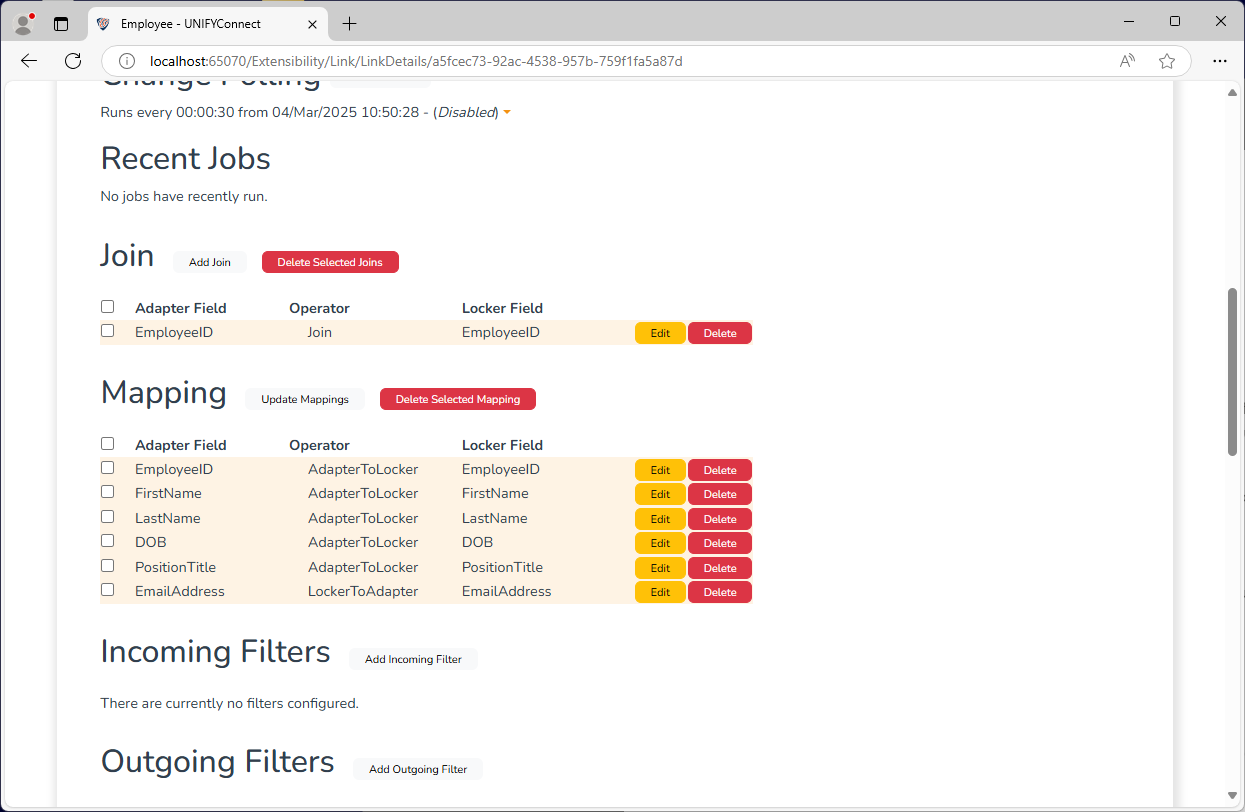
In the screenshot below, for an incoming sync (from the HR System Adapter to the Employee locker) where an adapter entity is created, when provisioned the new target entity will be populated with all source-target entity values with the exception of EmailAddress.
If another link synchronization updates a locker entity's PositionTitle and EmailAddress fields, running an outgoing sync (from the Employee locker to the HR System Adapter) will update the adapter field's EmailAddress value with the new locker entity's email field, but will not update the PositionTitle field as rule for that field is configured to only apply to incoming synchronization.
Configuration
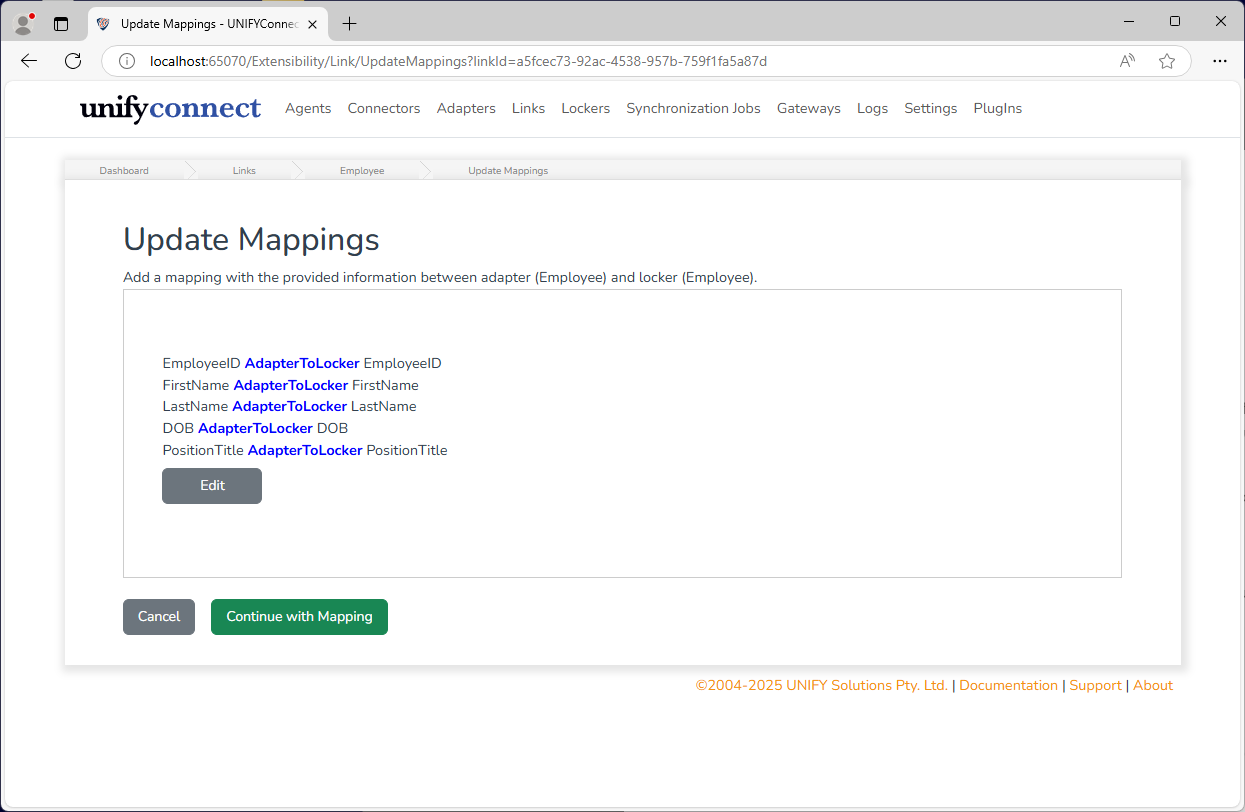
To add a mapping rule, click the Update Mappings button, click the Edit button and set the desired mappings, and then press the Commit button.
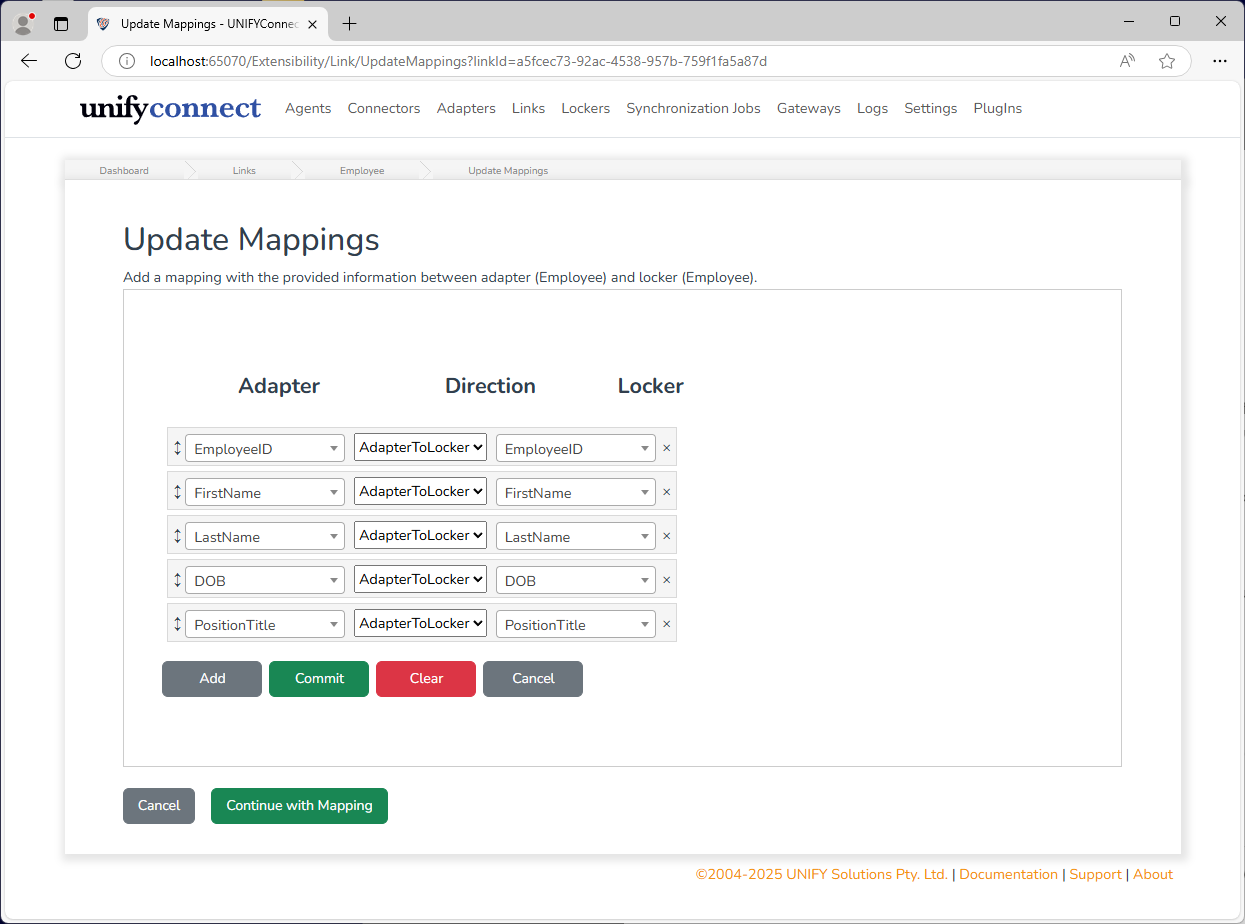
Finally, press the Continue with Mapping button to save the mapping configuration.