Pending Sync Change Viewer
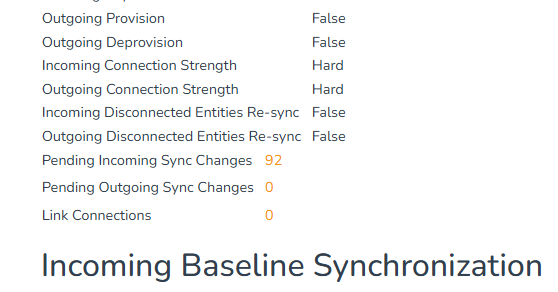
The pending sync change viewer shows a Link's incoming or outgoing pending synchronization changes. Open it by selecting a pending-change count on the Link details page or Links index page.
Information Displayed
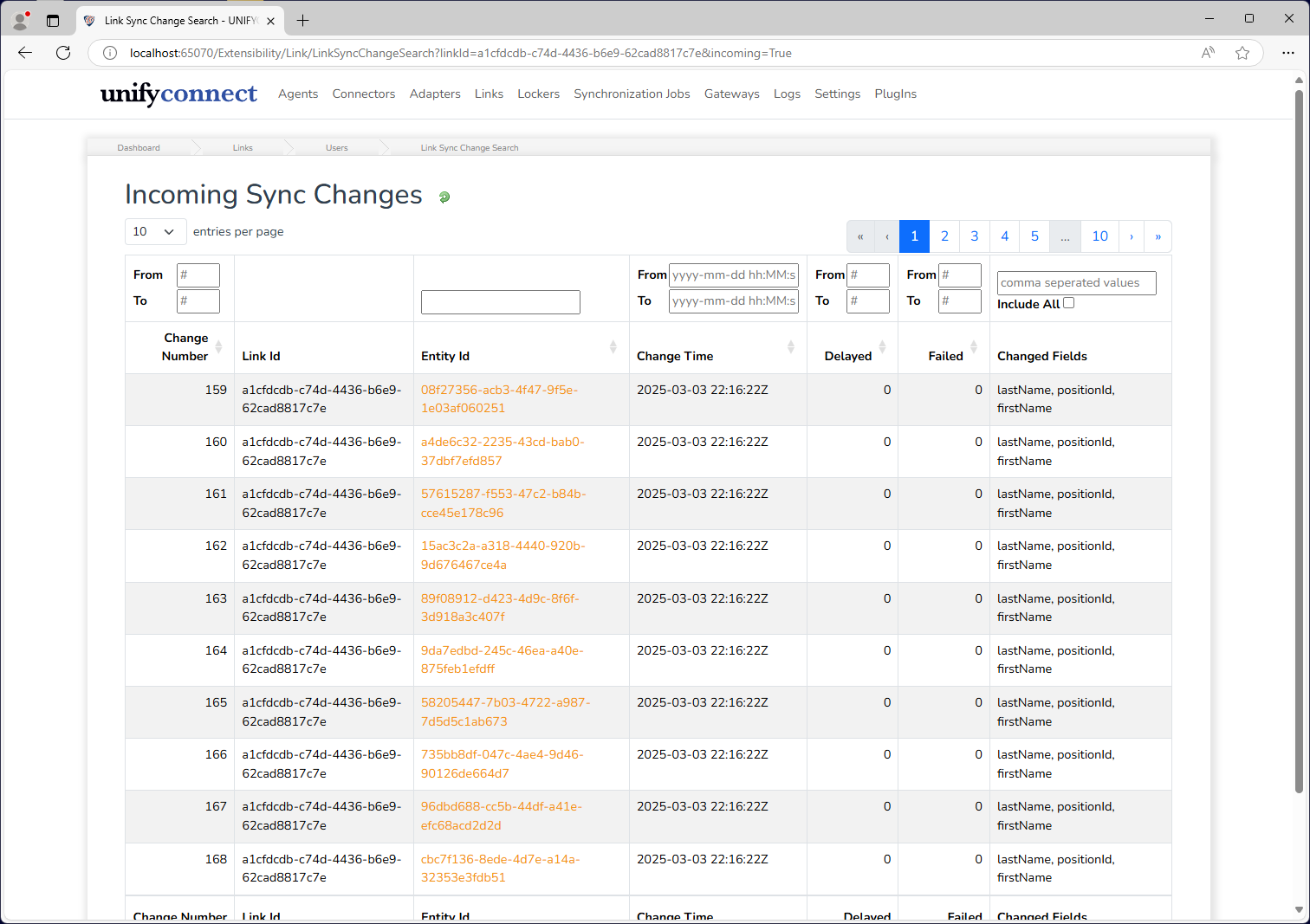
The sync change viewer displays the following information for each sync change:
| Information | Description | Filtering Options |
|---|---|---|
| Change Number | The incremental identifier of the change. | Can be filtered with start and end values, both inclusive. Either can be omitted for filter with no lower or upper limit, respectively. |
| Link ID | ID of the Link that handles the change. | None, because every change in the view has the same Link ID. |
| Entity ID | ID of the source entity whose change triggered the pending sync change. Select it to view the changed entity's details. | A specific ID can be searched for. |
| Change Time | Timestamp when the pending sync change was created. | Can be filtered with start and end values, both inclusive. Can be input with the time picker widget or manually entered. Either can be omitted for filter with no lower or upper limit, respectively. |
| Delayed | Counter of how many times a pending sync change has been delayed. | Can be filtered with start and end values, both inclusive. Either can be omitted for filter with no lower or upper limit, respectively. |
| Failed | Counter of how many times a pending sync change has failed. | Can be filtered with start and end values, both inclusive. Either can be omitted for filter with no lower or upper limit, respectively. |
| Changed Fields | The entity fields which have changed and will be synchronized when the pending sync change is processed. Displays All when all fields have changed, such as with new entities. | Provide a comma-separated list to display only changes where all provided values appear in the changed fields list. Changes with All fields changed will be excluded unless the Include All checkbox is checked. |
Changed Entity Viewer
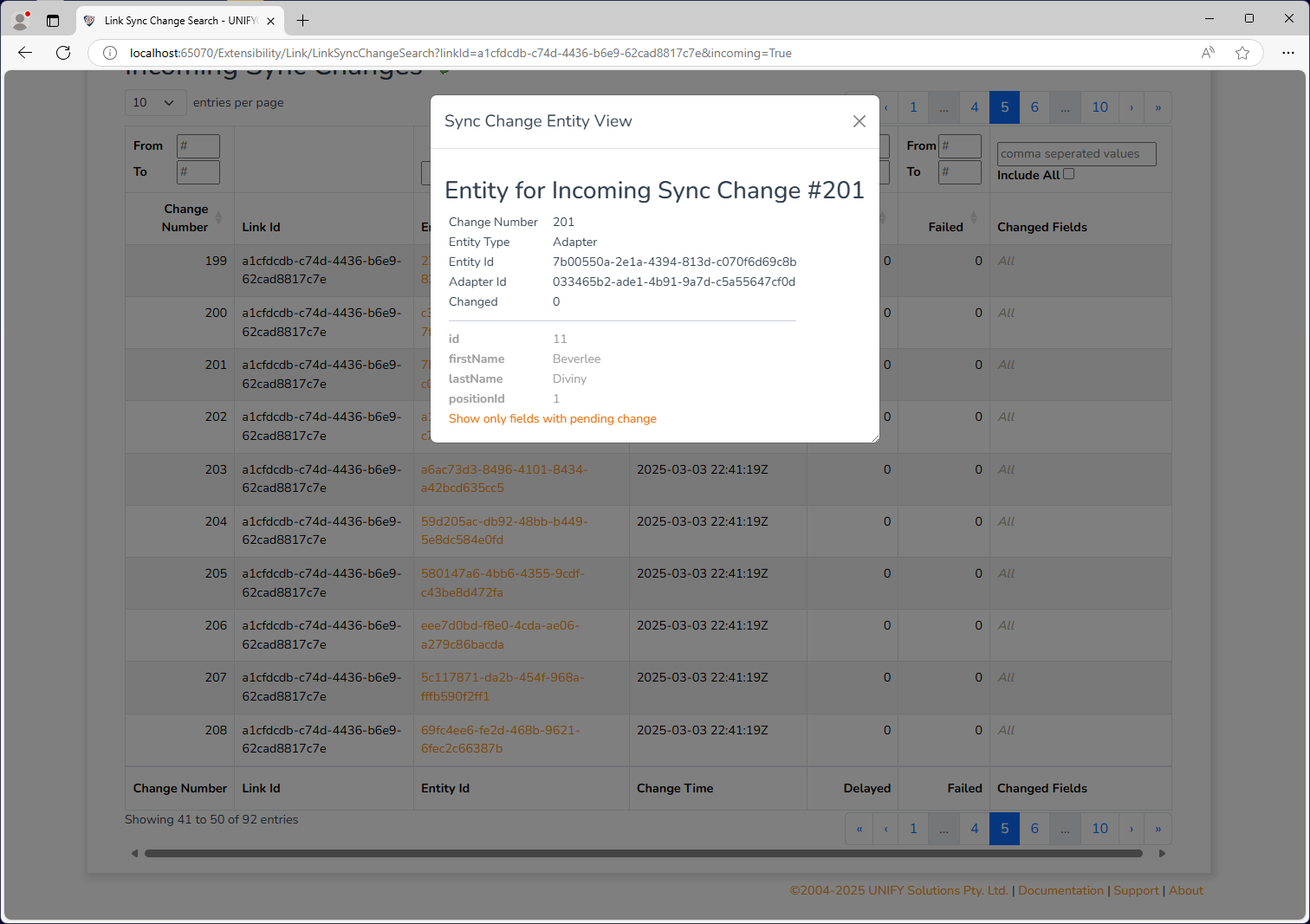
Select a pending sync change's Entity ID to open the changed entity viewer. It shows the pending-change information, source entity type and ID, source partition ID, and field values. Changed fields use black text and unchanged fields use grey text. Use the toggle below the values to hide unchanged fields.
If clicking an entity results in a "missing entity" warning, this likely means the entity flagged as changed is due for deprovision.
Clearing Pending Changes
Use Clear Sync Changes on a Link to delete all of its incoming and outgoing pending synchronization changes. The operation does not change the source or target entities. New pending changes can be created when those entities change again or when changes are regenerated.
WARNING
Cleared changes are not synchronized. Only clear them when they are no longer required or when the changes will be regenerated deliberately.