Link Filters
Overview
Filters are a set of rules that dictate if a changed source entity is eligible for synchronization. Links can be configured with a separate set of filters for both incoming and outgoing synchronizations. An entity must satisfy ALL appropriate filters before it will be considered for synchronization - that is, filters are inclusive. The utilization of filters can be used to give more control over what entities are synchronized on any given link.
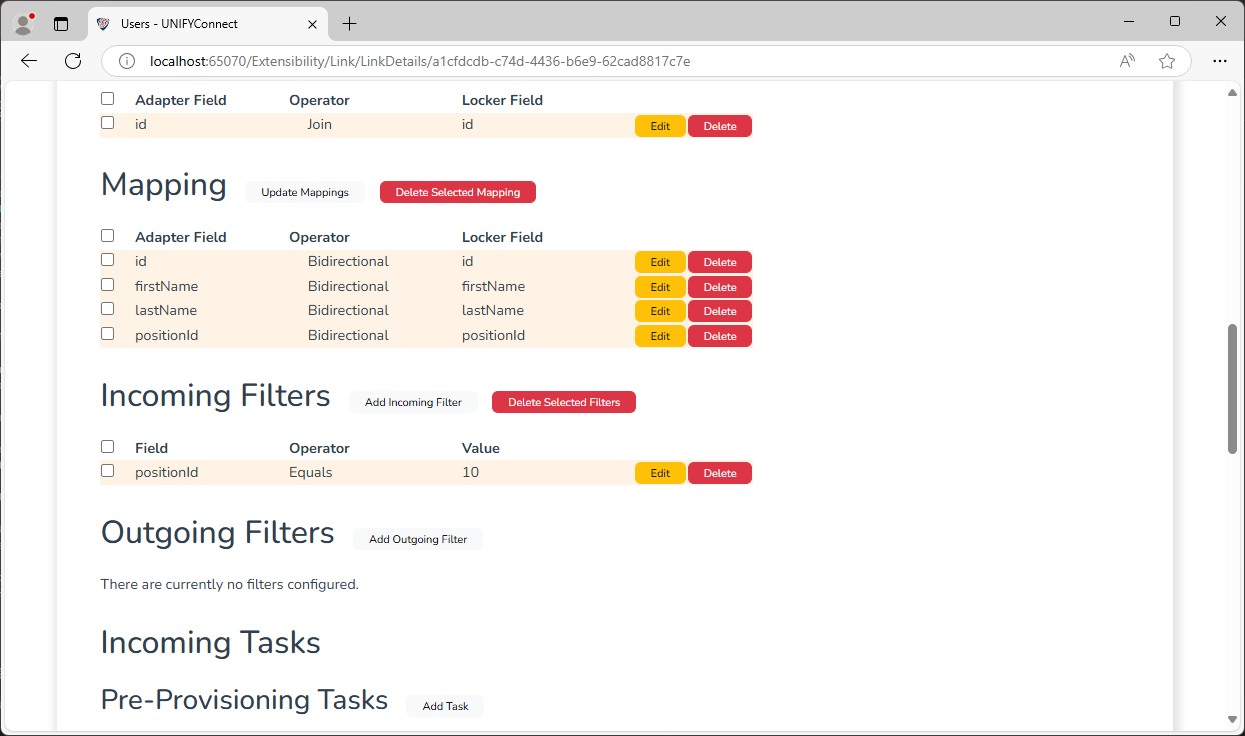
Described below are the many different types of comparison operators that filters allow, each offering different functionality. Filter availability is dependent on the schema type of the field being filtered.
| Name | Description | Supported Types |
|---|---|---|
| Contains | If the configured string is a substring of the entity value. | String, Distinguished Name |
| Does not Contain | If the configured string is not a substring of the entity value. | String, Distinguished Name |
| Equals | If the configured value is exactly the same as the entity value. | All |
| Does not Equal | If the configured value is in any way different to the entity value. | All |
| Greater Than | If the configured value is higher in value to the entity value. | Byte, Date, Decimal, Double, Integer, Long, Short, String, Time, Timestamp |
| Greater Than or Equal | If the configured value is the same or higher in value to the entity value. | Byte, Date, Decimal, Double, Integer, Long, Short, String, Time, Timestamp |
| Less Than | If the configured value is lower in value to the entity value. | Byte, Date, Decimal, Double, Integer, Long, Short, String, Time, Timestamp |
| Less Then or Equal | If the configured value is the same or higher in value to the entity value. | Byte, Date, Decimal, Double, Integer, Long, Short, String, Time, Timestamp |
| Starts With | If the configured string appears at the beginning of the entity value. | String, Distinguished Name |
| Does not Start With | If the configured string does not appear in the entity value, or not at the beginning. | String, Distinguished Name |
| Ends With | If the configured string appears at the end of the entity value. | String, Distinguished Name |
| Does not End With | If the configured string does not appear in the entity value, or not at the end. | String, Distinguished Name |
| Has Value | If the entity value has a value. | All |
| Does not Have Value | If the entity value does not have a value. | All |
Configuration
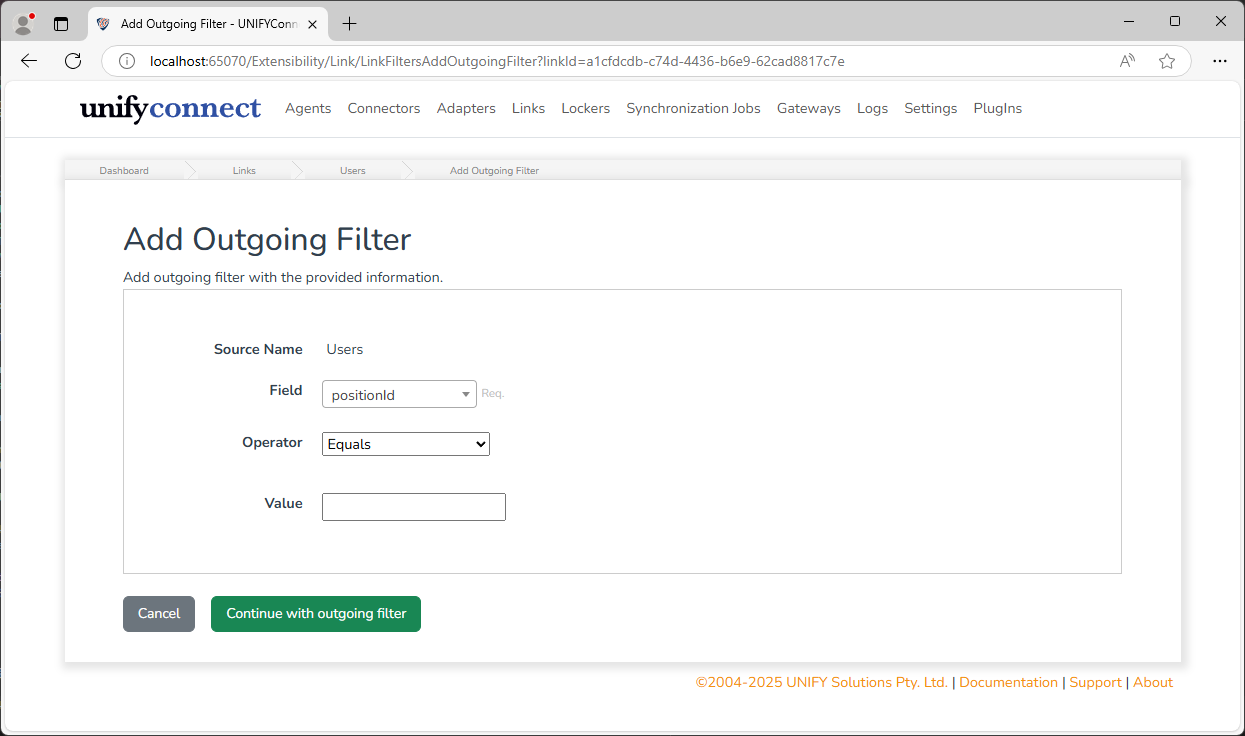
To configure a filter, click either Add Incoming Filter or Add Outgoing Filter as desired, select the Field and Operator and enter a Value to compare against. Depending on the operator and schema type of the selected field, how the value is entered and in what format will vary.
Filtering Advice
Where either incoming or outgoing filters result in a large entity count disparity, it is strongly advised to ensure your link page size is not configured too large. To ensure filters are accurately calculated particularly on Baseline Sync operations, all entities in the page size are checked for connections between adapter and locker to determine whether entities were previously connected, that may have been subsequently filtered out. For example, where a locker may contain 30,000 entities and an outgoing filter may result in only 2000 entities being in scope of the filter, it would be recommended to set the link page size to 5,000.