Synchronization Execution
Synchronization is the process of transferring entity data between the adapter and locker following the rules defined by the link. Synchronization can only occur in a single direction at a time, moving entity data from the source entity space to the target entity space. When the source is an adapter and the target is a locker, it is considered an inbound sync. Conversely, from a source locker to a target adapter is considered an outbound sync.
Modes
A synchronization process can be executed in one of two different modes:
| Sync Type | Description | Best Use |
|---|---|---|
| Baseline | A synchronization between all adapter entities and all locker entities. Useful to realign adapter and locker entity spaces. | Run either manually or on a schedule at long intervals. eg daily or weekly |
| Change Polling | A synchronization between adapter and locker entities which have been modified, added or removed since the last time a synchronization was run. | Run on a schedule at a small interval. Links are create by default with a disabled change polling sync schedule to run every 30 seconds. |
Baseline Synchronisation processes in a single direction per job, where changes synchronisation will process all pending changes, starting with inbound changes.
Execution
Synchronization can be executed either by setting a link schedule or manually. For more information on setting a synchronization schedule see the links documentation page on Synchronization Schedules.
The manual triggering of a synchronization can be done from the Link and will synchronize between the adapter and locker associated with that link. Additionally, baseline synchronizations can also be started from a Locker to synchronize on all associated links.
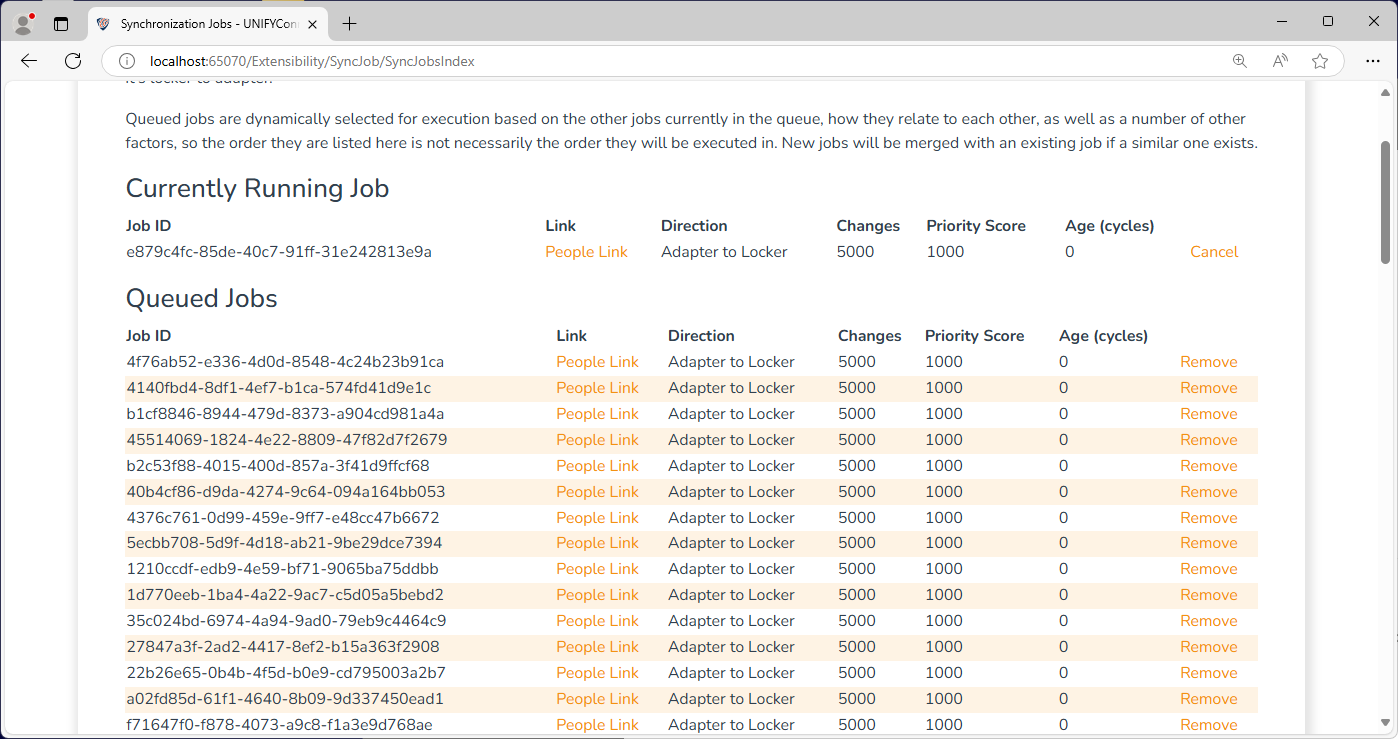
Running, queued, and historical jobs can be viewed by navigating to the Synchronization Jobs link in the navigation bar. Historical jobs are only persisted for the lifetime of the service.
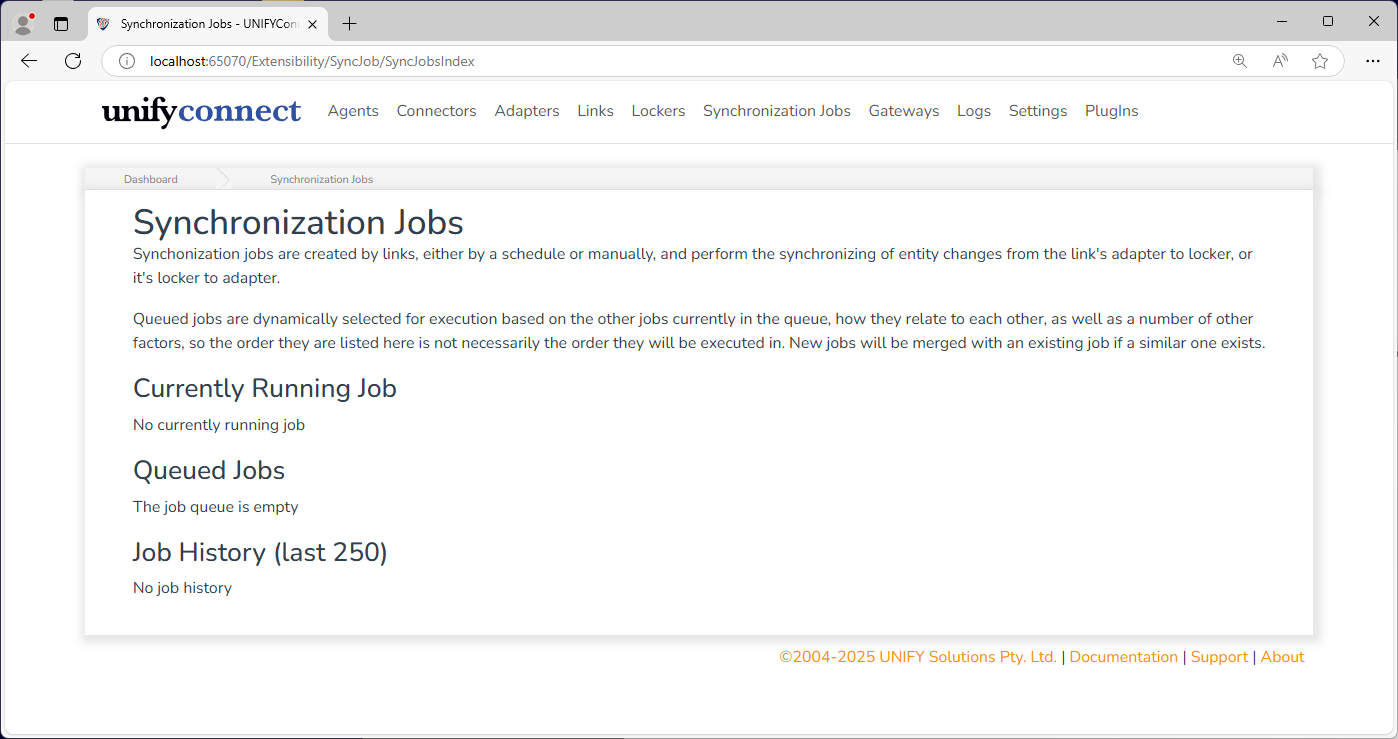
Jobs are queued with an entity count up to the limit of the link sync job configuration. Where multiple jobs performing the same operation can be merged without exceeding the maximum processing count, this will happen automatically.
Synchronization Process
The synchronization process is a complex series of events comprised of many individual steps, but can be simplified to the following chain of events:
- Change collection - the collation of changes requiring synchronization
- Filtering - the appropriate link filter is applied, removing changes not matching the defined filter rules
- Joining - the links join rules are applied to find connections between source entities to sync and existing target entities
- A source entity without a joined target entity has a target entity provisioned, if configured
- A deleted source entity with a previously joined target entity has that target entity deprovisioned, if configured
- Connections between entities that no longer exist based on join or filter rules are flagged for removal
- Mapping - the links mapping rules are applied and changed source entity values are transferred to the new or existing target entity
Manual Synchronization Process
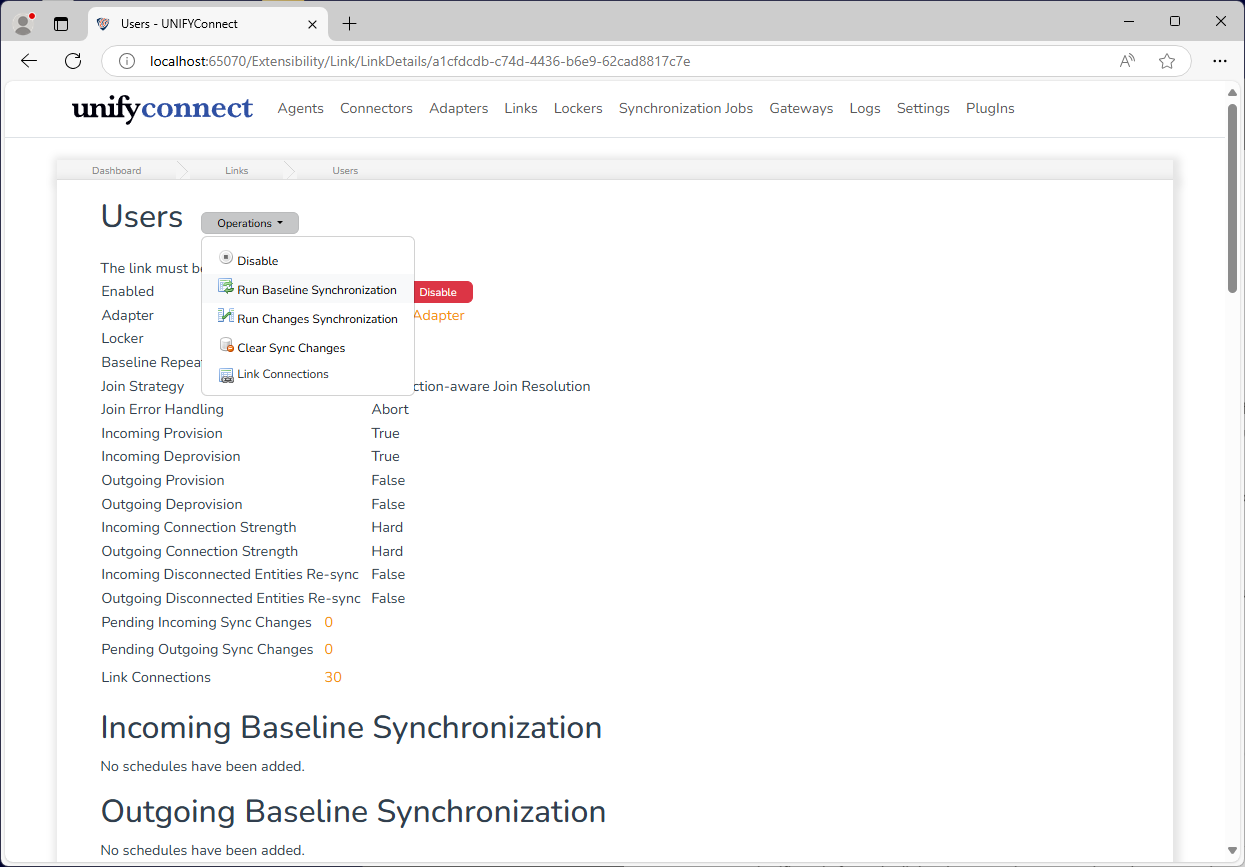
When a manual synchronization is initiated, the process follows these steps:
- The synchronization preparation starts, this is when the changes that require synchronization are collated.The preparation process could result in:
- The sync process terminates if no changes are detected.
- The sync process terminates if the adapter is disabled.
- If the synchronization process has not been terminated, sync jobs are created and queued for execution.
- Once the sync jobs are processed, they are removed from the sync jobs queue.
Statistics for the synchronization preparation process are also displayed which show:
When preparation has started.
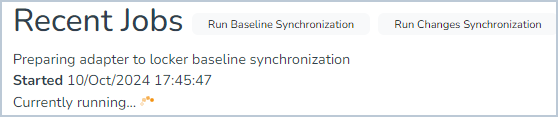
When preparation has been completed
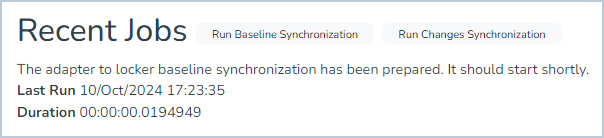
When preparation has ended the synchronization due to any of the reasons mentioned above.

Provisioning and Deprovisioning
Provisioning
Provisioning occurs as part of a synchronization when the join rules defined by the link are applied to a source entity, but do not result in a matched target entity. In such cases, the provisioning process generates a new entity in the target entity space for which to synchronize to.
A provision only occurs when the sync direction-specific link provisioning configuration option is selected. See the link configuration documentation for more information.
Alongside provisioning custom, user-defined actions can be run. See the provisioning task documentation for more information.
Deprovisioning
Deprovisioning occurs as part of synchronization when a source entity has been deleted but had previously been joined with a target entity. In such cases, the deprovisioning process removes the target entity from the target entity space.
A deprovision only occurs when the sync direction-specific link deprovisioning configuration option is selected. See the link configuration documentation for more information.
Alongside deprovisioning, custom, user-defined actions can be run. See the provisioning task documentation for more information.
Synchronization Flags
Synchronization flags provide ways to modify synchronization behaviour. Supported flags are described below.
Forced
Synchronization Types: Baseline
Can be scheduled: Yes
A "forced" baseline will always synchronize all entity values, regardless of priority settings of the target adapter or locker. The links provisioning, deprovisioning, mapping and filtering rules still apply, and link tasks can delay or deny entity synchronization.