Lockers
Overview
Lockers act as a central identity store for entities of a single type. They act as a focal point for identities, which may be provided by multiple source systems, to be consumed by one or more target systems. The locker is considered the center point of an entity's path between one connected system and another.
Use Cases
Other than just being a representation of all of the attached links to the locker, the locker can be a useful place to make logic decisions when used in conjunction with Filters. For example, by using a secondary locker and by filtering based on a field being set, a pre-provisioning task can be used to populate the filtered field with a value retrieved externally. This allows for built-in logic in the provisioning task to handle retries, as well as a central location to view which entities have been successfully assigned a value from the task.
Configuration
Creation
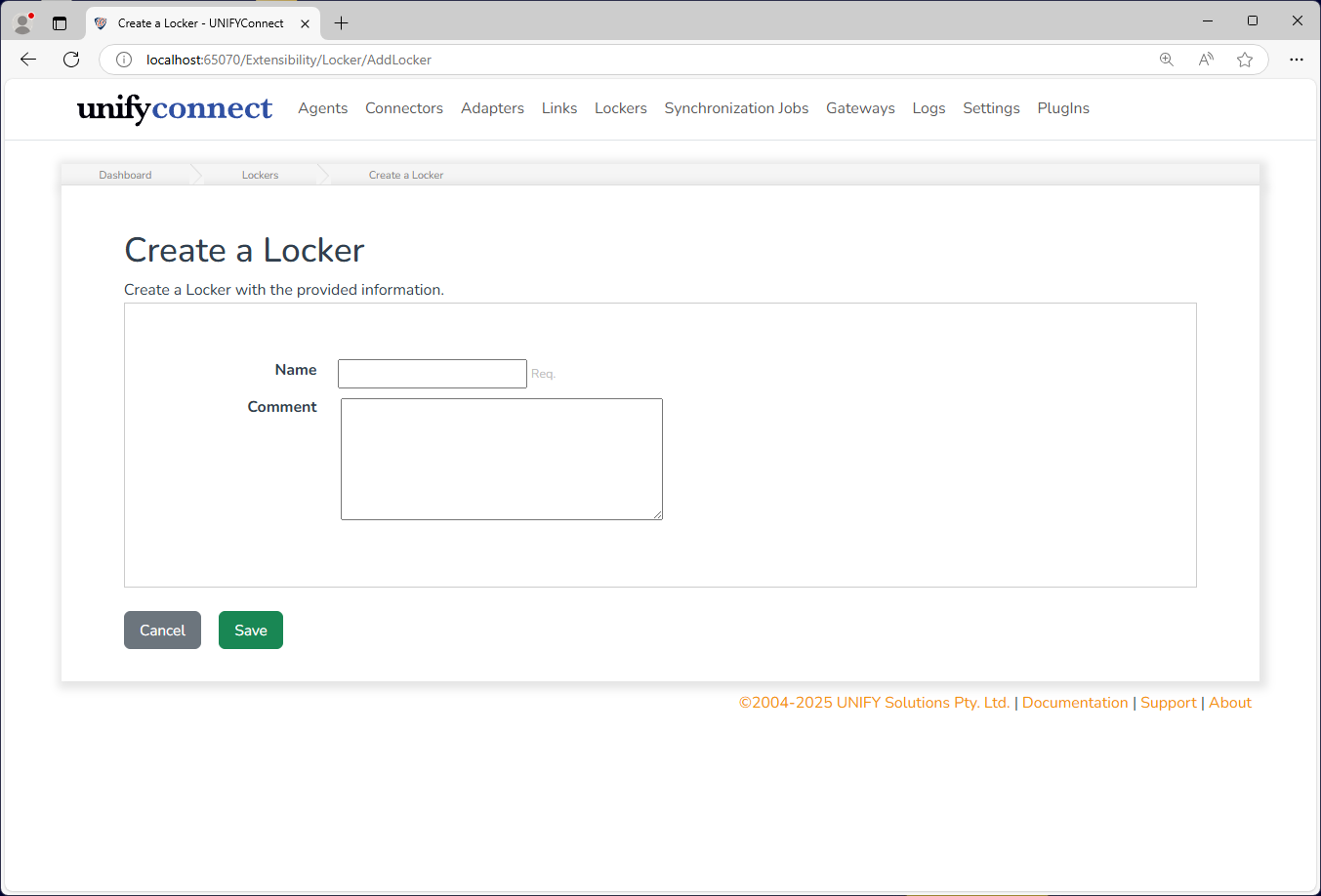
Lockers initially require the following configuration:
| Name | Description |
|---|---|
| Name | The display name of the locker. Should be descriptive of its purpose. |
| Comment | A comment to be attached to the locker. Optional. |
Schema
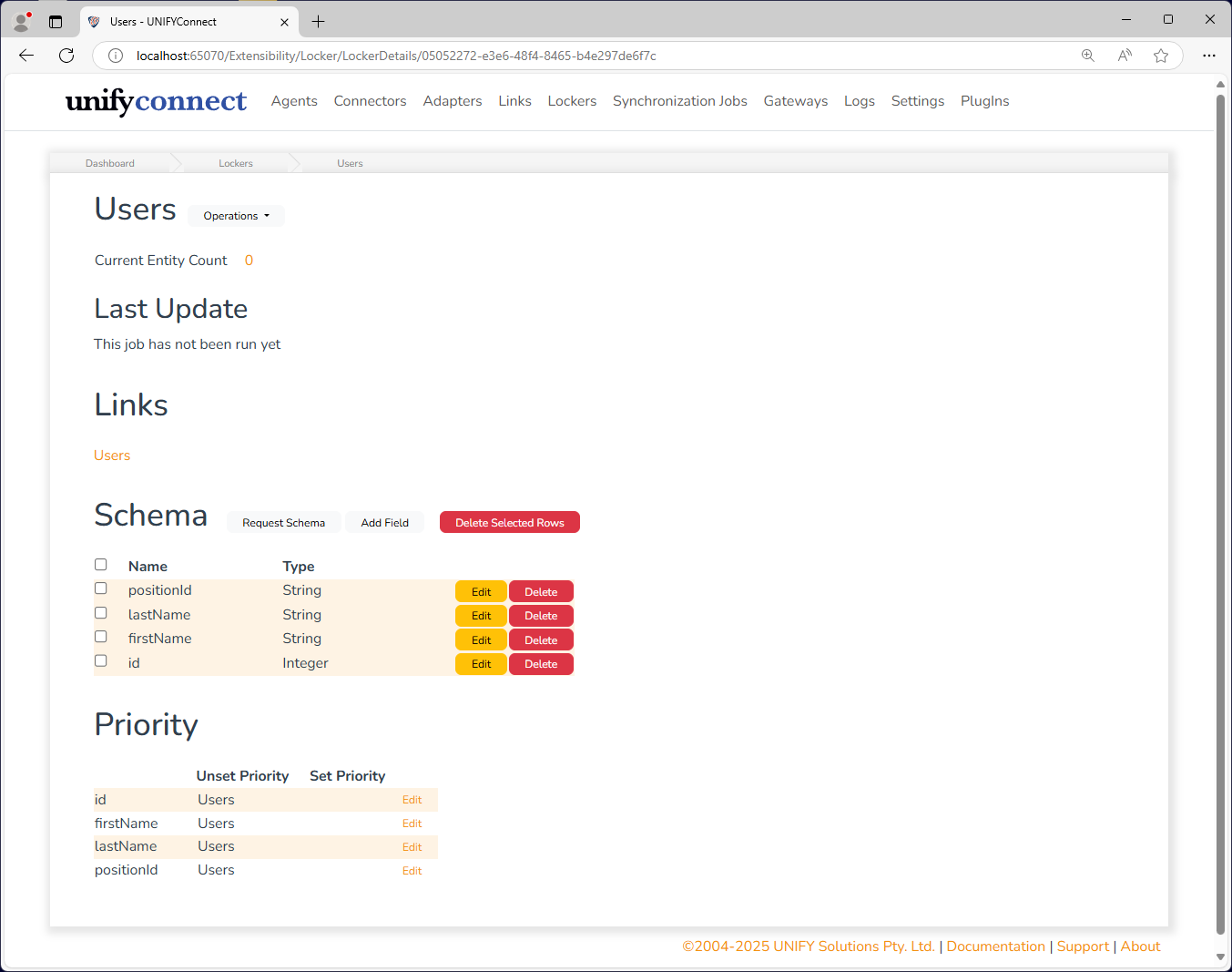
Lockers, like adapters, also require a schema to define the entities they store. The current locker schema is displayed on the locker details page.
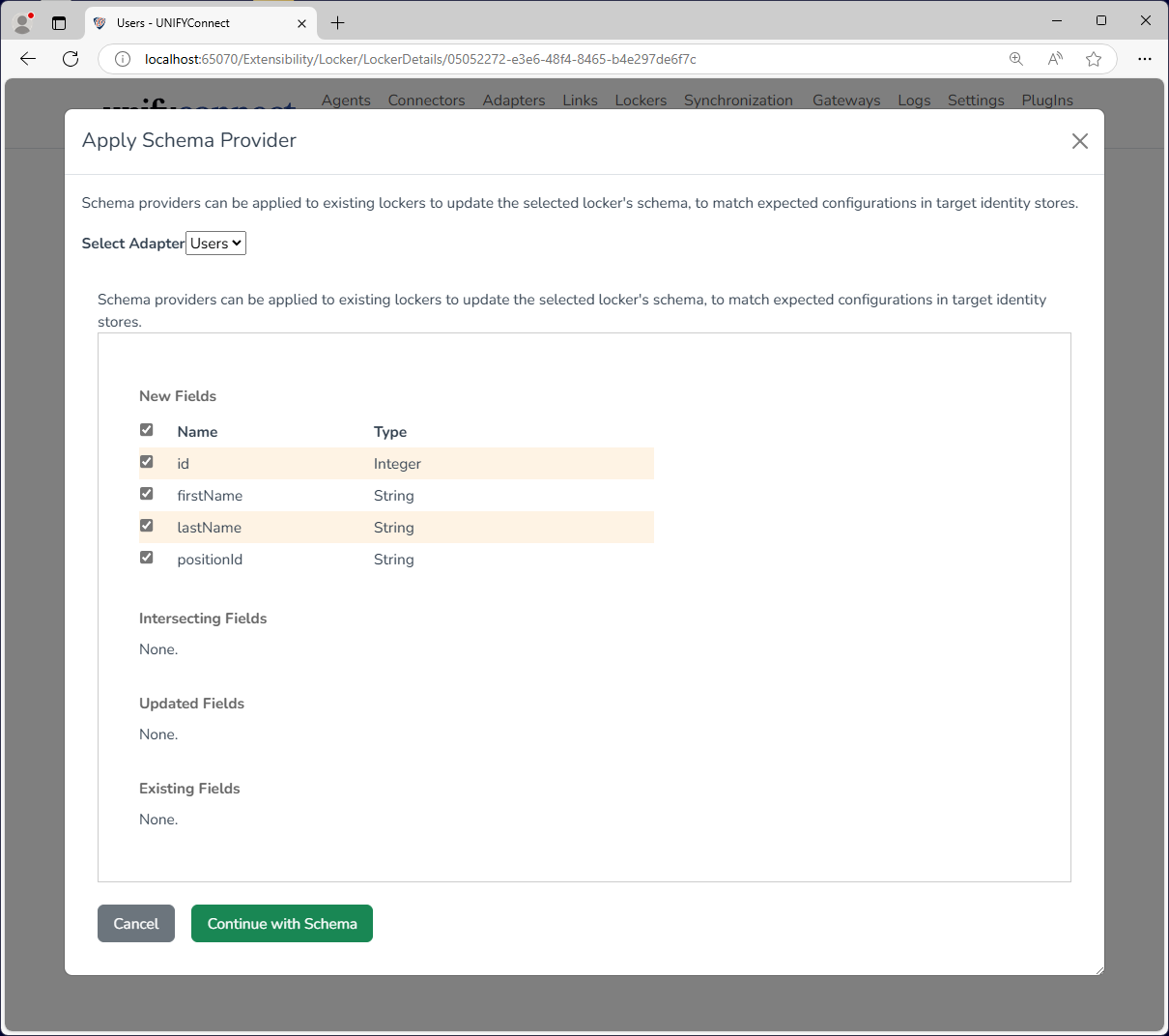
To import an adapter schema, click the Request Schema button and select the desired adapter from the drop-down menu. Partial schema can be imported by selecting or deselecting the check box beside each schema field. Click Continue with Schema to complete schema import.
Schema fields may also be added manually. To do so click Add Field, enter a field name, and choose an attribute type. Click Continue with Schema to add the schema field.
Priority
Lockers have priority configuration to control how adapters update existing locker entity values during incoming synchronization. See the Priority page for more information on this topic.
Clearing Locker Entities
The Locker interface provides three clear operations:
- Clear Locker removes every entity from the Locker.
- Selective Clear removes the selected entities only.
- Clear Unconnected Entities removes entities that have no connection through any Link.
These operations remove Locker entities; they do not delete the connected adapter entities. Review the affected Links and regenerate or resynchronize data when the Locker must be repopulated.
WARNING
Clearing Locker entities can affect later synchronization and provisioning decisions. Confirm the scope before running a clear operation.