PowerShell Task
Overview
The PowerShell task allows for a custom PowerShell script to be run during the provisioning, deprovisioning, or synchronization process. It enables functionality such as the ability to make remote service calls or enact control over the synchronized entities, where applicable.
NOTE
View PowerShell in UNIFYConnect for more information on the version of PowerShell used by UNIFYConnect.
Configuration
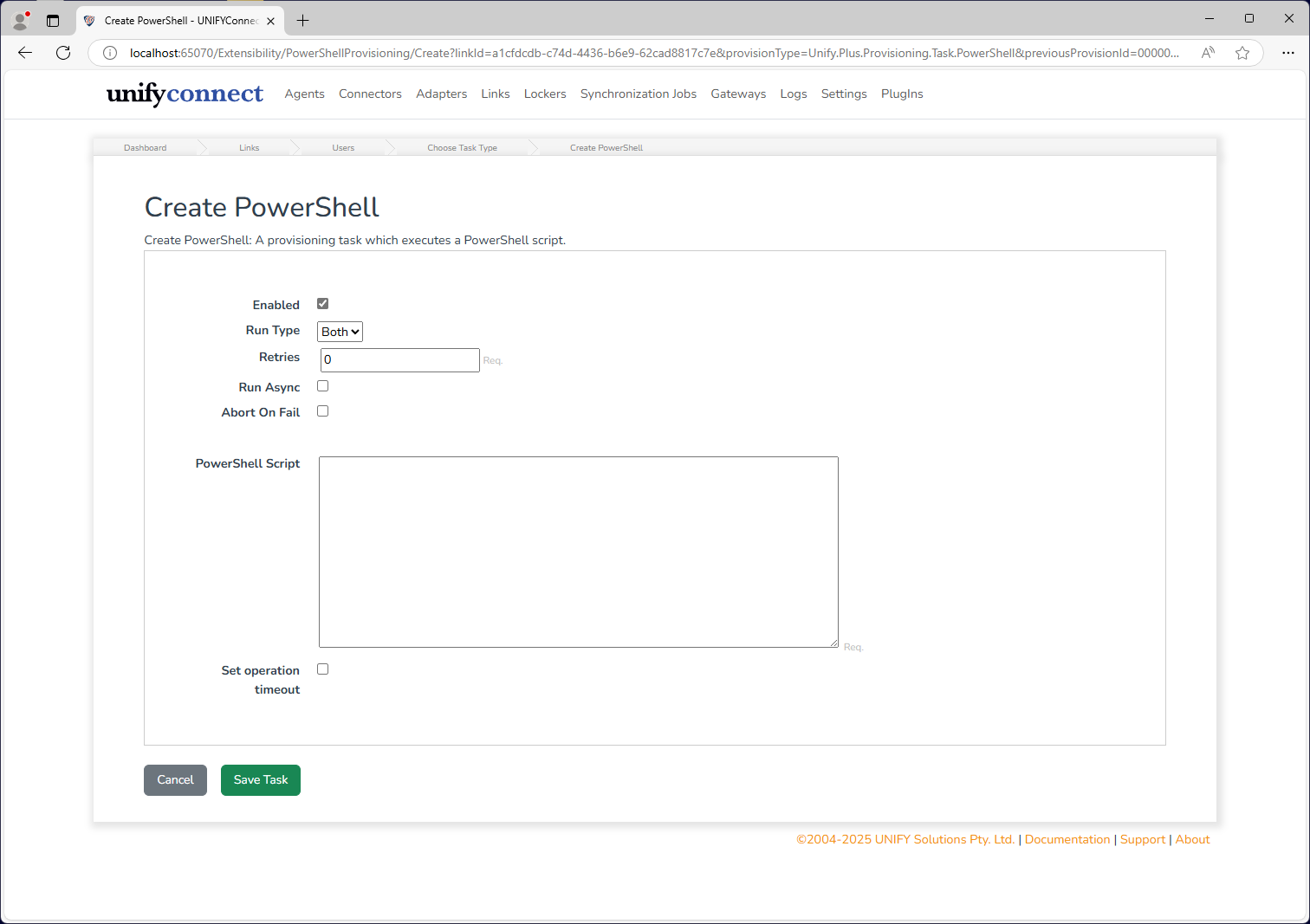
The PowerShell task features the following configuration options.
| Name | Description |
|---|---|
| Enabled | If the task should be executed. |
| Run Type | If the task should be run in normal operation, test mode, or both. See Test Mode for more information. |
| Retries | The number of times the task fails before accepting result. |
| Run Async | If the task should be run asynchronously or not. |
| Abort on Fail | If the entire synchronization process should be terminated if this task fails. |
| PowerShell Script | The script to execute. |
Operation Timeout
All script locations supported by the PowerShell Task provide the option to set an operation timeout. If enabled, UNIFYConnect will forcibly terminate the execution of a PowerShell script once the configured duration has passed.
WARNING
The termination of an executing PowerShell script from an exceeded operation timeout may result in an undesired state, depending on the script and its behaviour. In these cases, it is recommended to handle the termination gracefully from within the script where this is possible, and rely on the operation timeout for cases where it is not.
PowerShell Definitions
UNIFYConnect Sync Module makes several components for use or manipulation by the PowerShell script. See their specific documentation page below for more information.
The PowerShell task also has access to the same logging component as the PowerShell connector - see PowerShell Connector Logger for details.
Examples
The following provisioning script, suitable for use as a Synchronization task, updates the userAccountControl field on the target entity to add or remove the ACCOUNTDISABLE flag based on whether the source entity is terminated or active.
foreach ($entity in $joinedEntities) {
    if ($entity.SourceEntity['terminated'].Value -eq 'True') {
        $uac = $entity.TargetEntity['userAccountControl'].Value
        $uac = $uac -BOr 2 # 'ACCOUNTDISABLE'
        $entity.TargetEntity['userAccountControl'] = $uac
    }
    elseif ($entity.SourceEntity['active'].Value -eq $true) {
        $uac = $entity.TargetEntity['userAccountControl'].Value
        if ($uac -BAnd 2) { # 'ACCOUNTDISABLE'
            $uac = $uac - 2
            $entity.TargetEntity['userAccountControl'] = $uac
        }
    }
}