Time Offset Transformation
Overview
This transformation adds a new field which contains an offset time-stamp or date value based on a provided source column.
Use Cases
The time offset transformation can be used to accomplish the following:
- Setting a new field for use in processing where the time of day is significant, such as HR processing or advanced workflows
- Moving existing times into a new window where times from the source system may be inappropriate
Prerequisites
The transformation requires a date or timestamp value in the adapter schema.
Contribution
This transformationadds a new timestamp field (depending on the source) with the offset time.
Configuration
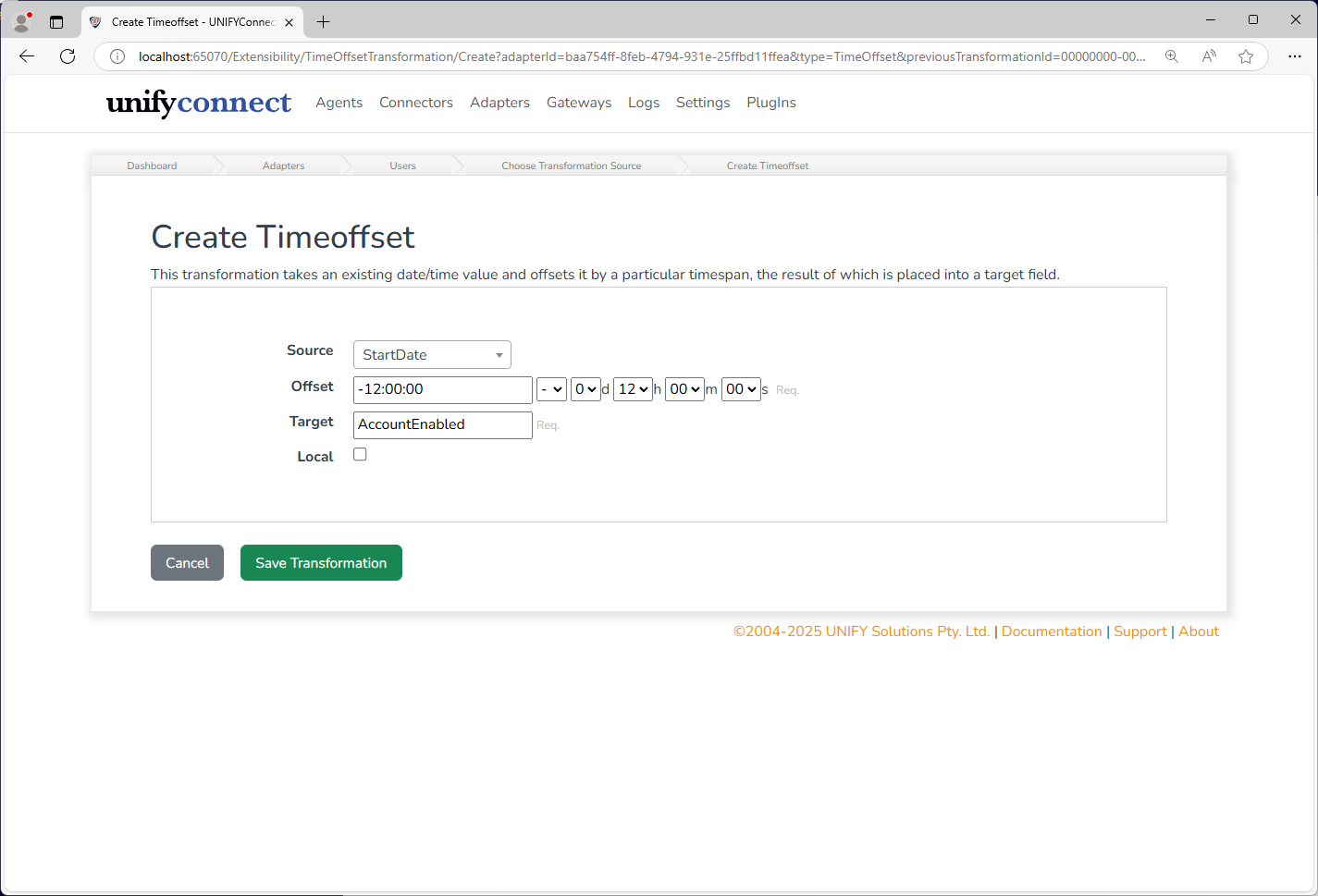
The time offset transformation requires the following by way of configuration.
| Attribute | Description |
|---|---|
| Source | The field containing the date or time-stamp to offset. |
| Offset | The value to offset the source value. If the source value is a date, it is offset from midnight of the start of that day. |
| Target | The field into which to put the offset calculated value. |
| Local | Specifies whether an offset of a date should be offset from local time, instead of UTC time. For instance, in Brisbane, Australia, this would result in a time-stamp of 10 hours later. |
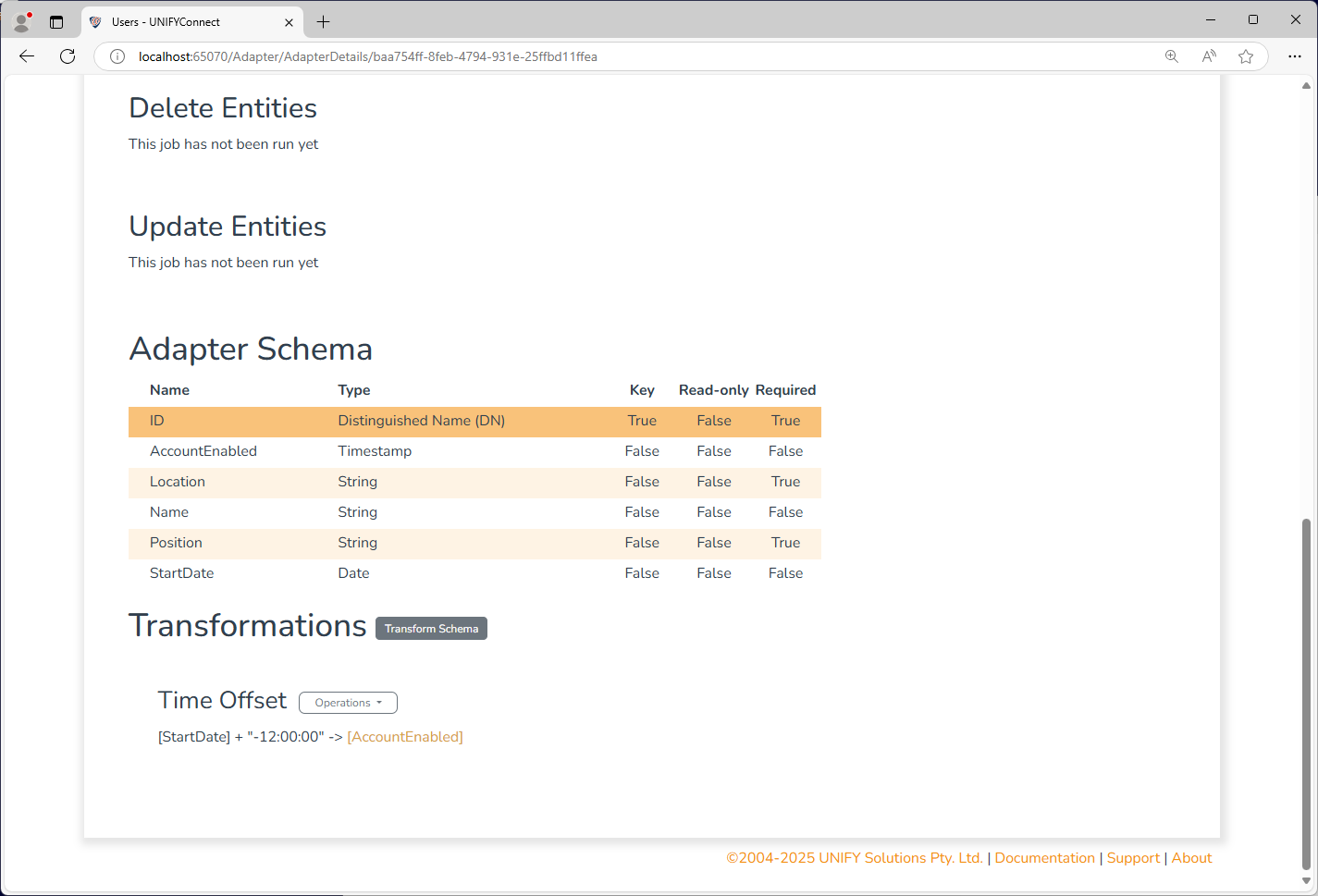
The above example generates a timestamp field AccountEnabled which adds a 12 hour negative offset to the date field StartDate, producing a field which can be used to enable the employees account 12 hours before their start date.
Change Processing
During the change detection process, a change will be flagged for an entity if the Offset Source Field has been updated.