SQL Server Database Agent
Overview
An SQL Server agent encapsulates the connection details to a single SQL Server instance.
Usage
The SQL Server agent is used by the following connectors:
Configuration
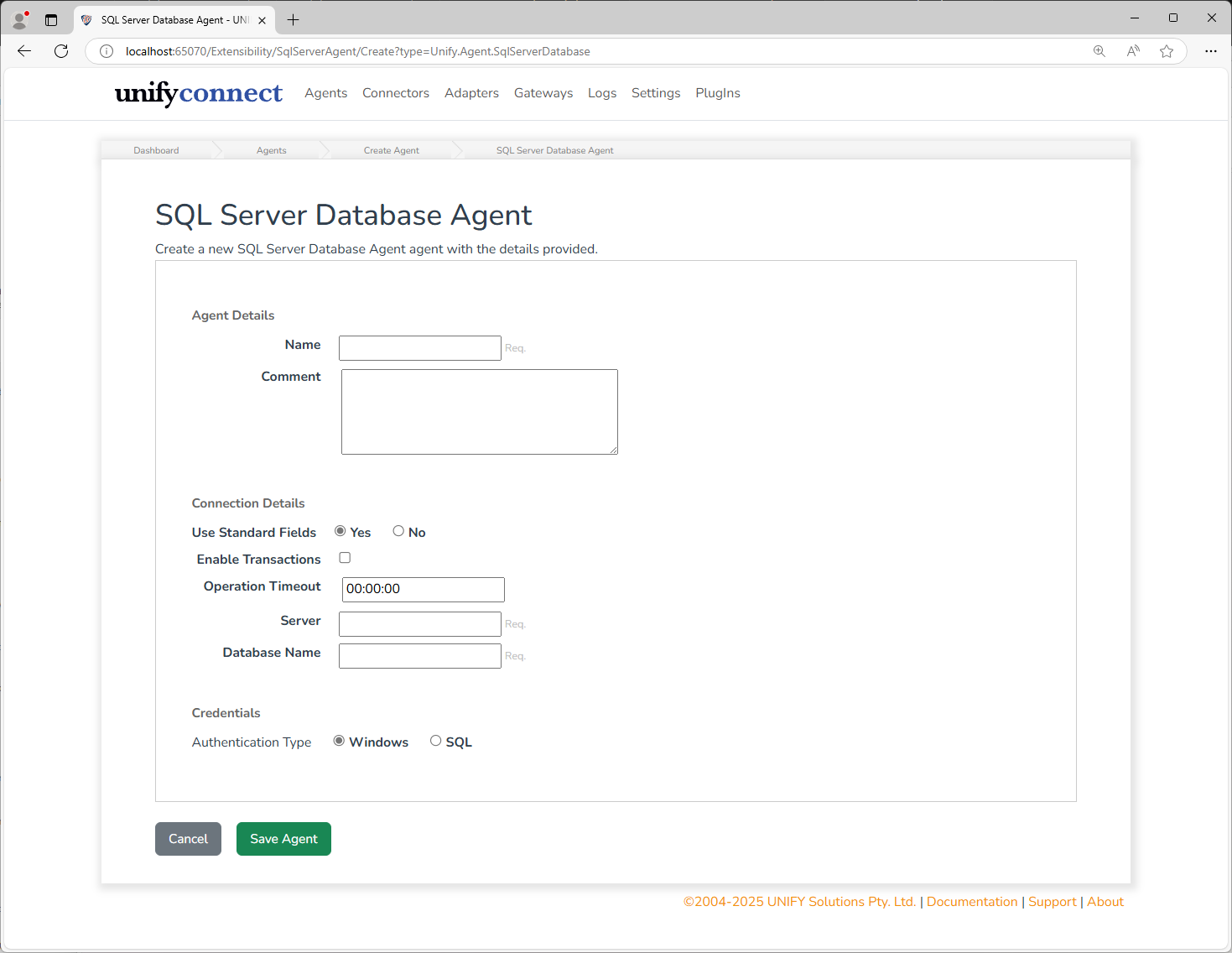
In addition to the common agent configuration shared by all agents, the SQL Server agent requires the following by way of configuration:
| Name | Supports References | Description |
|---|---|---|
| Use Standard Fields | no | Whether to enter standard connection fields or configure the connection string directly. |
| Enable Transactions | yes | Whether Microsoft Distributed Transaction Coordinator is used to manage transactions. |
| Operation Timeout | yes | The amount of time allowed for operations performed by the agent. |
| Connection String | yes | A SQL Server database connection string used to describe the connection mechanism to the SQL Server database instance. (See Syntax and Sql Connection String for details). |
| Server | no | The server name hosting the SQL Server database. |
| Database Name | no | The name of the database to manage. |
| Authentication Type | no | The type of authentication mechanism to use when communicating with the SQL Server instance. |
| Username | no | The SQL Username to authenticate with. |
| Password and Confirmation Password | no | The password corresponding to the selected SQL Server username. |
| Microsoft Entra Authentication Mode | no | Defaults to ConnectionString; can instead use DefaultCredential, WorkloadIdentity, ManagedIdentity, or ClientSecret. |
Authentication Types
| Authentication Type | Description |
|---|---|
Windows | Connects to the target system with the credentials of the service account. This can only be used for local connections. |
SQL | SQL: Connects to the target system using SQL authentication. This can be used for both local and remote connections. |
Microsoft Entra authentication
For AKS, select WorkloadIdentity. The agent uses AZURE_TENANT_ID, AZURE_CLIENT_ID, and AZURE_FEDERATED_TOKEN_FILE by default; Tenant ID, Client ID, and Token File Path can be overridden in the agent configuration. The connection string must still contain the server and database, but should omit passwords, integrated security, and the SQL Server Authentication keyword.
The agent retains one Azure credential and one stable SQL access-token callback for its lifetime. This preserves SQL connection pooling while allowing the driver and Azure Identity to refresh tokens when new physical connections authenticate.
See Microsoft Entra authentication for the mode and property descriptions.
Authentication Mode is selected directly. Tenant ID, Client ID, Client Secret, and Token File Path can each be set directly or selected from the external configuration store in the agent editor.