External Configuration System
The external configuration system is a way for supported configuration items to reference their values from outside of the standard extensibility files. This allows for those configuration items, typically environmental configurations, to be collected in an external configuration store allowing for easier migration between equivalent environments of different levels.
External Configuration Store
The external configuration store is a collection of configuration values, external to the standard extensibility files. Values in the external configuration store can be used by any configuration item that supports the referencing of these values.
Setting Values - Web UI
External configuration values can be managed from the External Value Store section of the Settings page.
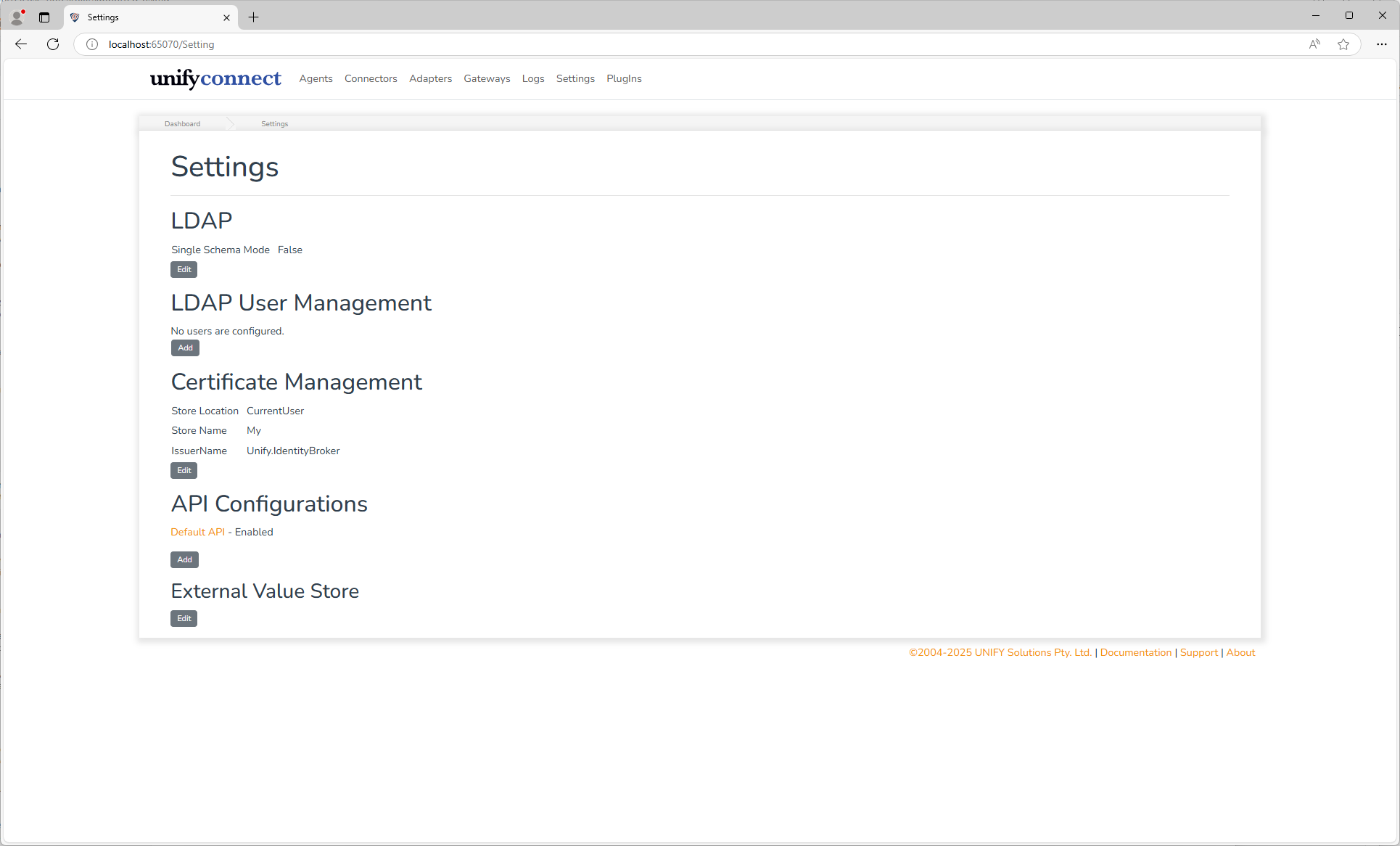
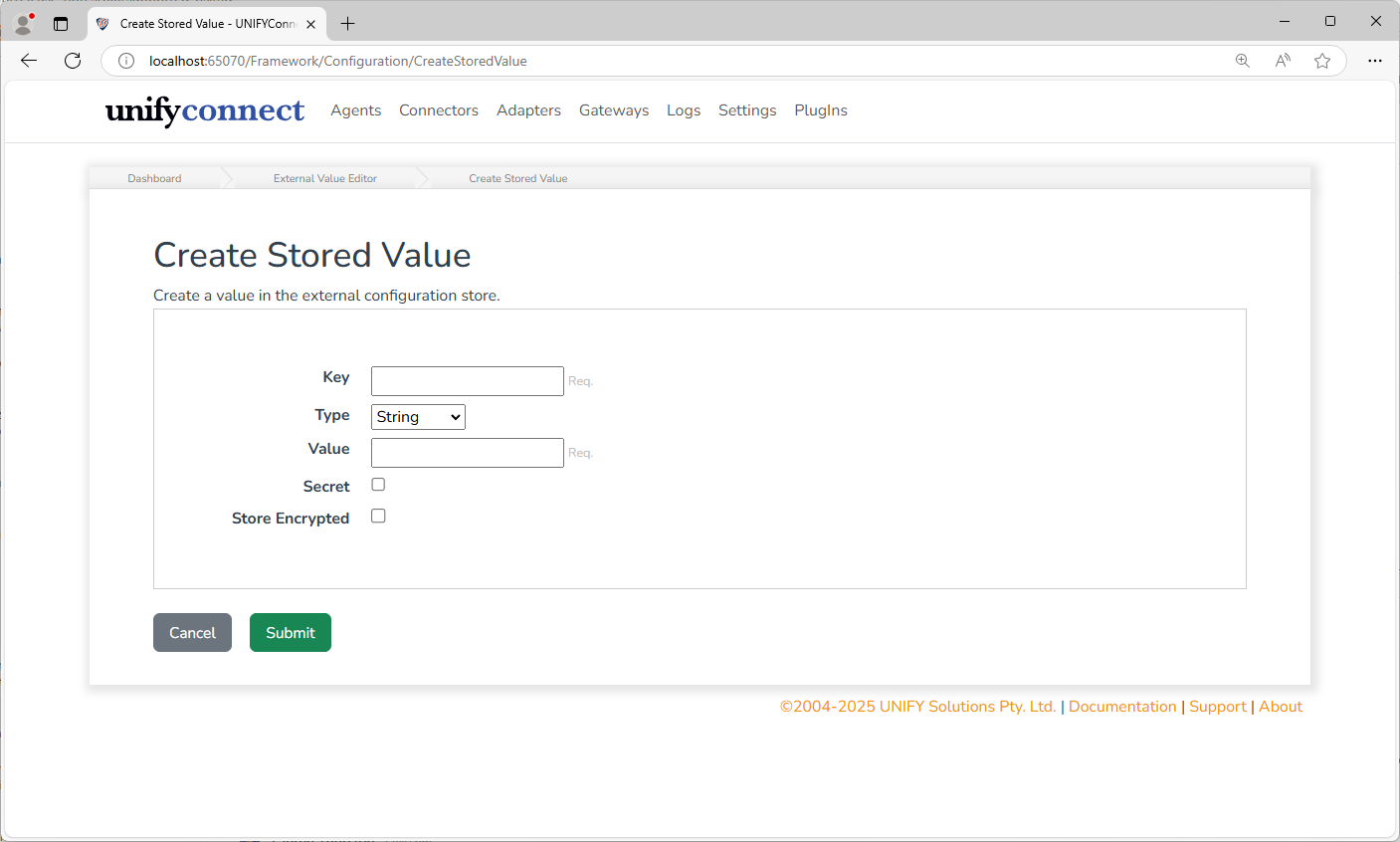
External values can be added, updated or deleted. External values have the following configuration:
| Name | Description |
|---|---|
| Key | A unique identifier for the value. Should be descriptive of its content or purpose as this will be displayed when the value is referenced. |
| Type | The type of value. The values type must match that of where it will be referenced. For example: an agents Port, expecting an integer value, cannot reference a string. |
| Value Source | Manual stores a value in the external value store. Environment Variable stores a reference to a variable in the environment inherited by the service process. |
| Value | The value to be set in the external configuration value store. Available only for a manual value source. |
| Environment Variable | The environment variable name to read. The name must match the variable visible to the service process, including casing on case-sensitive hosts. Available only for an environment variable value source. |
| Secret | If the value is a secret or not. Secret values will not be exposed via the UNIFYConnect API, or displayed in the web UI. |
| Store Encrypted | If the value should be encrypted before being written to the external configuration value store. Available only for a manual value source. |
Environment Variable Values
Environment-variable-backed values provide a read-only bridge between the service host's environment and any UNIFYConnect configuration that supports an external value reference. Select the value's UNIFYConnect type, select Environment Variable as its source, and enter the environment variable name as the reference.
Like all environment variables available to an application, the complete process environment is inherited from the service host when the UNIFYConnect process starts. When the external value store is loaded, each persisted environment-variable mapping reads its named variable from that process environment and converts it to the selected type. A mapping created or updated while the service is running is validated and resolved immediately against the environment already available to the process.
The resolved value is held in memory and used in the same way as a manual external value. It is not written to the external value store. Changes made to the service host's environment are not visible to the running process; restart the service to inherit the updated environment and resolve the mappings again. This process-level behavior applies to all environment variables, not only those mapped through the External Value Store.
The service fails to start if a persisted mapping refers to an unavailable environment variable or its content cannot be converted to the selected type. Creating or updating a mapping through the UI or API fails validation for the same conditions. Configure every mapped variable in the environment of the account, container, or pod that runs the service before starting it.
Environment variables support the same external value types as manual values: String, Guid, Integer, Float, Boolean, DateTime, and TimeSpan.
INFO
The environment is authoritative for the resolved value. UNIFYConnect cannot update the environment variable. The mapping can still be updated or removed through the UI or API, subject to the usual usage protection.
The Secret setting controls value exposure in the same way for both manual and environment-variable-backed values. The API returns the resolved value when it is not secret and returns only the existing protected comparison value when it is secret.
Usage Tracking
Usages of external values are tracked by UNIFYConnect, and these details can be seen by clicking the usage count for any external value with one or more usages.
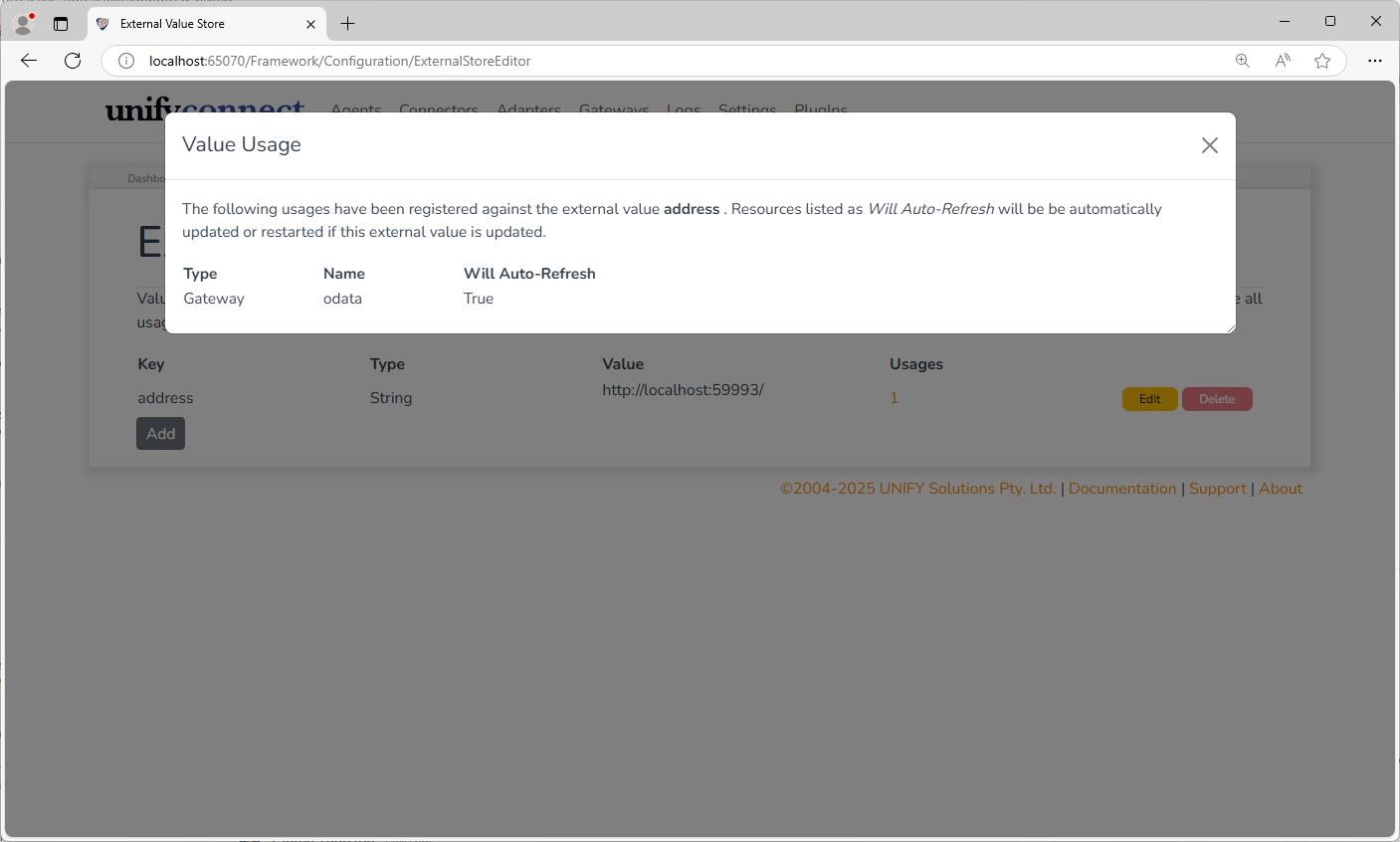
The listed usage details describe the resources using the external value, and whether or not they support automatically refreshing themselves when a used external value is changed. The manner in which the resource is refreshed is dependent on the type of resource, but is generally equivalent to the process that follows after a user manually edits it through the web UI. Resources that do not support the automatic refreshing of external values will continue to operate using the old external value until the UNIFYConnect service is restarted.
External values with one or more usages cannot be deleted; these must be removed first.
Editing the Store File
The external configuration store file can be manually created or edited if needed, however, it is recommended to at least populate the store from the UNIFYConnect web UI if possible. Changes made manually in the store file will not be read until the next service restart.
The store file is a JSON object containing key-value pairs. Each key is the external value key and each value is a versioned entry.
Entries without a $version property are treated as version 1.0 for backward compatibility. Version 1.0 entries are always manual values. New and updated entries are written as version 1.1; every version 1.1 entry requires a source property that determines how the rest of the entry is read.
The following properties apply to version 1.1 entries:
| Property | Description |
|---|---|
$version | Required. Must be 1.1. |
source | Required. manual reads the value property. environmentVariable reads the variable named by reference. |
value | Required for manual. The stored value. Its JSON representation determines its type. See the Extensibility Configuration Reference. |
reference | Required for environmentVariable. The exact environment variable name. |
type | Required for environmentVariable. One of string, guid, integer, float, boolean, dateTime, or timeSpan. The environment string is converted to this type at startup. |
secret | A boolean value, directly corresponds to the Secret option available via the web UI, as described above. |
encrypted | For manual values only. A boolean indicating that value is a base64 encoded encrypted value. |
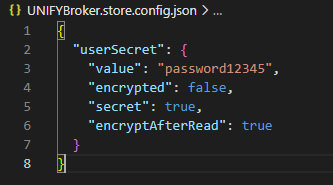
encryptAfterRead | For manual values only. Indicates that the value should be encrypted and the store file updated after it is read. Ignored when encrypted is already true. |
For example, a manual string and an environment-variable-backed integer can be stored together as follows:
{
  "serviceName": {
    "$version": "1.1",
    "source": "manual",
    "value": "Production"
  },
  "retryLimit": {
    "$version": "1.1",
    "source": "environmentVariable",
    "reference": "UNIFY_RETRY_LIMIT",
    "type": "integer"
  }
}Formatted values retain their existing representation inside the version 1.1 entry. For example, a manual GUID is represented as follows:
{
  "applicationId": {
    "$version": "1.1",
    "source": "manual",
    "value": {
      "$fmt": "guid",
      "$value": "49802266-23f8-466e-a13d-e2470f4c1fd4"
    }
  }
}The following images show an example of manually creating an encrypted value using encryptAfterRead, before and after service startup.
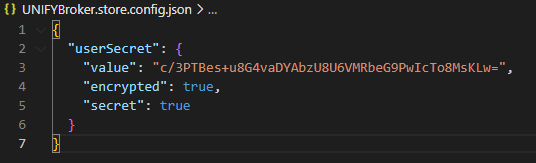
WARNING
There is no usage protection when deleting a referenced external configuration value manually. Deleting an in-use external value will prevent the service from being restarted or functioning properly, and will require the external configuration store or extensibility configuration to be manually edited to correct this.
Referencing External Configuration
Via Web UI
Any configuration item that supports external configuration references features the Reference button next to its standard input.
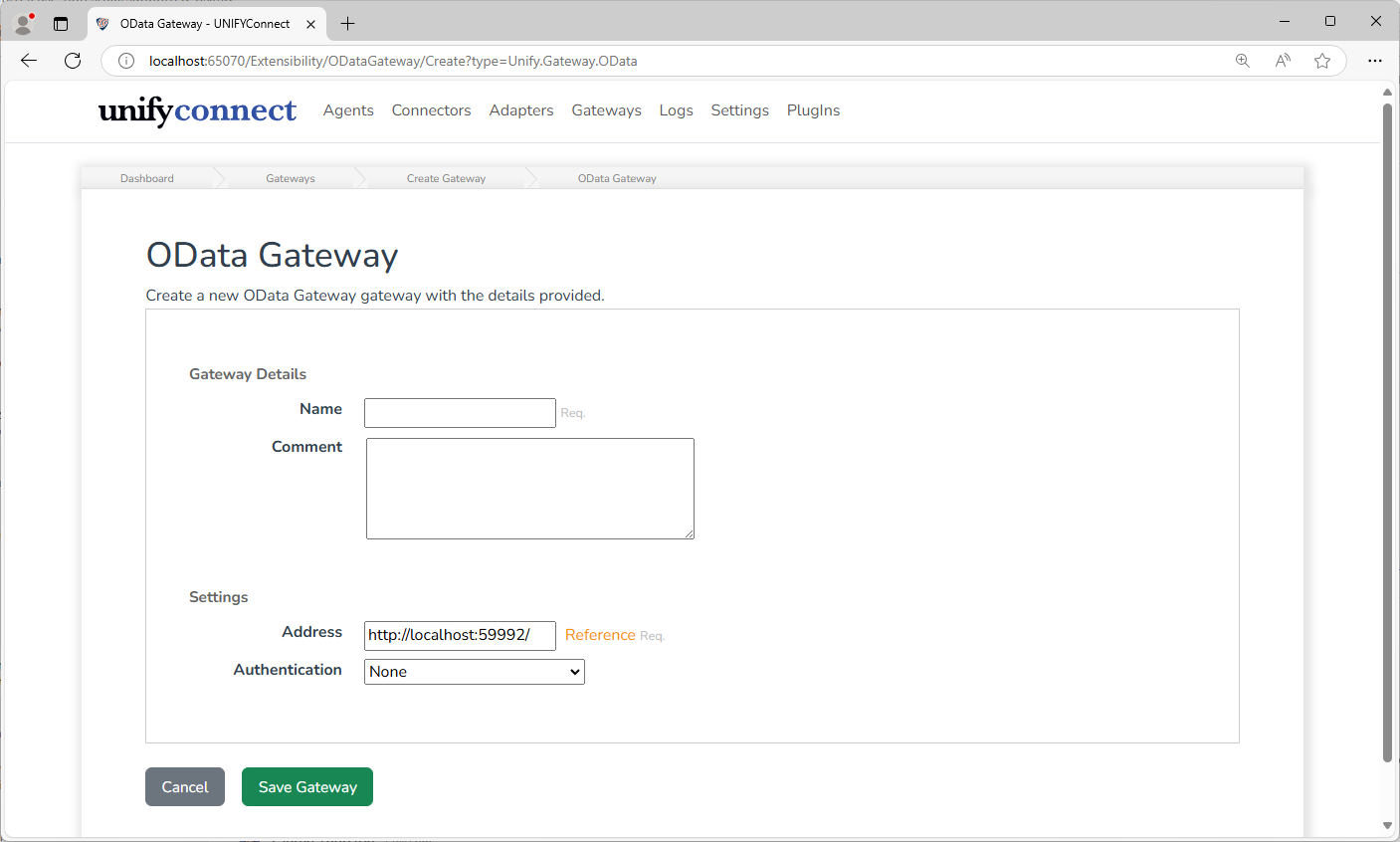
Clicking this will display a modal dialog box that allows any of the current values in the external configuration store to be selected for use.
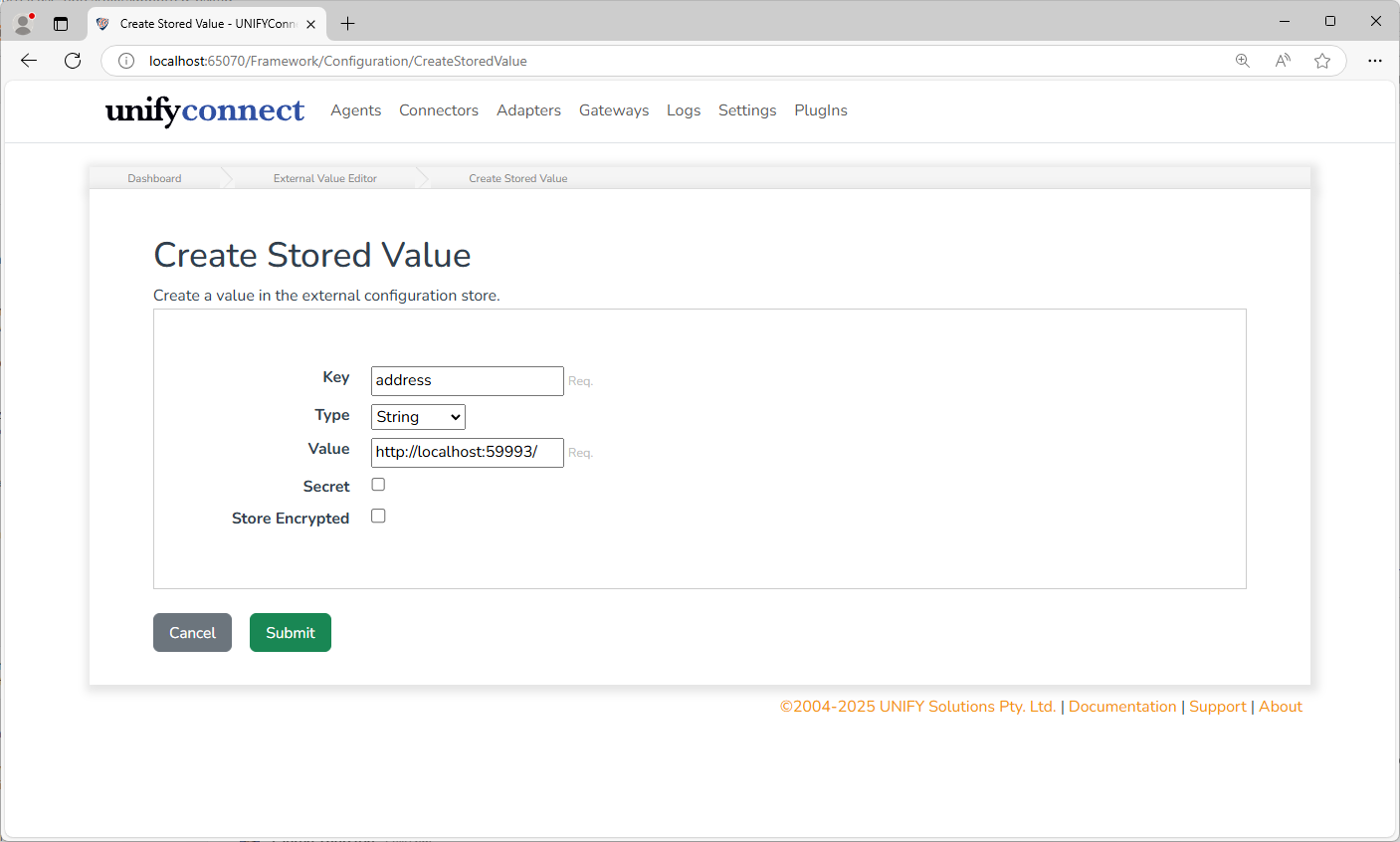
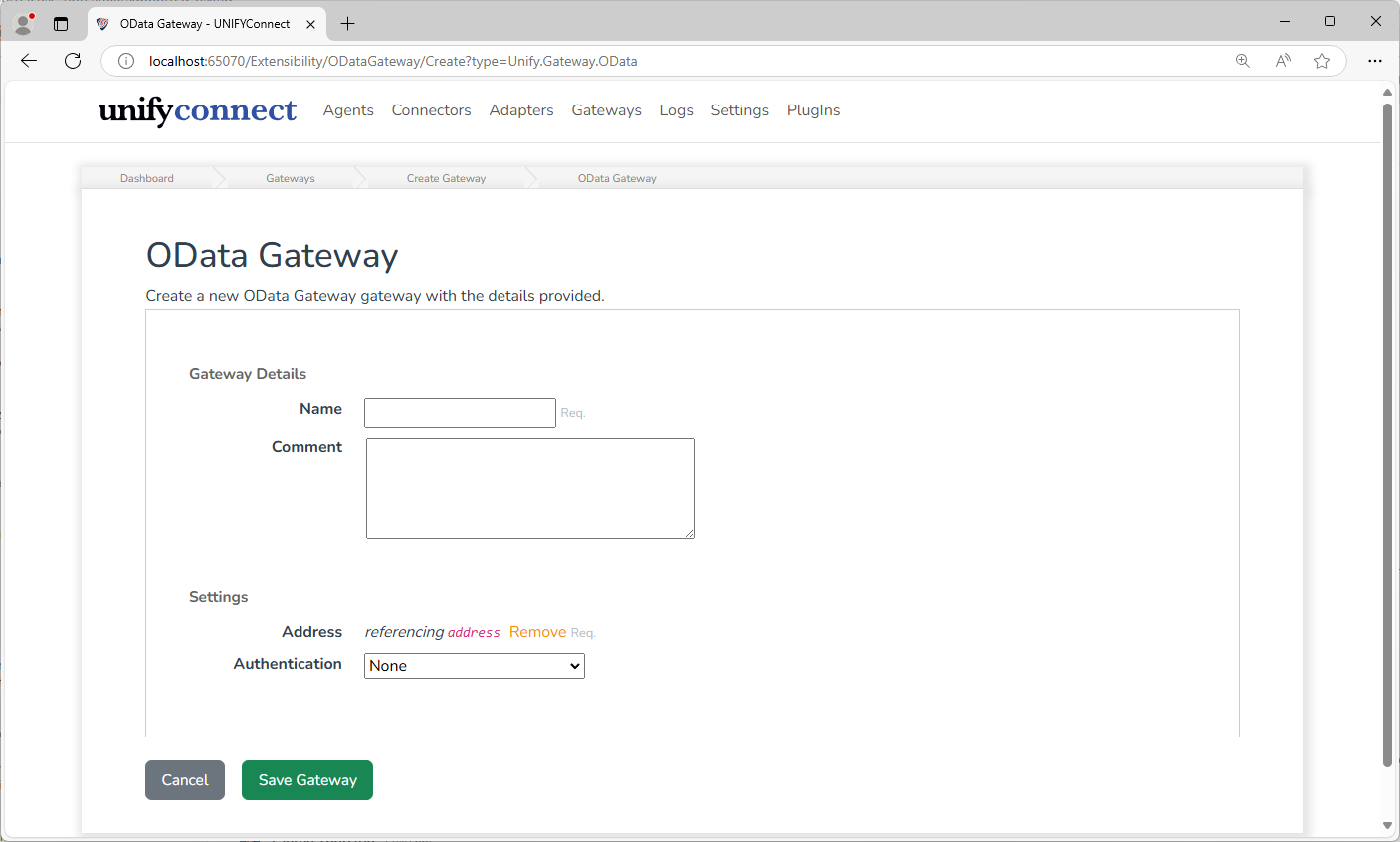
Once a configuration has been set to use a referenced configuration value, the path to that value will be displayed.
Via API
Many configuration items do support external configuration references via the API even if not supported by the Web UI. When inspecting the API models in the API's Swagger documentation, such configuration items can be identified by properties that appear in a pair, with the primary property and a RefPath string accompanying it. For example:
"UserName": "string",
"UserNameRefPath": "string",Such configuration items can be used with external configuration values by setting the RefPath property to the value path instead of the primary property.
WARNING
Using referenced configuration values in this manner is not fully supported, and could lead to unexpected behavior in the Web UI. At the very least, these configuration items will not display correctly in the Web UI and cannot be edited via the Web UI if the reference is wanting to be kept.
TIP
It's recommended that all secret configuration items be put through the external store. This provides a single update point to secrets that are likely to change between environments. It also provides another layer of security as the implementer can decide which items are secret, and values of secret items are not exposed over the API.
Access External Value Store from a PowerShell Script
A PowerShell script can access the external value store through its $components object. Use GetExternalValue when the key is required:
$value = $components.GetExternalValue("keyName").Value;GetExternalValue fails when the key does not exist. Use TryGetExternalValue when the value is optional or when the script should provide its own fallback:
$externalValue = $null

if ($components.TryGetExternalValue("keyName", [ref]$externalValue)) {
    $value = $externalValue.Value
} else {
    $value = "fallback"
}Both methods are available to supported PowerShell connector, transformation, join-selection, channel, logging, and auditing contexts. They are also available when the script runs in the v8.1 out-of-process PowerShell worker.