Channels Overview
Channels are the passageway of entities between connectors and adapters and have many features and controls to manage the flow of entity data.
Default Channels
All connectors have a default channel that is automatically created with the connector. Default channels are not configurable, cannot be disabled, and are removed when the connector is. Default channels provide no special behaviours. They allow entities to flow directly between a connector and adapter, equivalent to the standard behaviour before channels were introduced.
Default channels are identifiable by their name, which is always in the format of "Default Channel for Connector '<connector name>'".
Custom Channels
Custom channels can be created, edited or deleted separately from their base connector, and can be configured with various features and options beyond that of the default channels.
Configuration
A list of configured channels can be found on the Channels tab. Channels can be configured and enacted from this page.
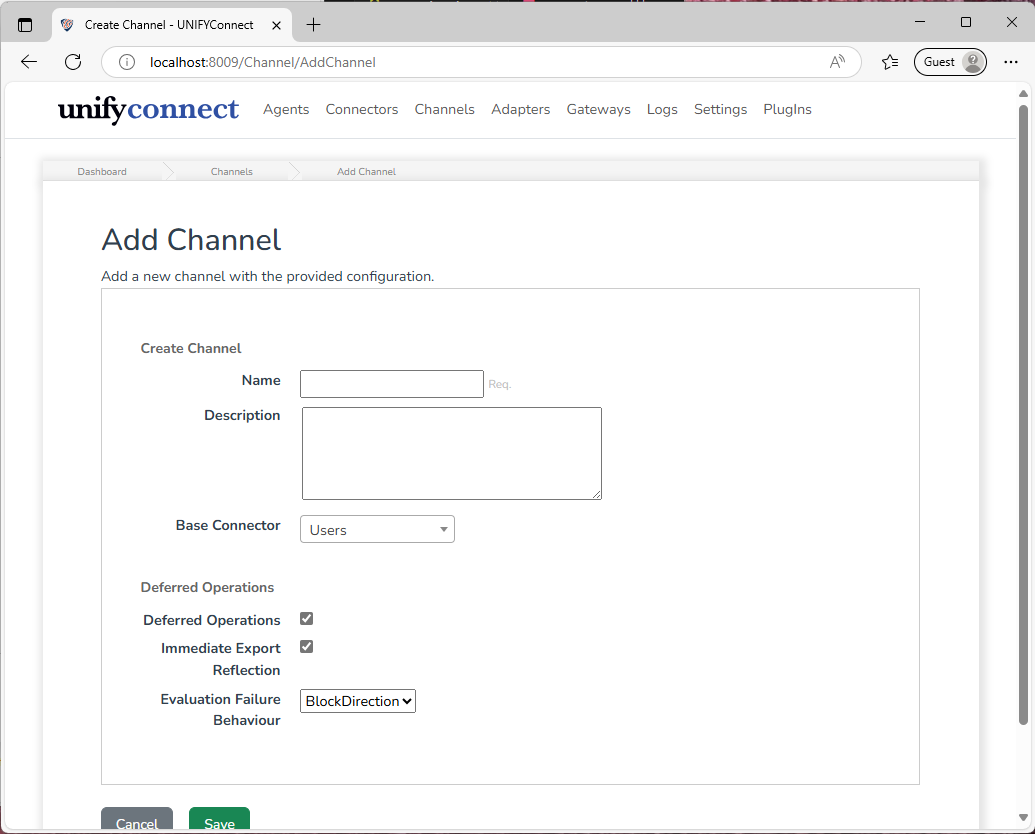
Channels have the following configuration that can be set when creating or editing a channel.
| Name | Description |
|---|---|
| Name | Display name for the channel. |
| Description | Free text field for notes or documentation relating to the channel. |
| Base Connector | The connector that the channel will provide access to. |
| Deferred Operations | Enables Deferred Operation Mode, which changes how channels handle operations. See Deferred Operation Mode for more information. |
| Immediate Export Reflection | When enabled, deferred export operations will have their changes immediately reflected back into the source adapter. Enabled is recommended unless explicitly needed to be disabled. See Deferred Operation Mode for more information. Only available when deferred operations is enabled. |
| Evaluation Failure Behaviour | Sets the behaviour for when an evaluation task produces a Block result. BlockDirection blocks the resumption of future operations of the same type/direction, while BlockAll blocks all future operations. |
Operations
Channel operations are connector and adapter activities that produce entity changes. Those changes flow through the channel to its base connector or to adapters that target the channel.
Import Operations
Import operations refer to the result of connector imports (full or polling). Entity changes produced by a connector will flow through the channel, where they will be processed into adapter changes for each adapter, to be consumed by those adapters' reflection process.
Export Operations
Export operations are when a request is made to modify the state of an adapter entity, either from a gateway or triggered by the Sync module.
Channel Actions
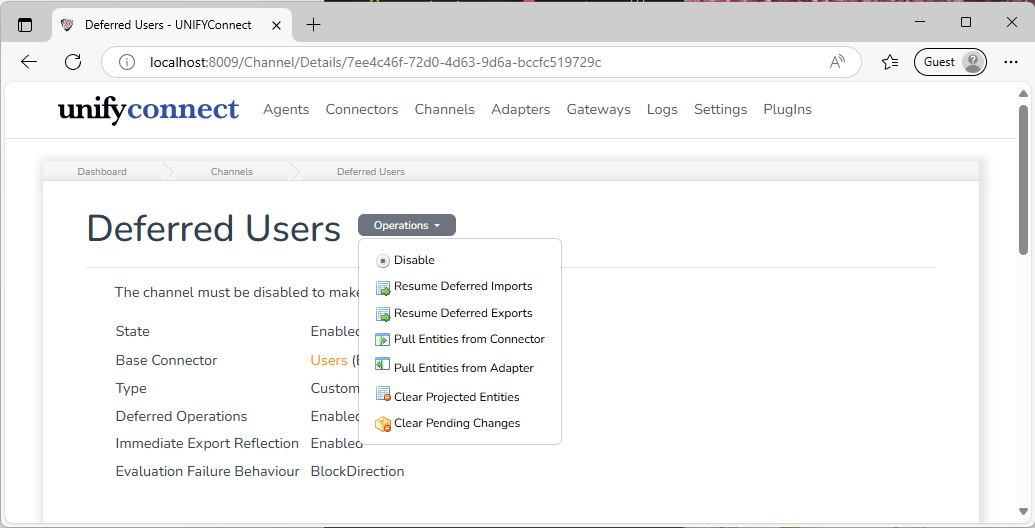
Resume Deferred Import/Export Operation
Manually begins processing changes from deferred import or export operations. This action is available only when Deferred Operation Mode is enabled.
Pull from Connector/Adapter
These actions initiate channel processing for connector or adapter entities, treating every value as changed. Use them to realign entity spaces or repair an entity space populated with incorrect data.
Clear Pending Changes
Deletes all pending change records for the channel. Only available when Deferred Operation Mode is enabled.
Clear Projected Entities
Deletes all projected entities for the channel. By default, the deletion propagates to adapters that use the channel, just as clearing connector entities propagates to channels and adapters. An option prevents propagation to adapter entities and automatically repopulates the projected entity space from an adapter. This action is available only when Deferred Operation Mode is enabled.
Deferred Operation Features
The following features are available for channels with Deferred Operations enabled.
Projected Entity and Pending Change Viewer
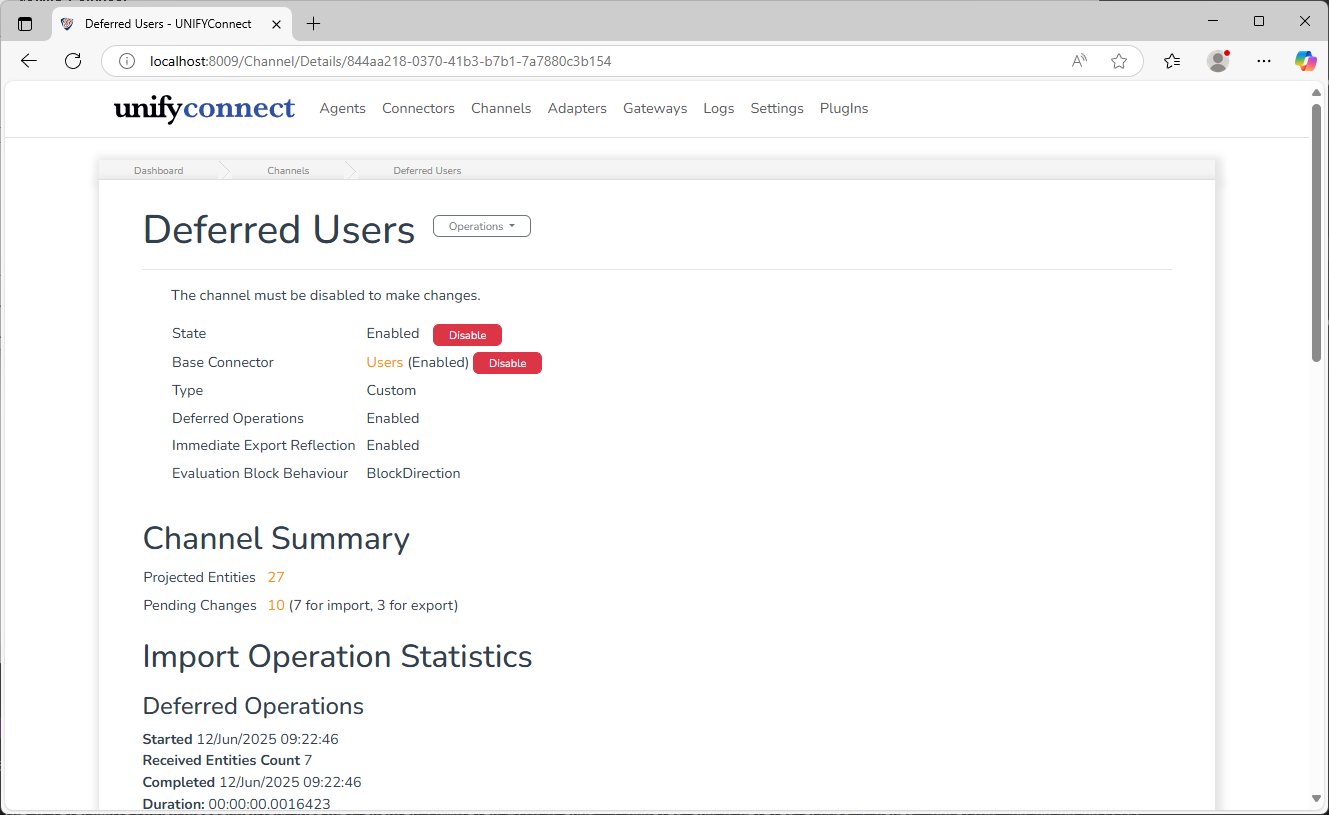
Under the Deferred Operation header can be found counts for the number of projected entities and pending changes for the channel.
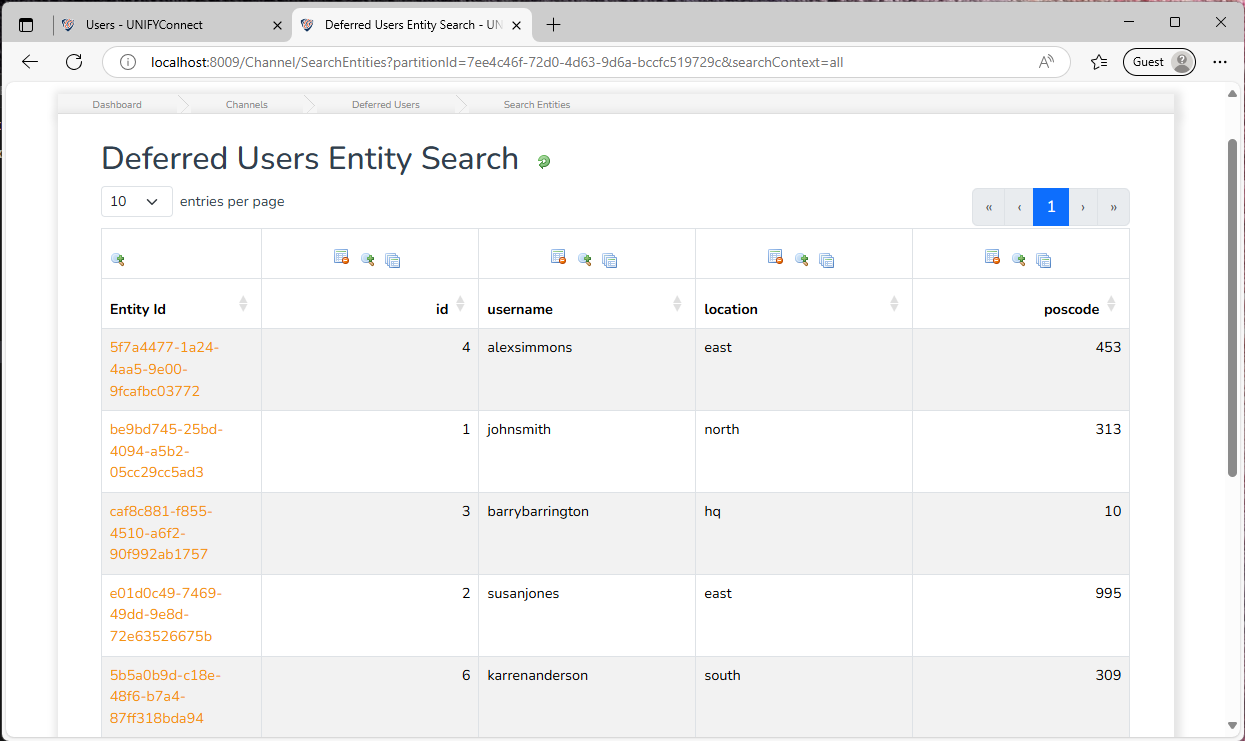
Clicking on the Projected Entity count will display an entity viewer allowing the projected entities to be searched and inspected, as with connectors and adapters.
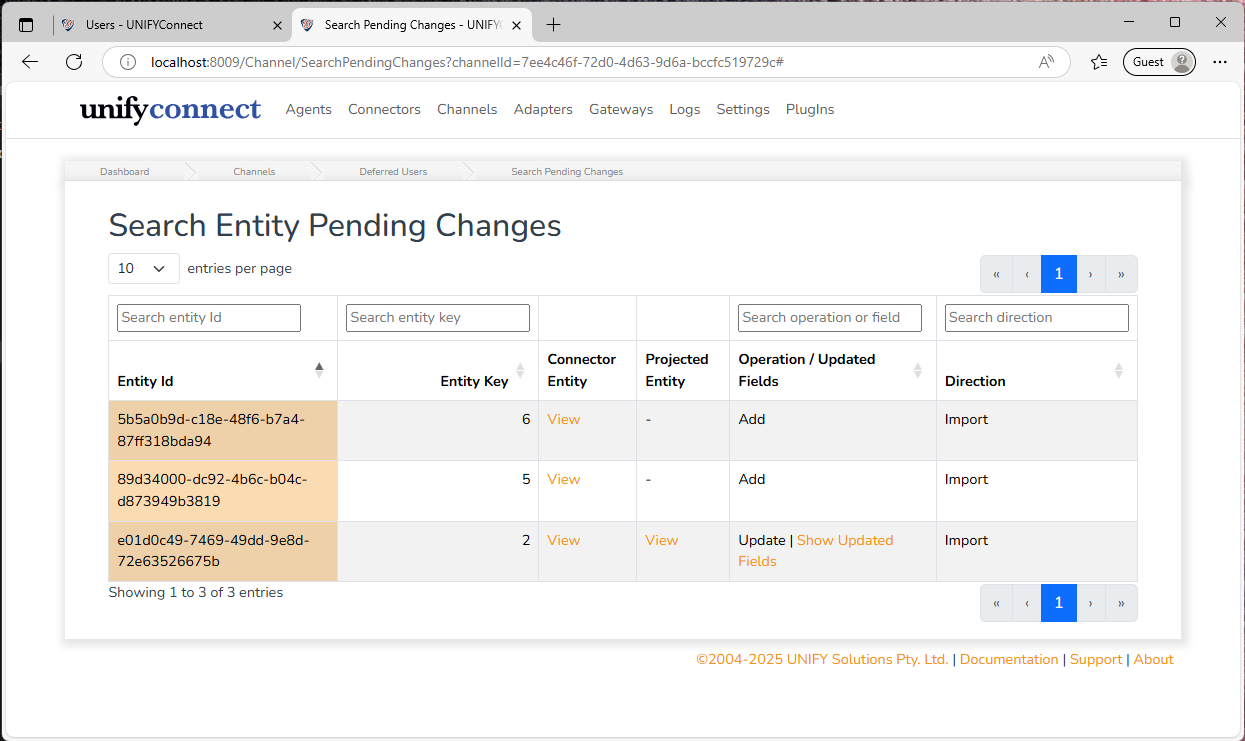
Selecting the Pending Changes count displays a searchable table in which the changes can be inspected.
Resume Operation Schedules
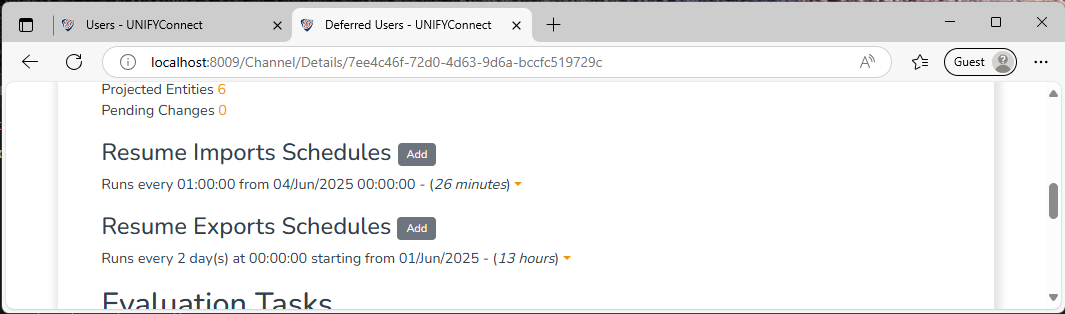
These schedules can be set on channels to automate the running of operation resumptions.
Evaluation Tasks
Evaluation tasks inspect pending changes during an operation resumption before those changes are committed to the target entity space. See Evaluation Tasks for more information.