PowerShell Evaluation Task
PowerShell Evaluation Tasks allow entity changes being processed by a channel to be evaluated with a PowerShell script.
Configuration
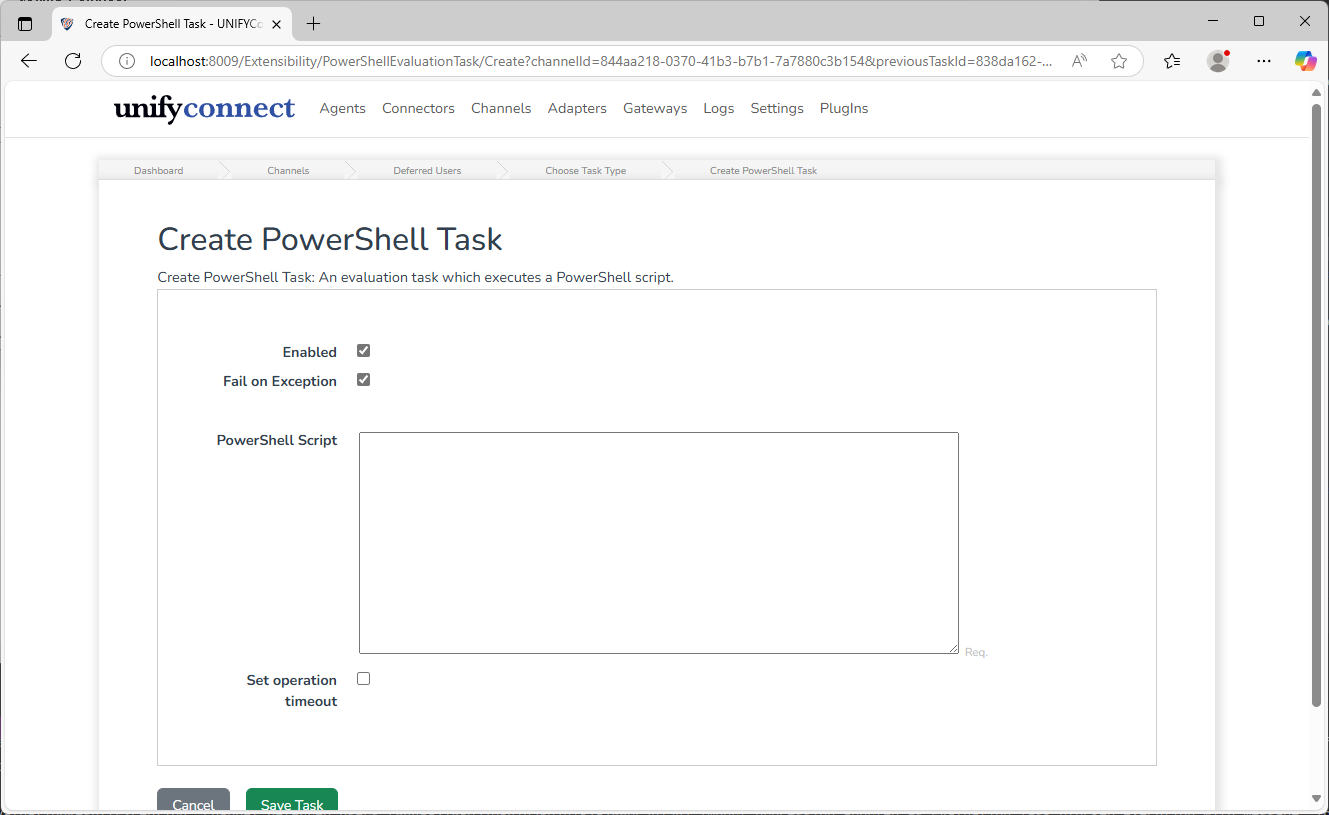
| Name | Description |
|---|---|
| Enabled | If the task will be executed. |
| Fail on Exception | If an exception should be treated as a Fail result |
| Script | The PowerShell script that evaluates the processed changes. |
Operation Timeout
The PowerShell evaluation task also provides the option to set an operation timeout. If enabled, UNIFYConnect will forcibly terminate the execution of a PowerShell script once the configured duration has passed.
WARNING
The termination of an executing PowerShell script from an exceeded operation timeout may result in an undesired state, depending on the script and its behaviour. In these cases, it is recommended to handle the termination gracefully from within the script where this is possible and rely on the operation timeout for cases where it is not.
PowerShell Evaluation Script
The main two actions all PowerShell evaluation task scripts will likely perform is evaluation and reporting, and components are provided that facilitates these activities.
In addition, evaluation task scripts also have access to the logger component.
Evaluation
The $evaluation component is available to scripts, and has several functions available for retrieving information about the change set being processed for evaluation
# Get the number of pending adds that are being processed
$addCount = $evaluation.PendingAddsCount();

# Get the number of pending deletes that are being processed
$deleteCount = $evaluation.PendingDeletesCount();

# Get the number of pending updates being processed where a particular field
# is being updated to a particular value.
$updateCount = $evaluation.PendingValueUpdatesCount("UserName", "john.smith");

# Get the pending changes updating a particular field.
$userNameChanges = $evaluation.PendingUpdateChanges("UserName");PendingUpdateChanges returns a collection of PendingFieldChange objects, which have the following properties.
| Name | Type | Description |
|---|---|---|
EntityId | GUID | The ID of the entity the chance is occurring on. |
ExistingValue | IValue | The value that is currently present on the target entity. May be null. |
PendingValue | IValue | The value from the pending changes, that will overwrite the existing value. May be null. |
Reporting
Following the change evaluation, the script must use the $report component to indicate the outcome of its evaluation.
# Report evaluation was successful, allowing the channel to continue processing the changes
$report.Pass()

# Report evaluation failed, with a reason why, and the channel should stop processing
# the changes.
$report.Fail("Too many updates")

# Report evaluation failed, with a reason why, and the channel should stop processing
# the changes and put the channel into a blocked state.
$report.Block("Too many updates")NOTE
If no report function is called, the task is assumed to pass, unless an exception was thrown and the Fail on Exception option is enabled.