CSV File Log Writer
Overview
The CSV file log writer generates a log file per day, each item having the following structure:
csv
Date, UTC Time, Source, Module, Severity, Message, Log LevelThe following is a few sample entries in the CSV Log File:
csv
20250224,04:35:45,UNIFYConnect,Change detection engine,Information,"Change detection engine import all items started.
Change detection engine import all items for connector AD Users started.",Normal
20250224,04:35:46,UNIFYConnect,Connector,Information,"Request to import all entities from connector.
Request to import all entities from connector AD Users.",Normal
20250224,04:35:46,UNIFYConnect,Connector,Information,"Import all entities from connector completed.
Import all entities from connector AD Users return 2 entities. Duration: 00:00:00.0003251",Normal
20250224,04:35:46,UNIFYConnect,Connector Processor,Information,"Connector Processing started.
Connector Processing started for connector AD Users (page 1)",Normal
20250224,04:35:46,UNIFYConnect,Connector Processor,Information,"Connector processing success.
0 entities in cumulative total. Current processing of page 1 for connector AD Users processed 2 entities, finding 0 differences (0 duplicates). Duration: 00:00:00.0067607. ",NormalConsiderations
CSV log files can grow large very quickly if a severity filter and/or logging level filter are not specified.
Configuration
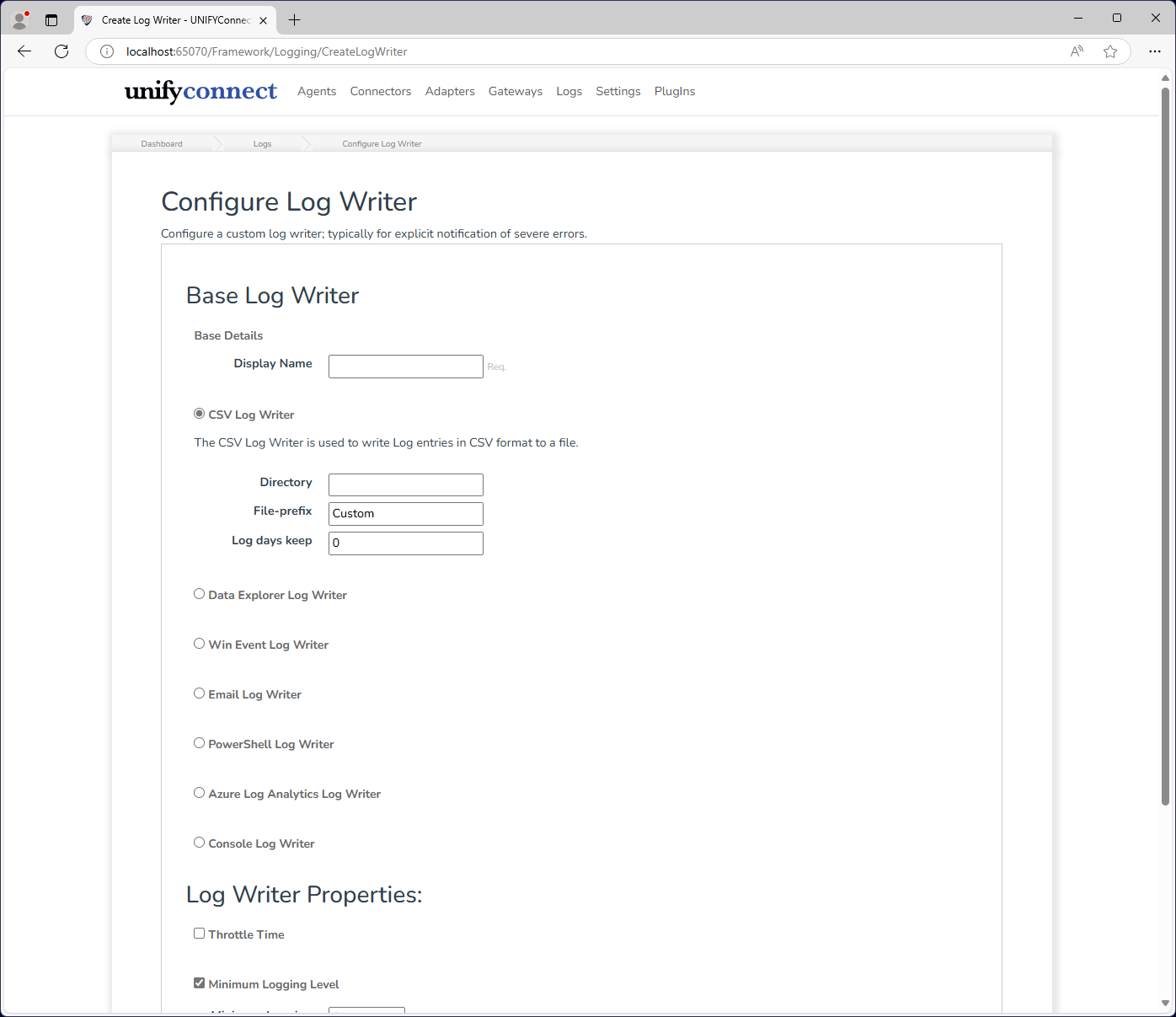
The CSV file log writer requires the following by way of configuration.
| Attribute | Description |
|---|---|
| Name | The display name of the log writer which is used for identification throughout UNIFYConnect. |
| File-Prefix | Specifies the prefix of the file names. The current date is appended to this prefix to determine the log file name for the current date. |
| Directory | Specifies the directory that the log files will be created in. The UNIFYConnect service account must have write permissions to this directory. If this attribute is not specified then UNIFYConnect will log to the current process directory. As this for a service is usually C:\Windows\System32, it is recommended a value is always set. |
| Log days keep | Specifies the number of days that old log files are kept for. If this is not specified than old files are never removed. |