Join Transformation
Overview
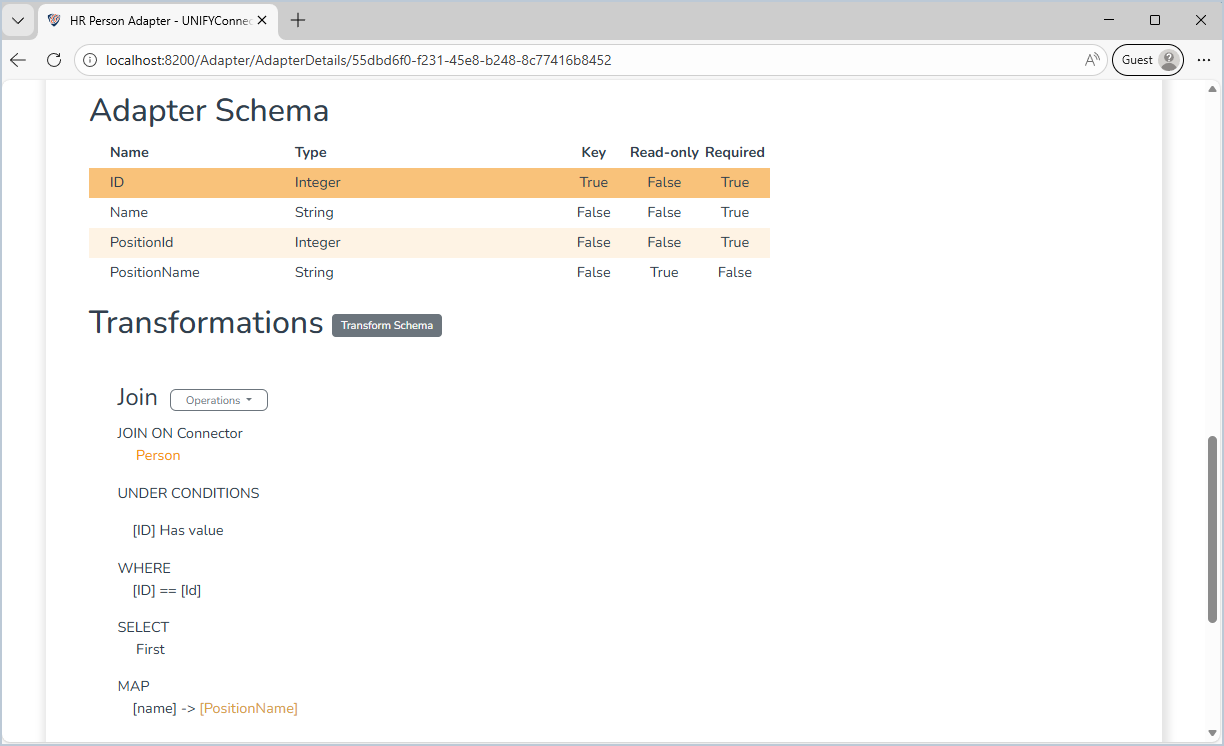
The join is used to merge a selected target into the adapter. The target can be either a connector, channel, or another adapter. Once the join criteria have been defined, attributes of the joined connector can be selected to merge into the adapter, as well as a distinguished name for the entity.
Use Cases
The relational transformation can be used to accomplish the following:
- Joining data from multiple connectors together with data from the base connector and the current adapter schema state, such as personal and address information
- Calculating manager, role, and hierarchical relationships by joining the values contributed by other transformations against the base connector
Prerequisites
This transformation requires a relational connector.
Contribution
This transformation adds all mapped fields from the join connector and optionally the distinguished name of the joined entities based on a defined Distinguished Name template.
Configuration
The join transformation requires the following by way of configuration:
| Attribute | Description |
|---|---|
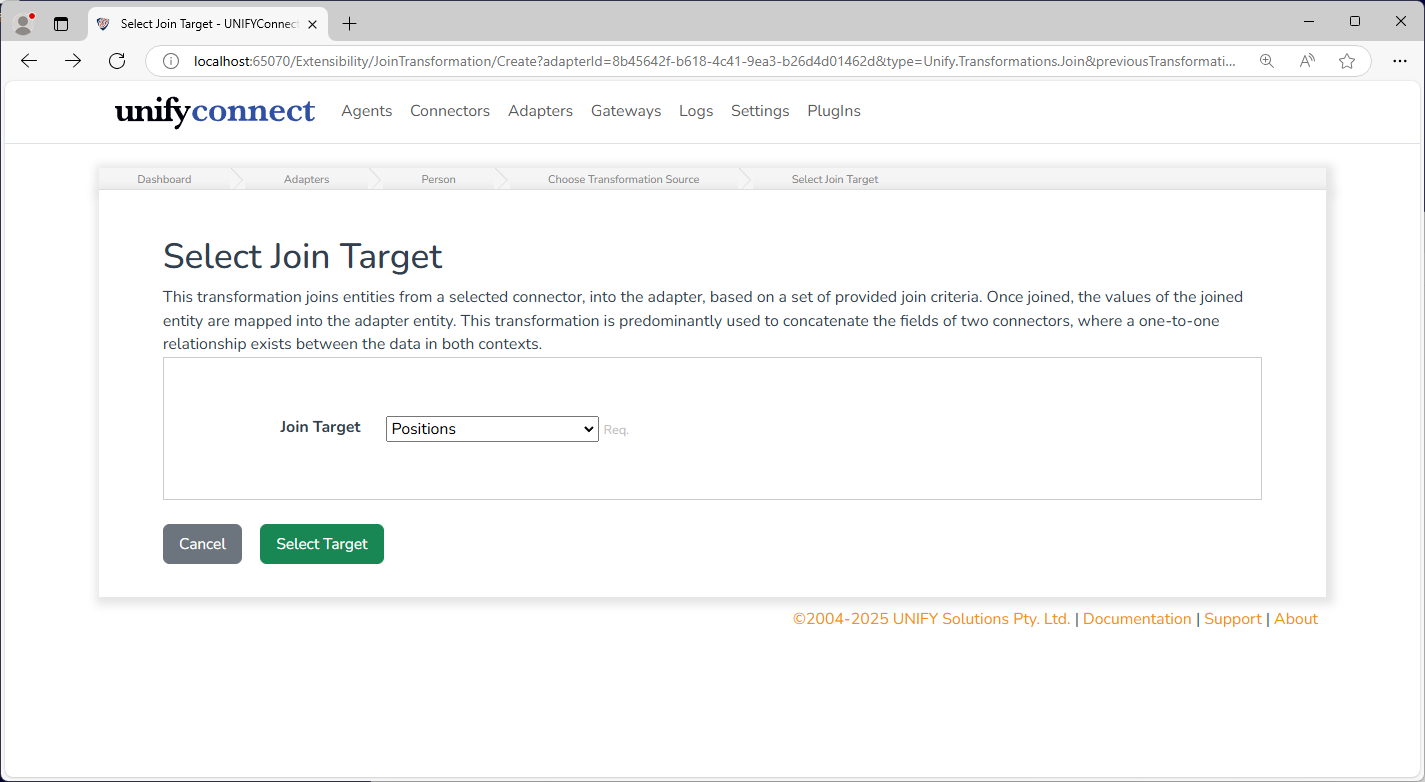
| Join Target | The connector, channel or adpater to join on. |
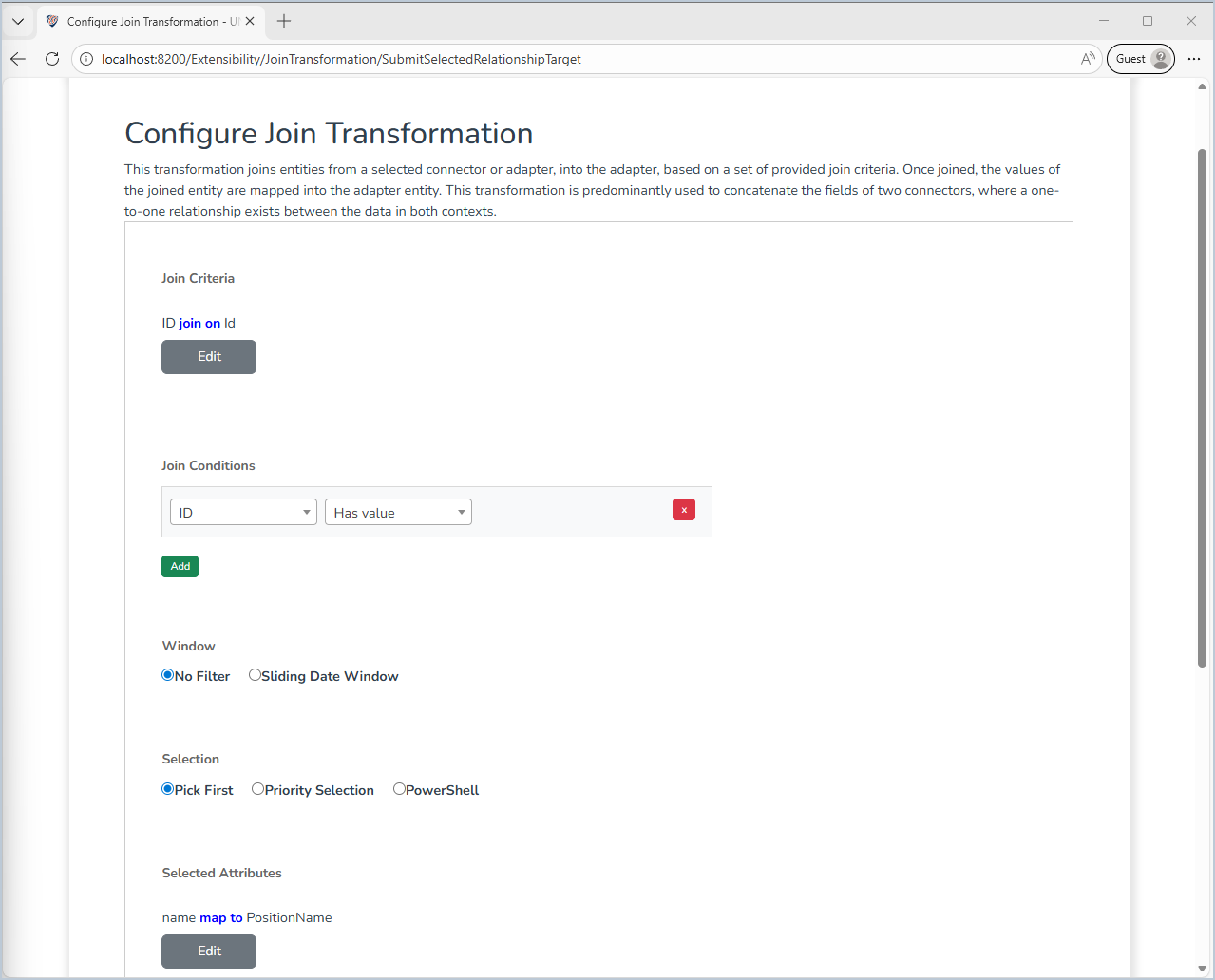
| Join Criteria | The one-to-many join criterion of the relationship. Each join is based on a one-to-one equality check. |
| Join Conditions | Conditions on the source entity values that have to be met before the entity is joined. |
| Window | Defines the visible entities on the relationship side of the join. Refer to the particular window for more information. |
| Selection | The join transformation works on a one-to-one join basis. In circumstances where there are more than one entity found through the join, one entity needs to be selected. By default, the engine selects the first resolved entity, though this may not reflect the order in which entities were provided by the source system. To ensure more precise selection, a priority selection or a PowerShell selection can be configured. |
| Selected Attributes | The attributes to be mapped from the joined entity into the adapter entity. |
| Distinguished Name | In addition to the mapped attributes, a distinguished name can be generated for the entity, placed in a target field. |
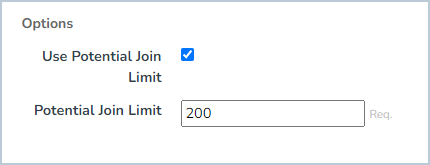
| Options | Allows the optional configuration of a potential Join Limit |
Join Conditions
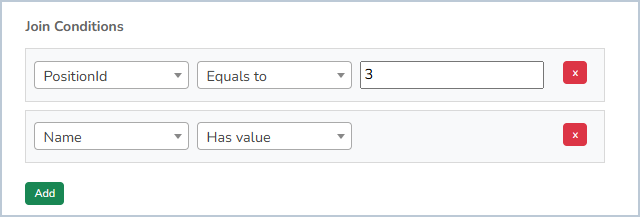
A set of conditions on the source entity values that have to be met for the entity to be joined. If one condition is not met, the adapter entity will not be mapped into, and the values won't change.
Selected Attributes
One-to-many column mappings can be added, which map fields from the relational connector schema into the adapter schema.
The following is an example implementation of the attribute mappings:
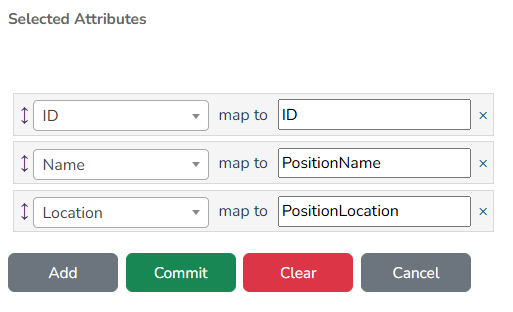
Fields can either be added as new adapter fields, or overwrite existing adapter-added schema fields.
Window
The window defines the visible entities that may be joined on through the join connector.
As of writing, the available windows are limited to either a sliding date window or none.
The sliding date window defines a window in which entities on the joined connector will be filtered out, dependent on a comparison between the start time and end time of the window.
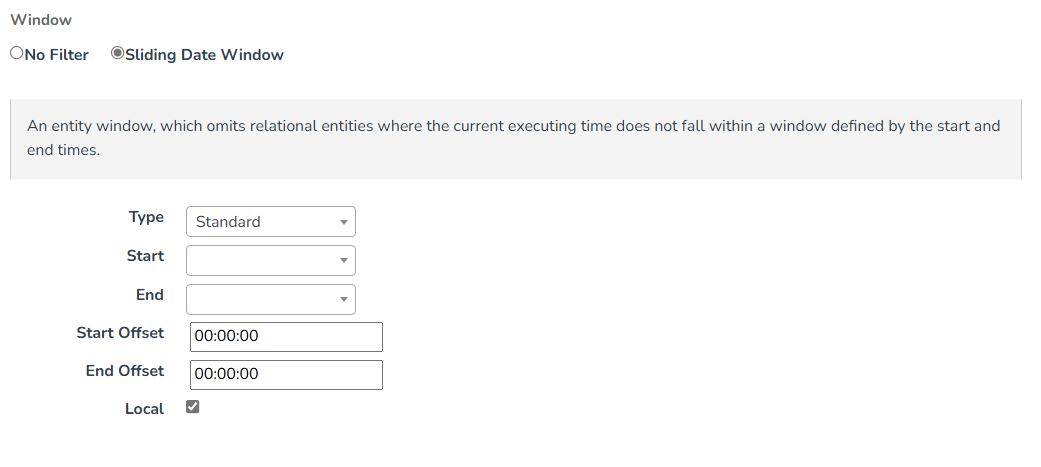
| Attribute | Description |
|---|---|
| Type | There are a number of types of sliding date windows. These types define how UNIFYConnect will determine whether the joined entities should be filtered out or not respective to the values of the window. |
| Start | The start time for the sliding date window. |
| End | The end time for the sliding date window. |
| Start Offset | The offset to apply to the start time of the window. |
| End Offset | The offset to apply to the end time of the window. |
| Local | Whether to compare the times provided in their local time representations. |
WARNING
When using a Date-typed field for the start and end configuration options, the values represent 12 am of that day. For example: 10/2/2015 is regarded as 10/2/2015 12.00.00 am.
If the end date value is intended to be inclusive, that is the end date is the last day the window is active, a +1 day End Offset should be configured. For example: With an inclusive end date of 12/6/2015 and a +1 day end offset, the window closes at 13/6/2015 12.00.00 am, the end of the 12th.
Type Options
| Standard | A standard sliding date window. The entity will be filtered if the current executing time falls outside the window described by the start and end times. Treats null Start and End values as the beginning and end of time, respectively. | | Recent | A sliding date window which takes the first matching entity inside a window. If no entities can be found inside that window, the closest entity in the past will be selected. Entities with null Start values will not be considered. | | Relevant | A sliding date window which takes the first matching entity inside a window. If no entities can be found inside that window, the first entity after the window will be selected. If still no entities can be found, the first entity before the window will be selected. Entities with null Start values will not be considered. | | Next Placement | A sliding date window which filters entities outside of the current date window, and prioritizes the joined entities based on the first entity past the start time. Entities with null Start values will not be considered, while null End values are considered to be the end of time. |
Selection
The join transformation works on a one-to-one join basis (values of only one entity are mapped). As a result, the join criteria should result in only one entity. In some cases, this may not be sufficient, in which case, one of the joined entities will need to be selected. By default, this is just a process of picking the first (which works for one-to-one) entity the engine resolves, which may not reflect the original order of entities from the source system. But this is volatile/unreliable. If a one-to-many join criteria is specified, a priority selection or a PowerShell selection can be defined to reliably select from the available joined entities.
Priority Selection
The priority selection lets UNIFYConnect prioritize the entities joined by a particular field, and optionally by an ordered priority list of values for that field.
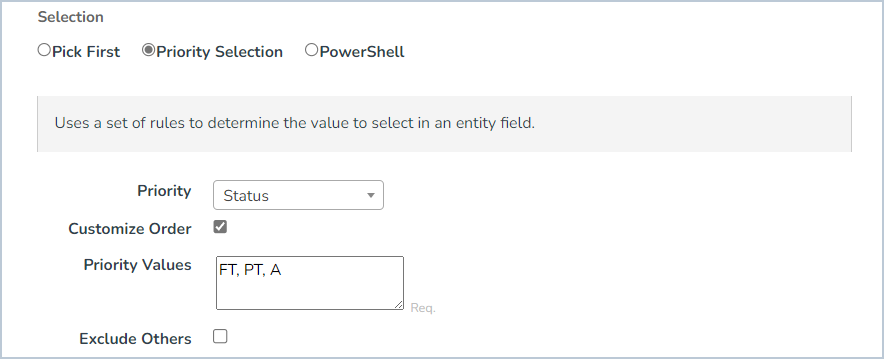
| Attribute | Description |
|---|---|
| Priority | The field to prioritize. This will be up to the implementation, but this could be something like a timestamp or a particular flag. |
| Priority Values | Only required if Customize Order is set_. A comma-separated (,) collection of values describing the order of priority for values in the priority field. |
| Exclude Others | Excludes items that are not included in the list of Priority Values. |
Example Priority Values
The example Priority Values would prioritize an entity with a Status of FT, then PT, then A.
Priority: Status
Priority Values: FT,PT,APowerShell Selection
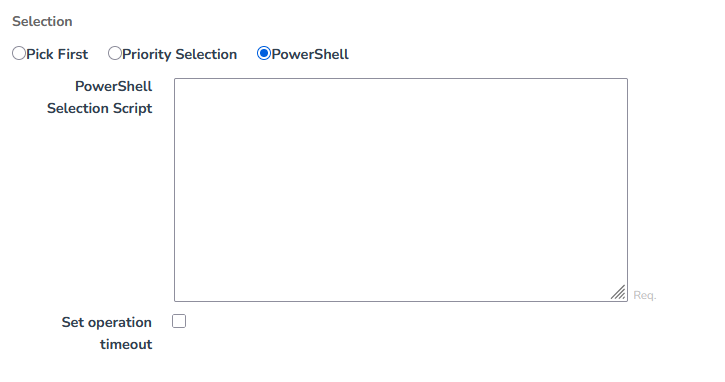
| Script Components | Description |
$BaseEntity | The base entity to be joined onto. |
$JoinCandidates | The target joined entities that satisfy the join criteria. |
$components.Select($entity) | The method that selects an entity from the joined entities. |
$logger | Can be used to log to the configured UNIFYConnect logs. |
In the example below, we are selecting from the joined entities only the entities that satisfy the condition in the script:
foreach($entity in $JoinCandidates) {
  $yearLevel = $entity['YearLevel'].Value;

  if($yearLevel -eq '6') {
    $components.Select($entity)
    return
  }
}Potential Join Limit
When the potential join limit option is enabled, it sets a limit to the allowed number of potential relational entities that can be selected for joining by the join criteria. This protects against misconfigured transformations or bad data, producing an excessively large number of potential joins, causing performance issues or the service locking up.
Change Processing
During the change detection process, a change will be flagged if any of the selected fields are updated in the relational connector.