Database Connector
Overview
The Database connector is a system-provided connector that exposes data from a single database table.
This connector can read and write from a target database table.
Technical Requirements
A supported database provider and a functioning target database. Built-in agents are available for SQL Server, PostgreSQL, Oracle Database, and OLE DB.
Usage
A Database connector encapsulates the data in a single database table.
| Reading | Yes |
| Writing | Yes |
| Deleting | No |
| Polling | Yes (when configured) |
Schema
Fields in a Database connector schema refer to individual columns in the target table of the same name.
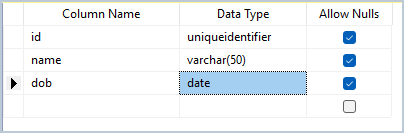
Taking the following database table as an example:
TIP
The available schema fields would be id, name, and dob
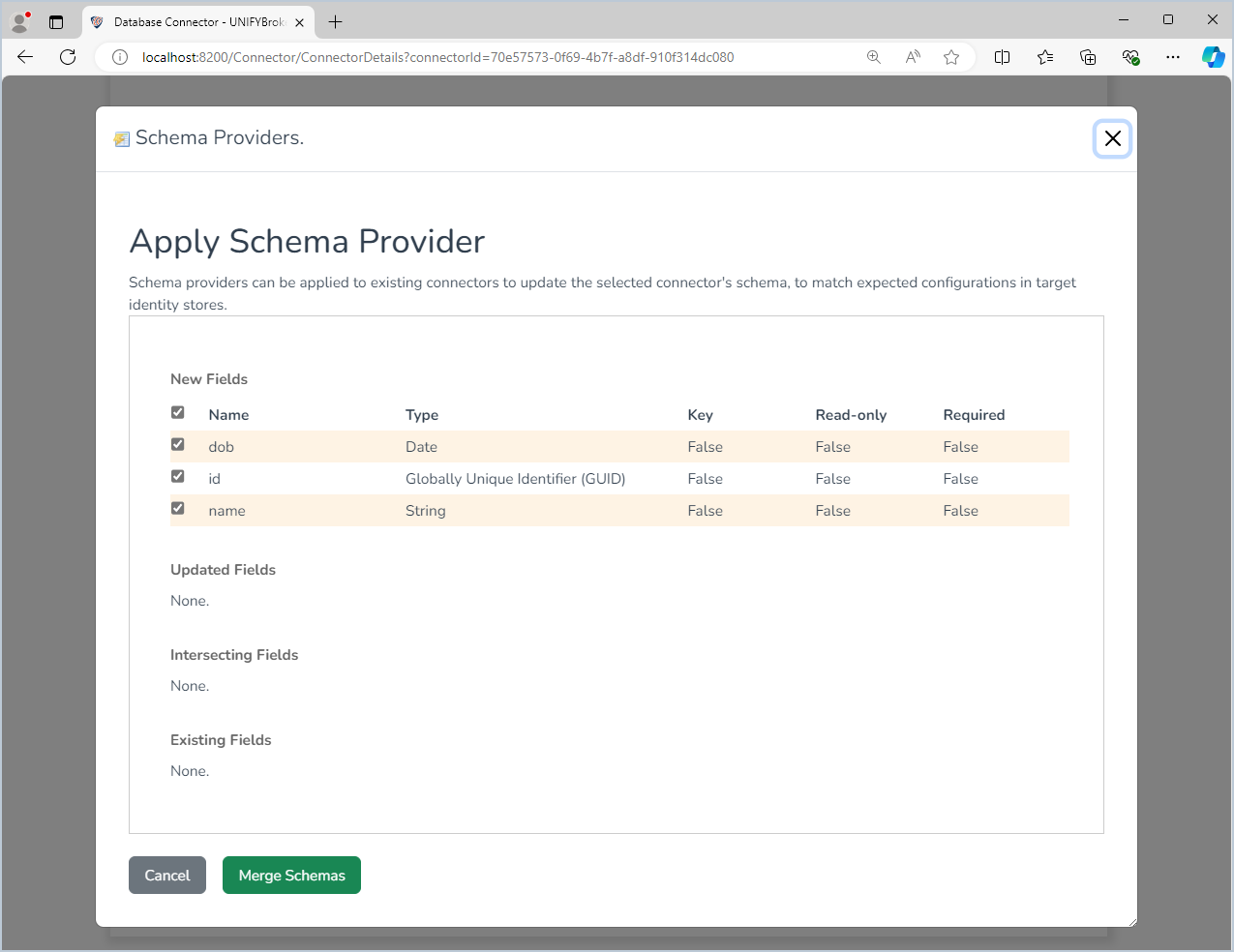
The schema provider for this connector will retrieve the available headings with the best-fit UNIFYConnect value types.
WARNING
If the account used to connect to the database does not have permission to read the table, the connector cannot retrieve its schema and the schema request returns no fields.
Configuration
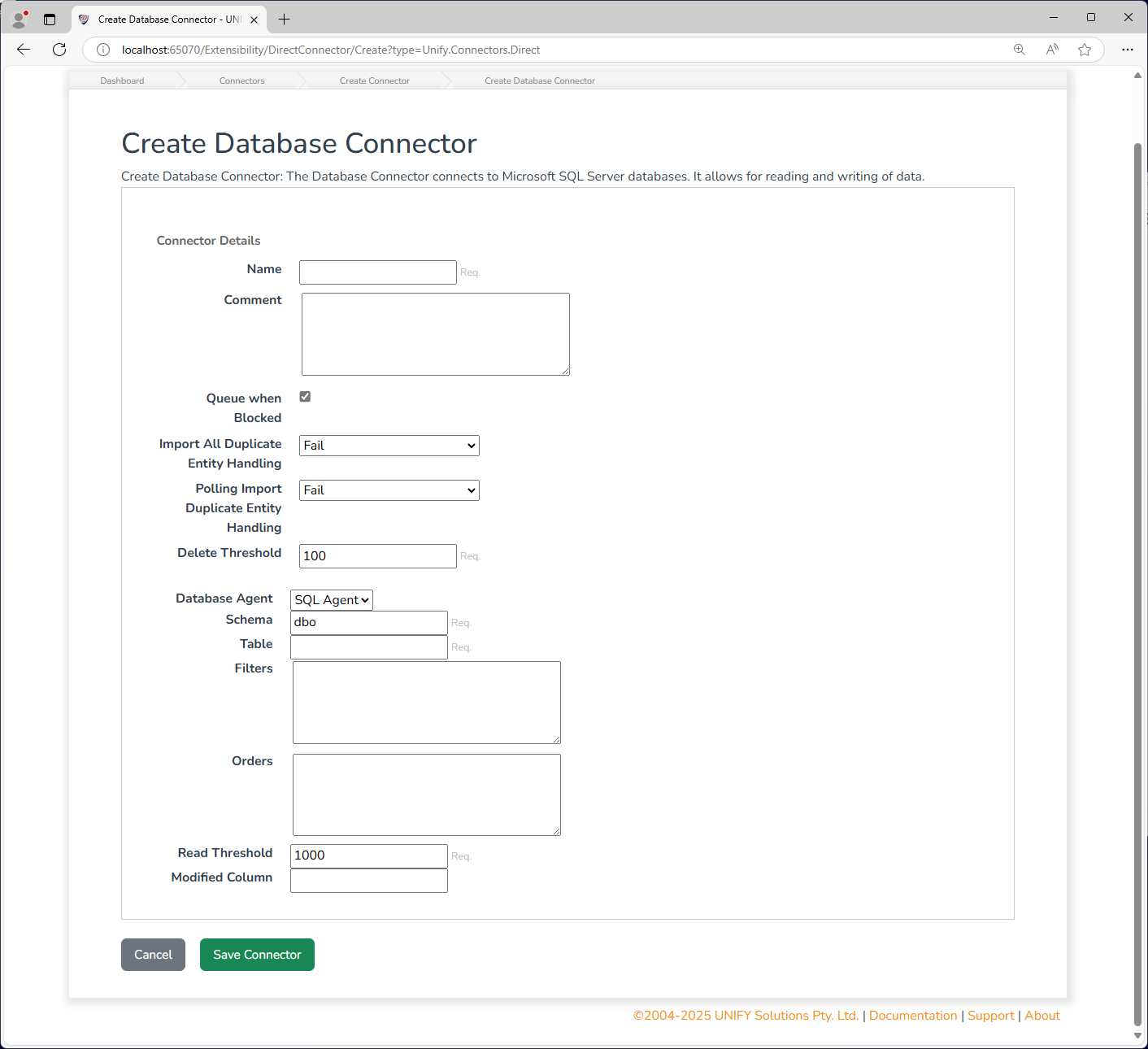
The database connector requires the following by way of configuration.
| Name | Description |
|---|---|
| Queue When Blocked | Whether the jobs for this connector should be queued to run, in the event that they are blocked {e.g. in an Exclusion group with a running connector, or the connector is already running a job}. |
| Delete Threshold | The number of items that are allowed to be deleted on completion of a full import, as a percentage. E.g. 100% will let an import delete all objects, whereas a setting of 0% will fail the import if any objects are deleted. |
| Database Agent | The database agent that provides the connection details. Built-in options support SQL Server, PostgreSQL, Oracle Database, and OLE DB. |
| Schema | The schema of the target database object. The value must be provided if the database object is contained within a schema container other than DBO. Prior to SQL Server 2005 this was known as the owner. See https://technet.microsoft.com/en-us/library/ms190387.aspx for details. |
| Table | The name of the requested table on the target database. |
| Filter | The filter applied when data is requested, expressed as a SQL WHERE condition; for example, firstName = 'James' OR surname = 'Harris'. |
| Orders | The ordering applied when data is requested, expressed as a SQL ORDER BY clause; for example, firstName ASC, surname DESC. |
| Read Threshold | The threshold at which some operations favour retrieving all items over retrieving specific items. It is also used for the number of items that are saved at a time for identity management platforms supporting batched saves. |
| Modified Column | The name of a datetime-based column in the table. Allows the connector to perform import changes (polling) operations. The field must be included in the schema. |