External Configuration System
The external configuration system is a way for supported configuration items to reference their values from outside of the standard extensibility files. This allows for those configuration items, typically environmental configurations, to be collected in an external configuration store allowing for easier migration between equivalent environments of different levels.
External Configuration Store
The external configuration store is a collection of configuration values, external to the standard extensibility files. Values in the external configuration store can be used by any configuration item that supports the referencing of these values.
Setting Values - Web UI
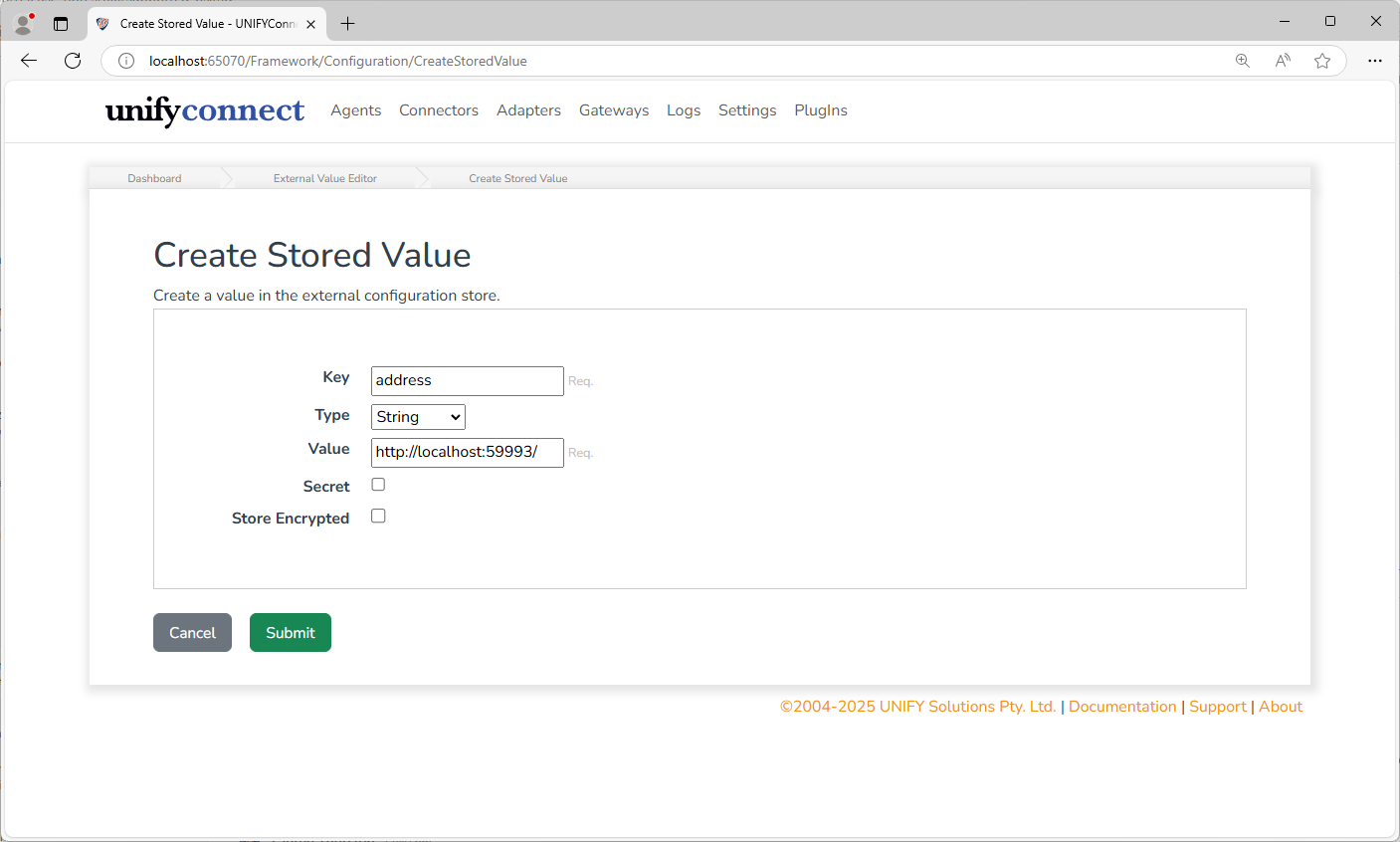
External configuration values can be managed from the External Value Store section of the Settings page.
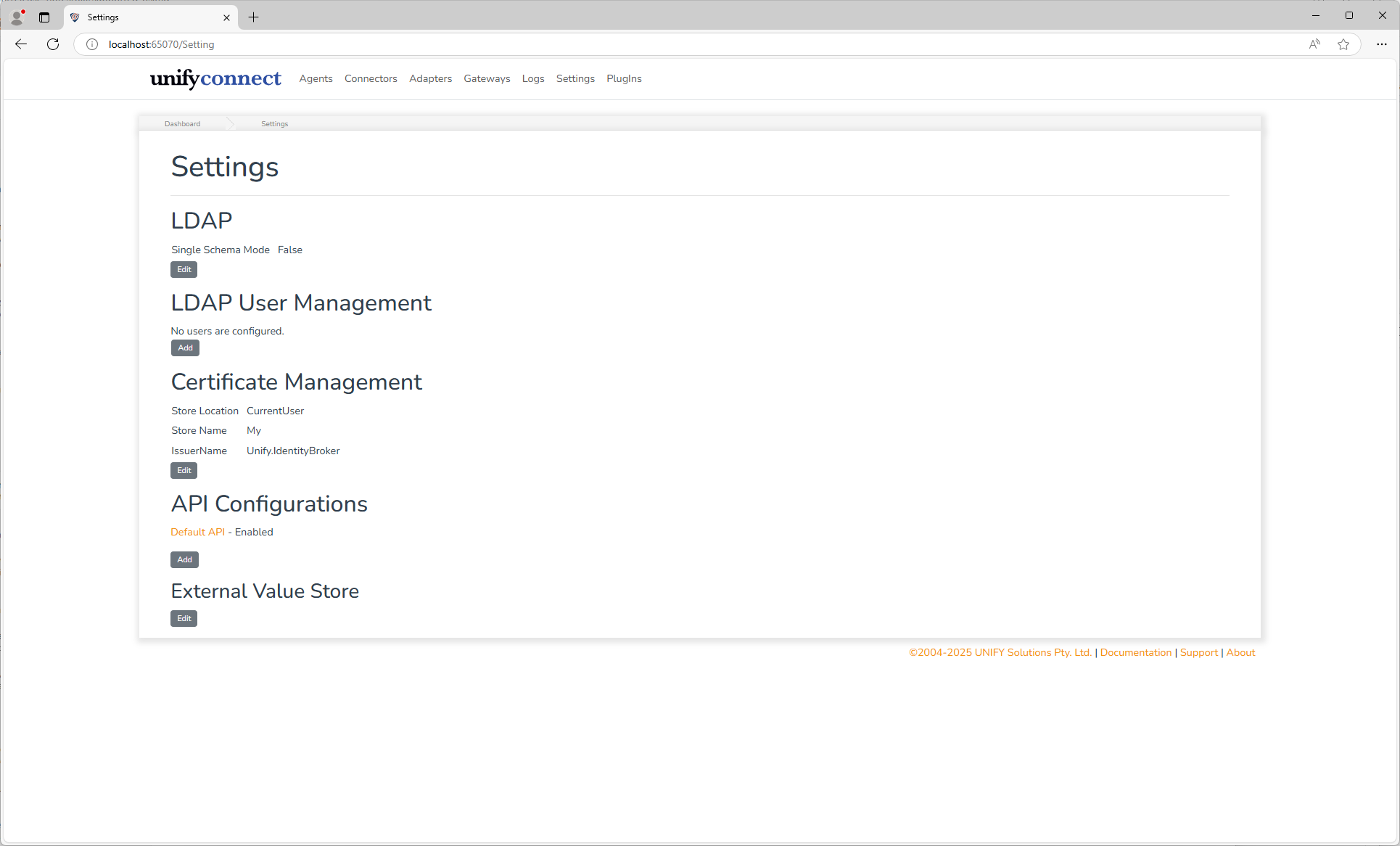
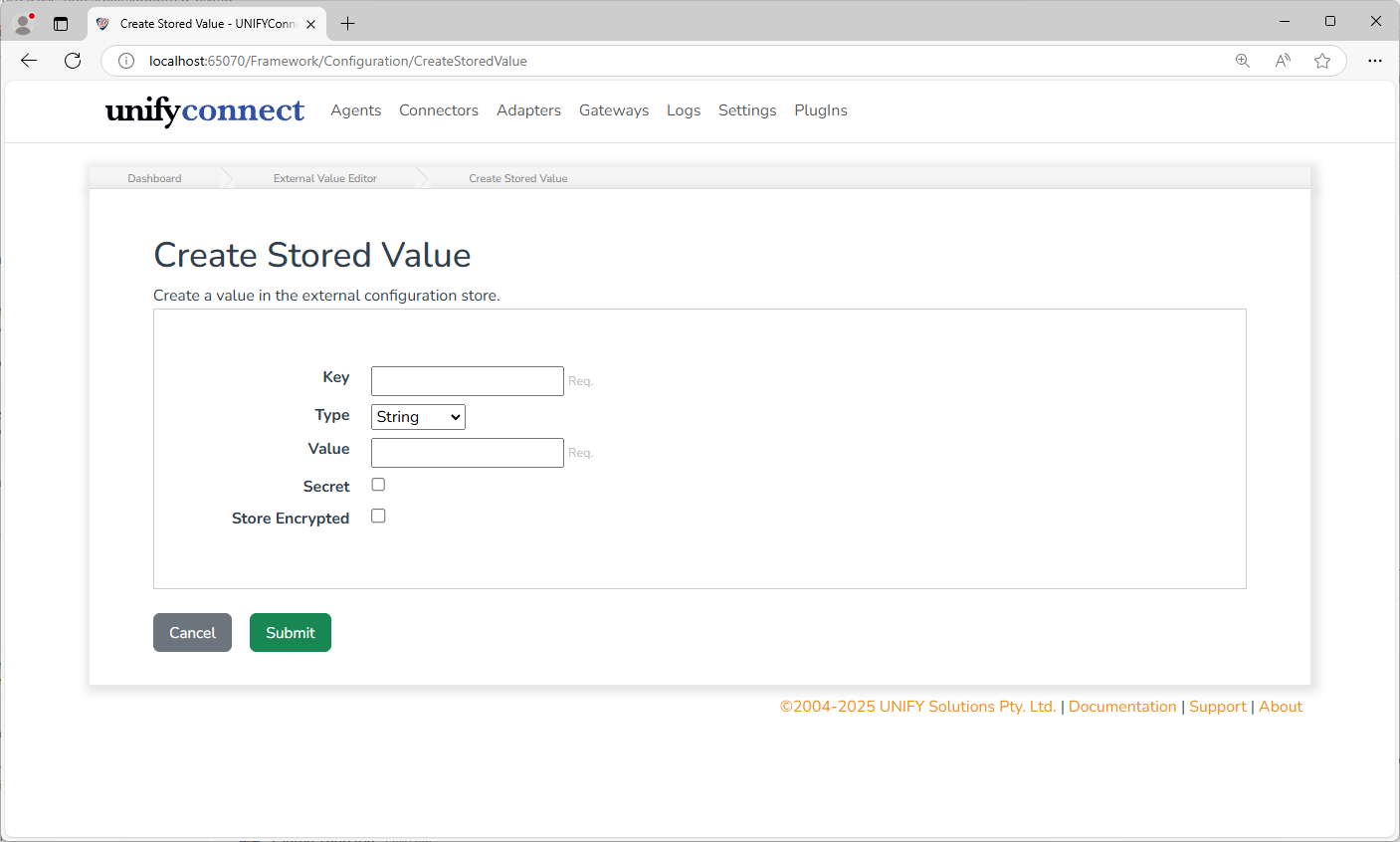
External values can be added, updated or deleted. External values have the following configuration:
| Name | Description |
|---|---|
| Key | A unique identifier for the value. Should be descriptive of its content or purpose as this will be displayed when the value is referenced. |
| Type | The type of value. The values type must match that of where it will be referenced. For example: an agents Port, expecting an integer value, cannot reference a string. |
| Value | The value to be set in the external configuration value store. |
| Secret | If the value is a secret or not. Secret values will not be exposed via the UNIFYConnect API, or displayed in the web UI. |
| Store Encrypted | If the value should be encrypted before being written to the external configuration value store. |
Usage Tracking
Usages of external values are tracked by UNIFYConnect, and these details can be seen by clicking the usage count for any external value with one or more usages.
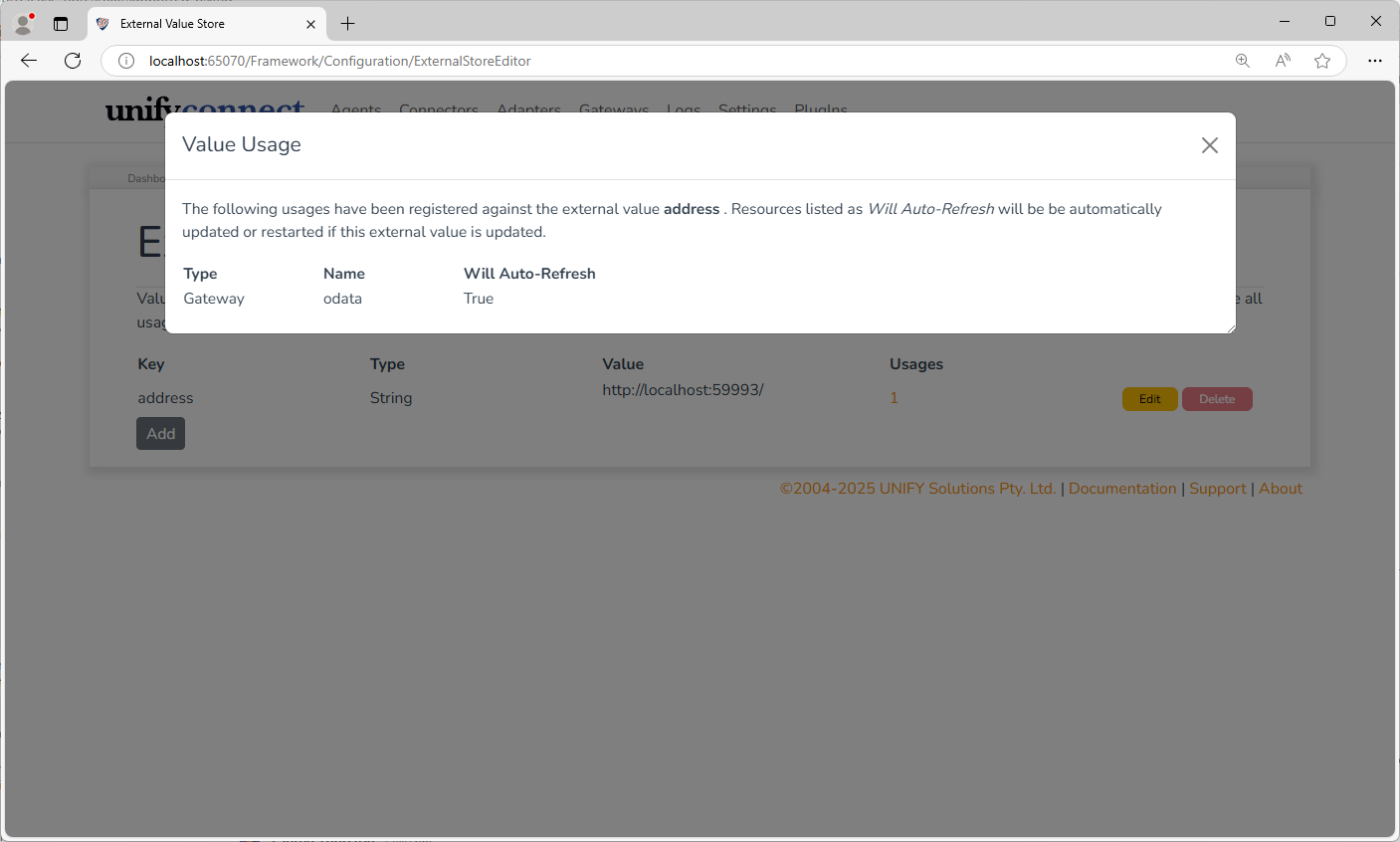
The listed usage details describe the resources using the external value, and whether or not they support automatically refreshing themselves when a used external value is changed. The manner in which the resource is refreshed is dependent on the type of resource, but is generally equivalent to the process that follows after a user manually edits it through the web UI. Resources that do not support the automatic refreshing of external values will continue to operate using the old external value until the UNIFYConnect service is restarted.
External values with one or more usages cannot be deleted; these must be removed first.
Settings Values - Manually
The external configuration store file can be manually created or edited if needed, however, it is recommended to at least populate the store from the UNIFYConnect web UI if possible. Changes made manually in the store file will not be read until the next service restart.
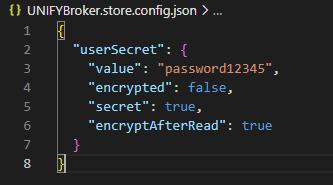
The store file is a JSON file containing a dictionary of objects. The dictionary key is the stored values key, and the dictionary value is an object with the following properties.
| Property | Description |
|---|---|
value | The stored value. The format of this property determines its type, as well. Refer to the Extensibility Configuration Reference page for more information, however, the types supported by the external configuration value store are: String, Guid, Integer, Float, Boolean, DateTime, TimeSpan |
secret | A boolean value, directly corresponds to the Secret option available via the web UI, as described above. |
encrypted | A boolean value indicating if value is encrypted. If true, it is expected that the value property will be a base64 encoded string containing the actual value in an encrypted form. |
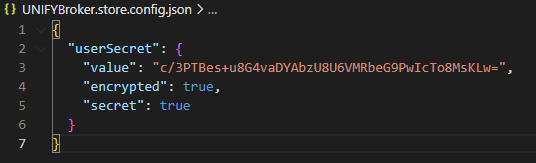
encryptAfterRead | A boolean value, that indicates that the value is not encrypted, but should be. If true, UNIFYConnect will encrypt this value and update the store file, with the encrypted flag set to true. Ignored if encrypted is already set as true. |
An example of manually creating an encrypted value using encryptAfterRead: before an after service start.
WARNING
There is no usage protection when deleting a referenced external configuration value manually. Deleting an in-use external value will prevent the service from being restarted or functioning properly, and will require the external configuration store or extensibility configuration to be manually edited to correct this.
Referencing External Configuration
Via Web UI
Any configuration item that supports external configuration references features the Reference button next to its standard input.
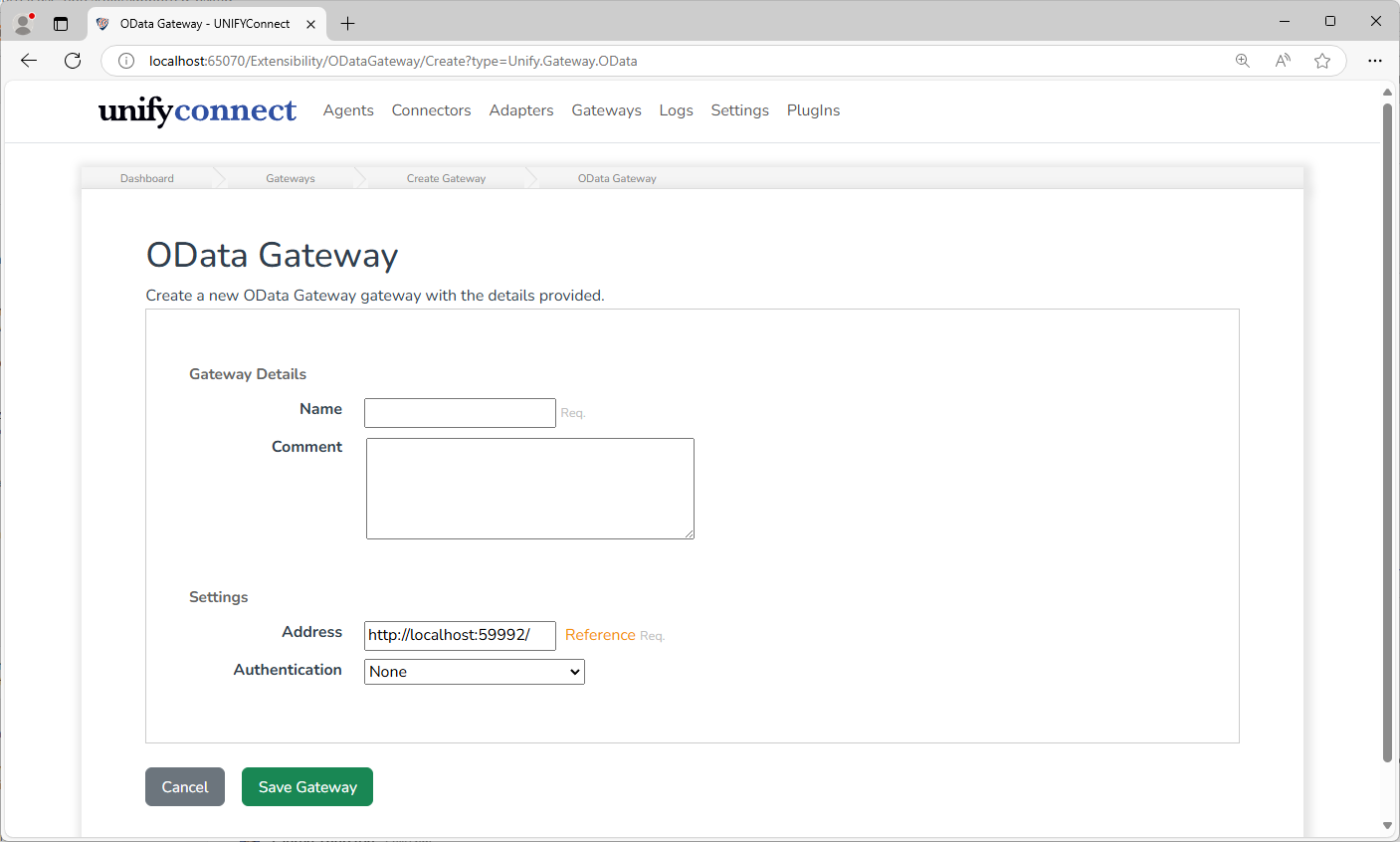
Clicking this will display a modal dialog box that allows any of the current values in the external configuration store to be selected for use.
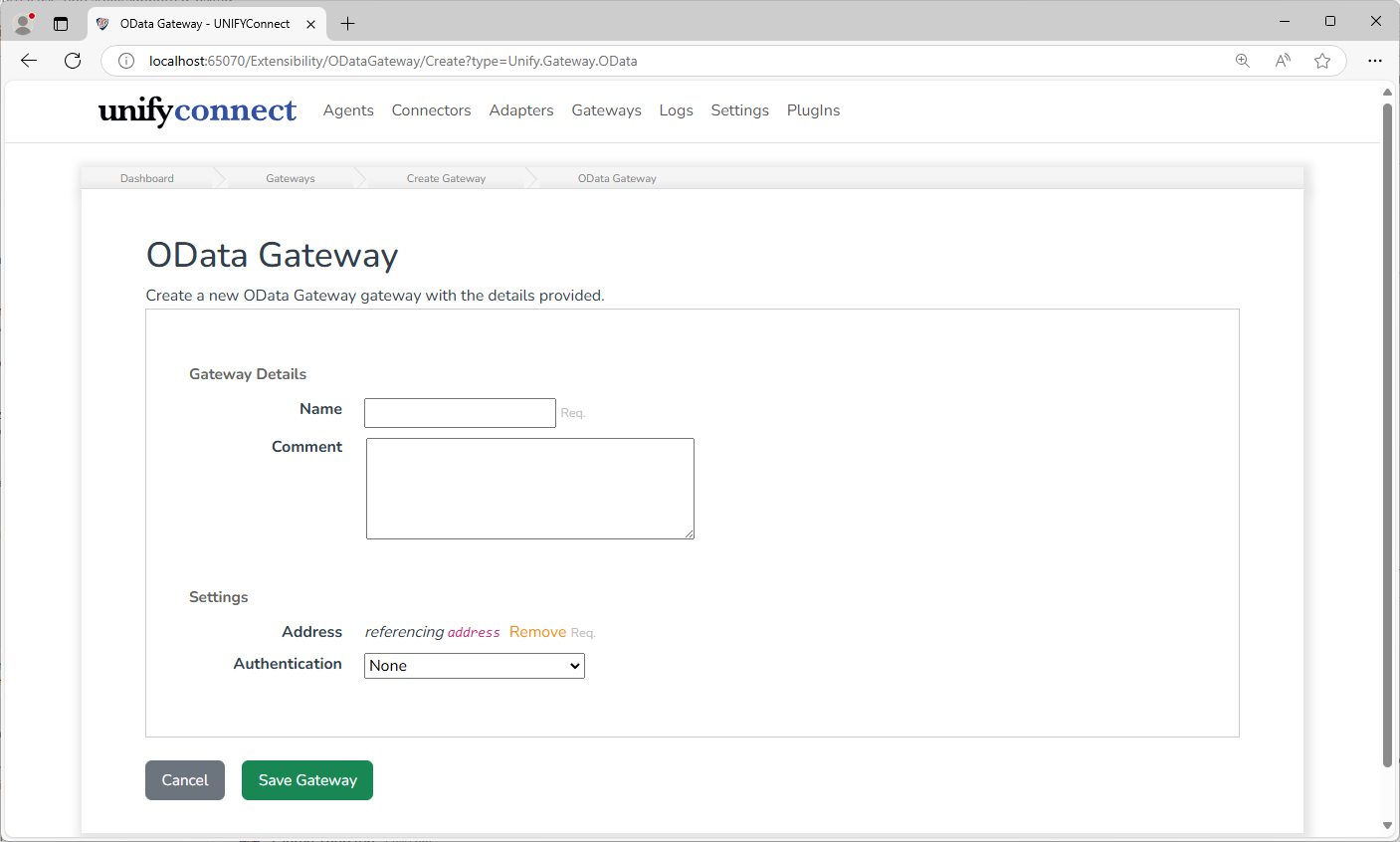
Once a configuration has been set to use a referenced configuration value, the path to that value will be displayed.
Via API
Many configuration items do support external configuration references via the API even if not supported by the Web UI. When inspecting the API models in the API's Swagger documentation, such configuration items can be identified by properties that appear in a pair, with the primary property and a RefPath string accompanying it. For example:
"UserName": "string",
"UserNameRefPath": "string",Such configuration items can be used with external configuration values by setting the RefPath property to the value path instead of the primary property.
WARNING
Using referenced configuration values in this manner is not fully supported, and could lead to unexpected behavior in the Web UI. At the very least, these configuration items will not display correctly in the Web UI and cannot be edited via the Web UI if the reference is wanting to be kept.
TIP
It's recommended that all secret configuration items be put through the external store. This provides a single update point to secrets that are likely to change between environments. It also provides another layer of security as the implementer can decide which items are secret, and values of secret items are not exposed over the API.
Access External Value Store from a PowerShell Script
A PowerShell script can access the external value store through its $components object. Use GetExternalValue when the key is required:
$value = $components.GetExternalValue("keyName").Value;GetExternalValue fails when the key does not exist. Use TryGetExternalValue when the value is optional or when the script should provide its own fallback:
$externalValue = $null

if ($components.TryGetExternalValue("keyName", [ref]$externalValue)) {
    $value = $externalValue.Value
} else {
    $value = "fallback"
}Both methods are available to supported PowerShell connector, transformation, join-selection, channel, logging, and auditing contexts. They are also available when the script runs in the v8.0 out-of-process PowerShell worker.