OData Gateway
Overview
UNIFYConnect can act as an OData server, enabling interactions with target identity managers over OData v4.
Usage
An OData gateway enables create/read/update/delete operations against the adapter entity contexts in UNIFYConnect using the OData v4 protocol. For details on the protocol, see OData Version 4.0 Protocol.
Entity Contexts
The entity contexts can be accessed at <a href="http://{servername}:{port}/odata/Adapters({adapterId}">http://{servername}:{port}/odata/Adapters({adapterId}</a>)/Entities.
Schemas
The OData schema is located at <a href="http://{servername}:{port}/odata/$metadata">http://{servername}:{port}/odata/$metadata</a>. Adapter entities are represented as open types which have at minimum the following attributes: EntityId, PartitionId, DN, Class, ContainerId, CreatedTime, ModifiedTime. The attributes as defined by the adapter schema are undeclared.
Changes
You can find recently changed entities simply by filtering an entity collection on the ModifiedTime property, e.g. by searching <a href="http://{servername}:{port}/odata/Adapters({adapterId}">http://{servername}:{port}/odata/Adapters({adapterId}</a>)/Entities?$filter=ModifiedTime gt 2017-01-01T00:00:00Z.
Configuration
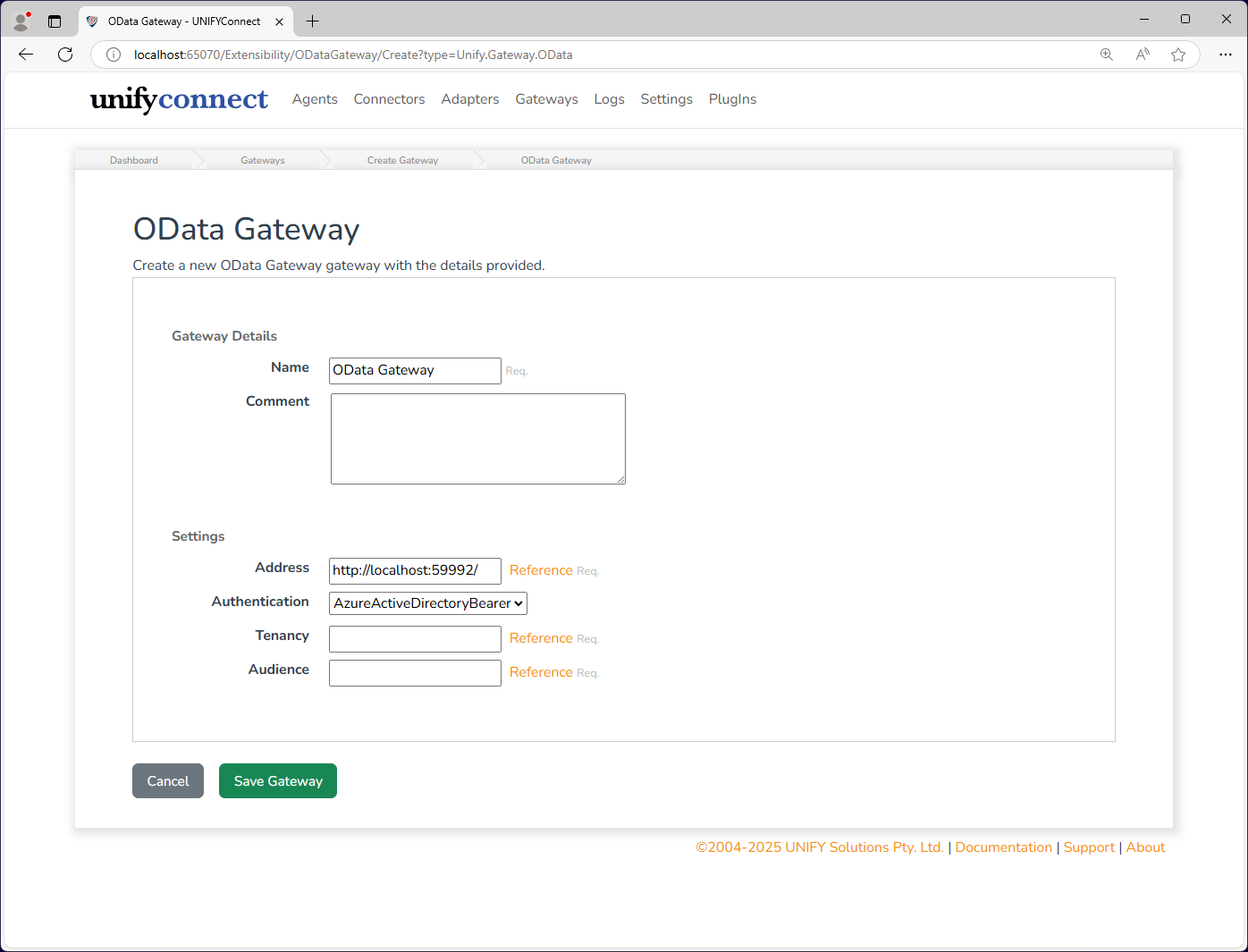
In addition to the common gateway configuration shared by all gateways, the OData gateway requires the following by way of configuration:
| Name | Supports References | Description |
|---|---|---|
| Address | yes | The endpoint address to which the OData server should bind. This should be of the form <a href="http://{servername}:{port}">http://{servername}:{port}</a> |
| Authentication | no | The type of authentication to use to secure the OData server. |
| Tenancy | yes | Only required when Authentication is AzureActiveDirectoryBearer. The Azure Active Directory tenancy, e.g. yourdomain.onmicrosoft.com |
| Audience | yes | Only required when Authentication is AzureActiveDirectoryBearer. The Azure Active Directory audience, e.g. yourdomain.onmicrosoft.com/3b67f7a3-64cd-48a8-9f25-4ae9b8628148 |