Connector Overview
Overview
A connector is a component that connects UNIFYConnect to a subset of identity data in a target system. In some cases multiple connectors may be used in parallel to give an overall picture of a target system. Once a connector has been registered to UNIFYConnect, it can facilitate the reading and manipulation of data.
Configuration
A list of configured connectors is available on the Connectors tab. Connectors can be configured and enacted from this page.
New connectors can be added by clicking on Add Connector in the Operations menu.
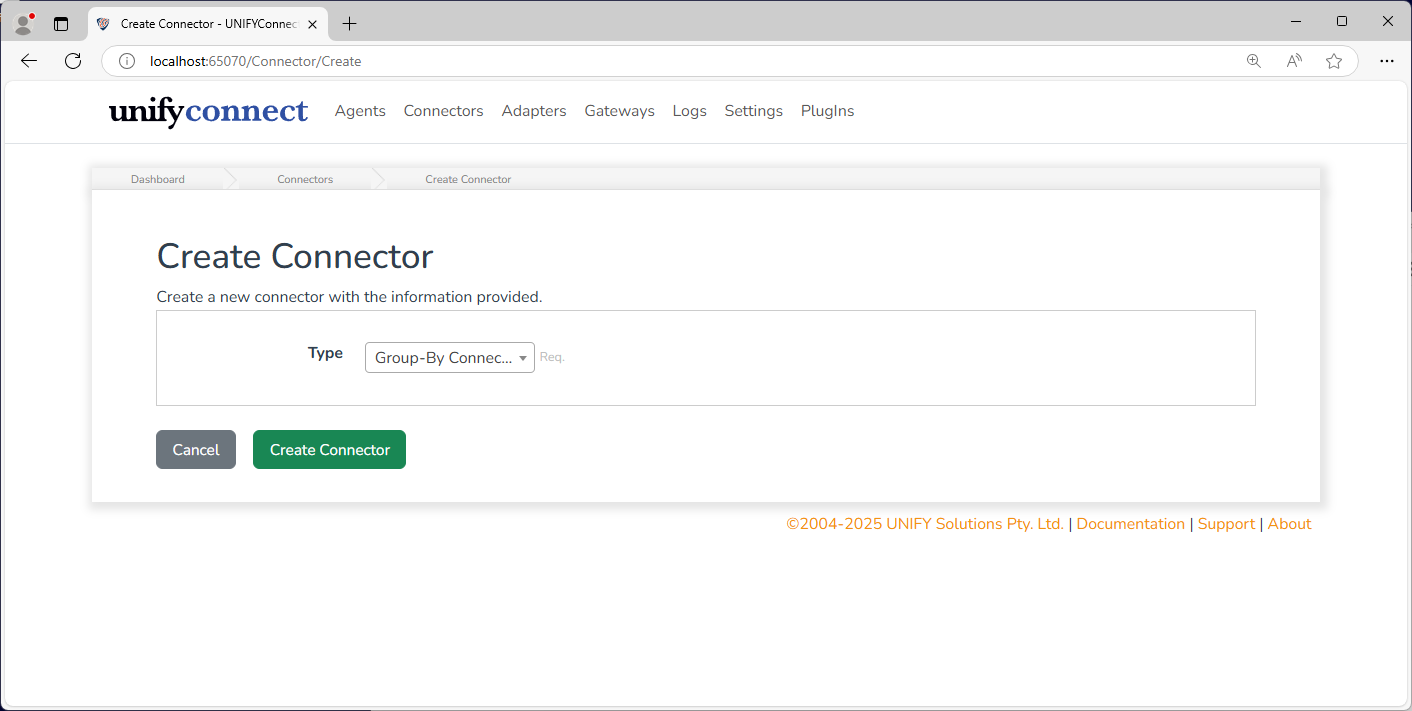
The following properties are required to configure a connector.
| Name | Description |
|---|---|
| Type | The type of connector to be created. This lists the currently configurable connectors available in the UNIFYConnect service. When new connectors are installed, the list will only be updated once a service restart has taken place. |
| Name | The display name of the connector - this will be referred to whenever the configured connector operates in the logs. |
| Comment | A brief description of the purpose and function of the connector itself. |
| Queue when Blocked | When ticked, this connector will queue if its execution is blocked by other connectors in the same connector group. For more information, see Connector Groups below. |
| Import All Duplicate Entity Handling | How duplicate entities are handled during import all operations. See below for details on what this option affect. |
| Polling Import Duplicate Entity Handling | How duplicate entities are handled during import all operations. See below for details on what this option affect. This option only applies to connectors which support polling imports. |
The remaining configuration is connector-specific. Refer to the documentation for the selected UNIFYConnect connector for more information.
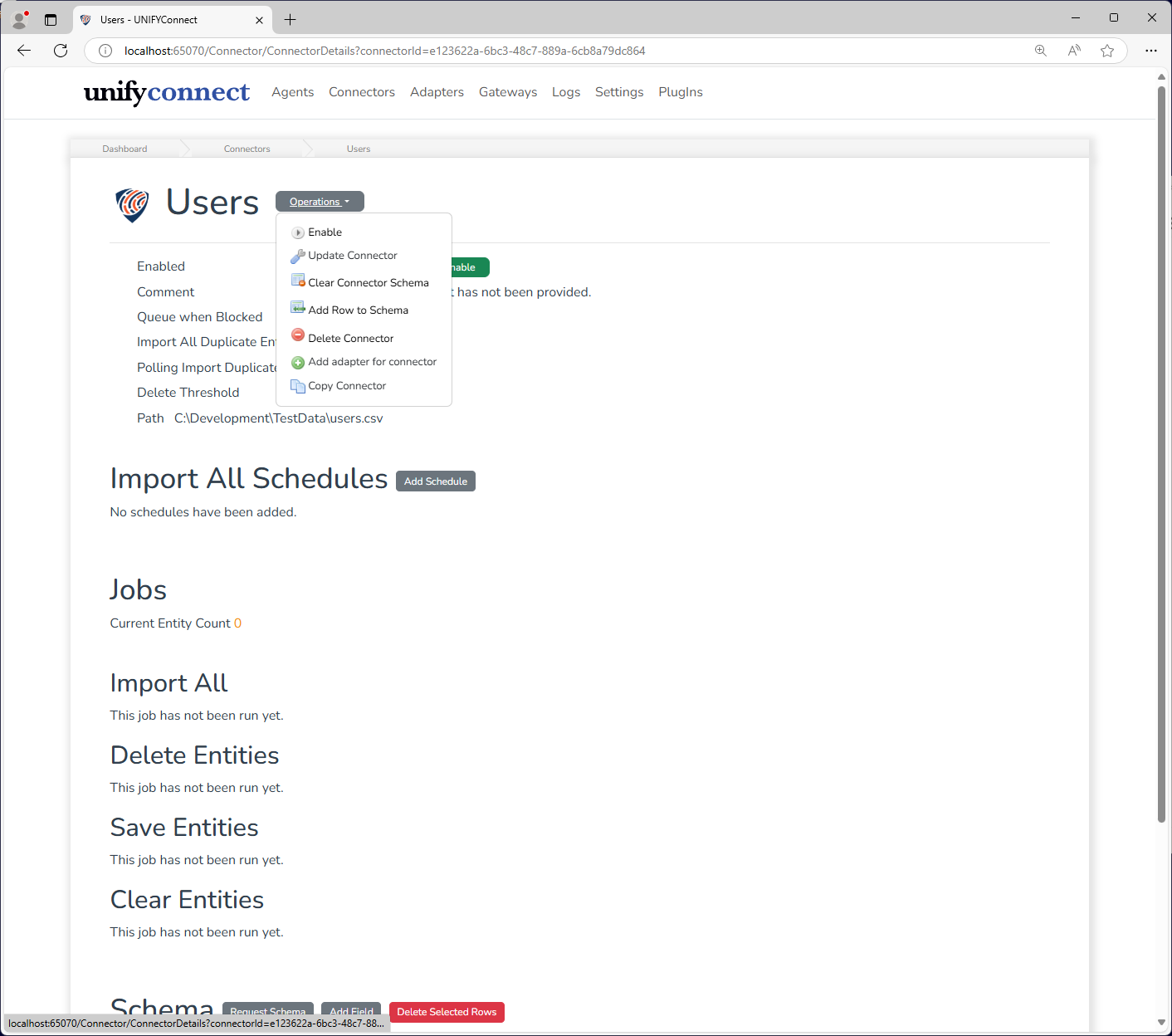
Once a connector has been configured, its configuration can be updated by using Update Connector on the functions menu.
Duplicate Handling
The duplicate handling configuration options for connectors control how they handle duplicate entities discovered during the respective import operation. Entities are considered duplicate if they have the same values in their schema key fields.
| Name | Description |
|---|---|
| Fail | Duplicate entities will cause the import operation to fail, and details of the detected duplicates will be logged. This handling method may result in partial imports being processed, up until the point duplicates were detected.This is the equivalent to the default behaviour of v5.x, though with improved logging. |
| FailWithDuplicateDiscovery | The mode behaves the same way as Fail, however after duplicate entities are encountered, the remaining imported entities are processed to discover any additional duplicate entities. No changes are persisted from this processing. Warning log message for each page of entities containing duplicate entities will be written, like with the Continue mode. |
| Continue | Duplicate entities will be ignored, and the import operation will continue. A warning log message will be written for each page of entities processed with duplicates, containing their key values.Note: This option may result in the reflected adapter entity for the duplicated connector entities "ping-ponging" between the duplicates. As the first duplicated entity is always considered the "real" version, if the connector or it's source system imports entities with dynamic or non-deterministic ordering, which of the duplicate entities are reflected and which are ignored may differ between imports. |
Schema
The entity schema of a connector describes the anticipated structure of data from the target identity store. This anticipated structure includes the expected types and ranges of the incoming information. Each field in the schema must correspond to the name of the attribute in the target system. The schema defines the scope of data that the connector is able to manipulate.
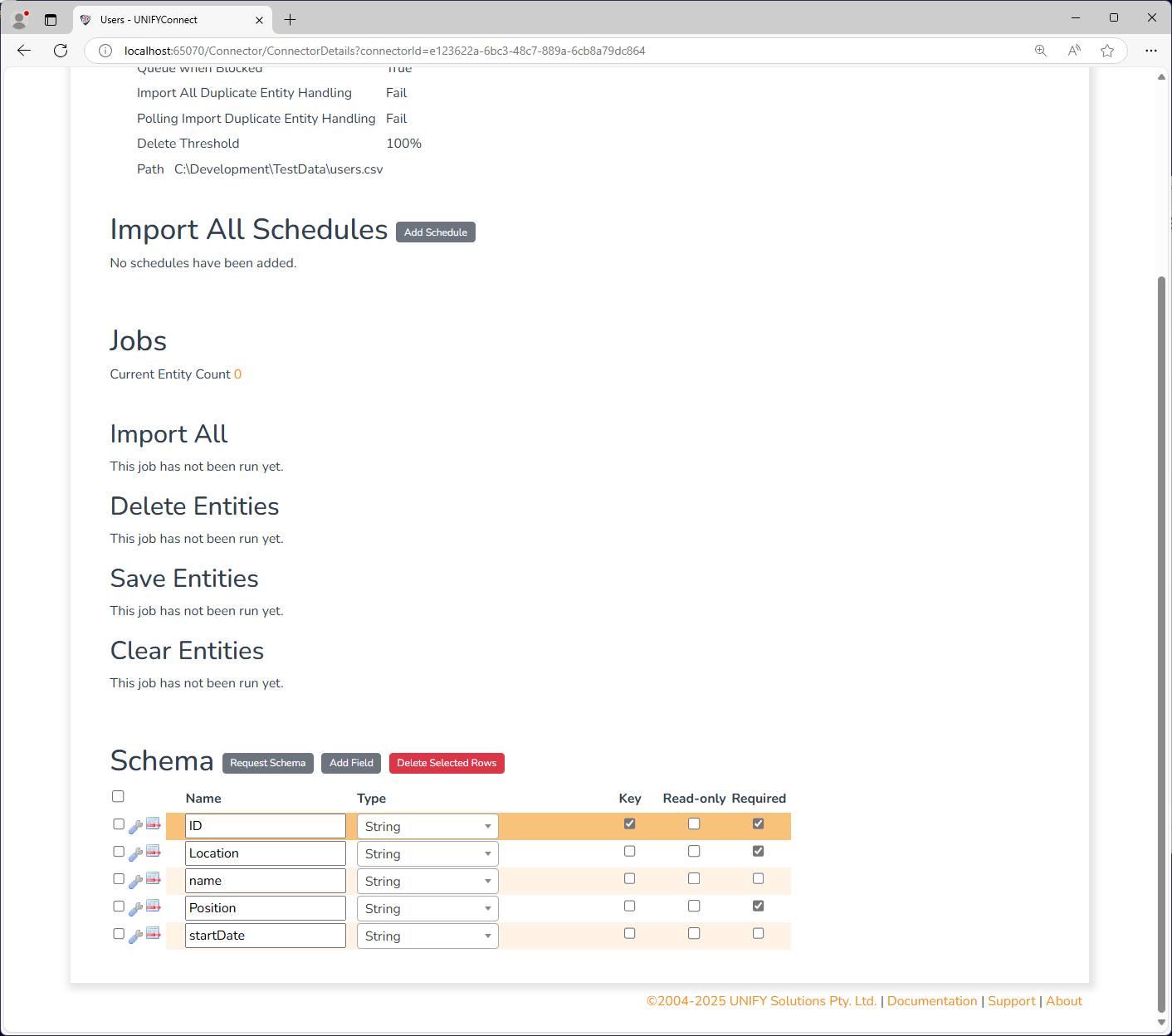
Many connectors provide Schema Providers to facilitate the auto-configuration of schemas from the target system. Where available, a connection will be made to the target system to attempt to retrieve the available field definitions.
Schema providers can be applied to a connector by clicking the Request Schema button above the connector schema.
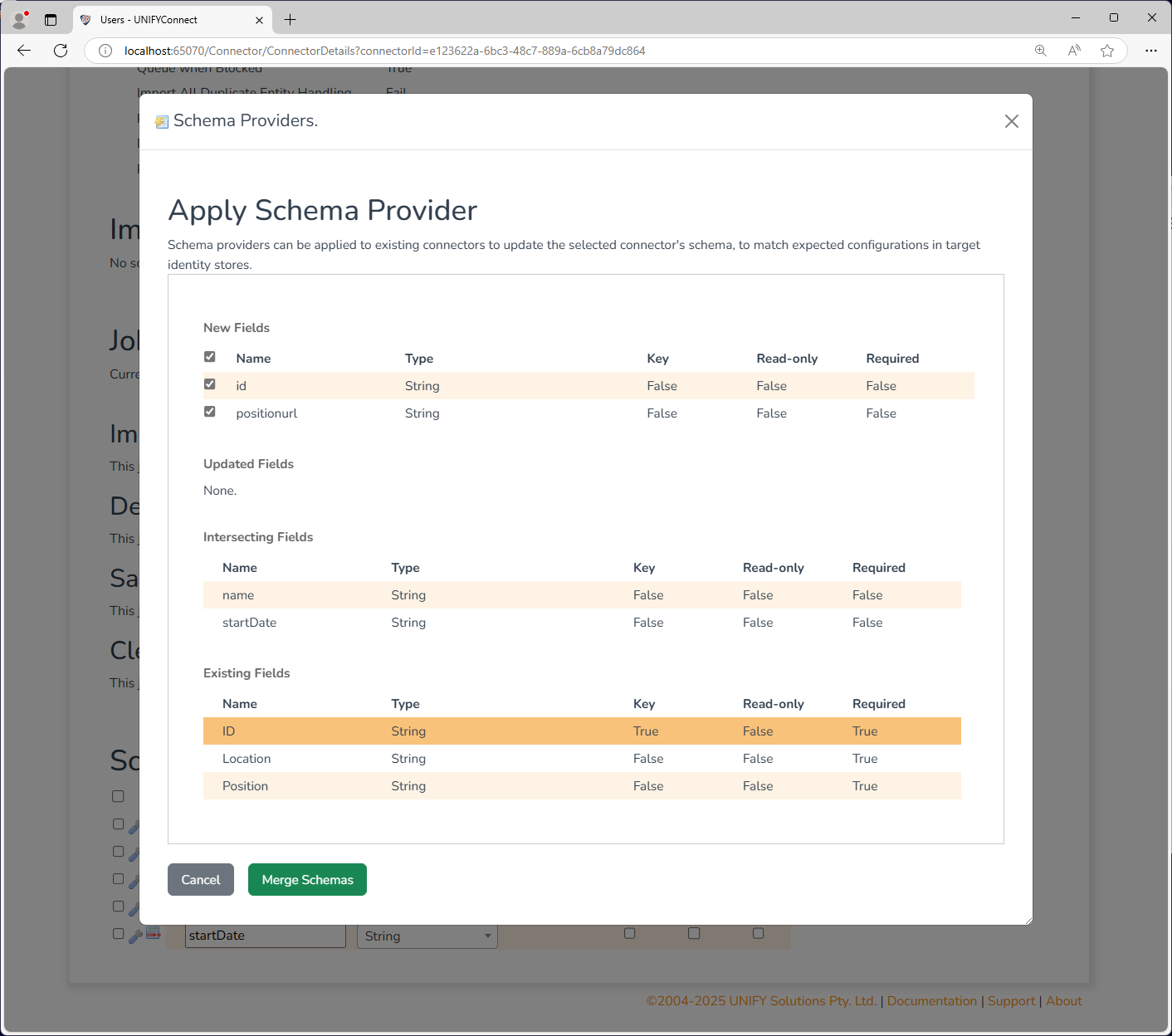
Some connectors require a set schema to be provided in order to function, and will come automatically configured with the required fields.
TIP
For more information on the expected field names and available schema providers refer to the appropriate connector documentation.
WARNING
Changes to the connector schema require the clearance of connector entities to ensure correct operation. If modified, a warning will be displayed until the issue is addressed.
Operations
Each connector keeps an internal state maintaining its current understanding of its target identity store.This understanding is commonly referred to as a connector's entities, stored in the connector entity repository. The entities of a connector are visible from that connector's entity search.
TIP
Connector operations can only be executed when a connector is enabled.
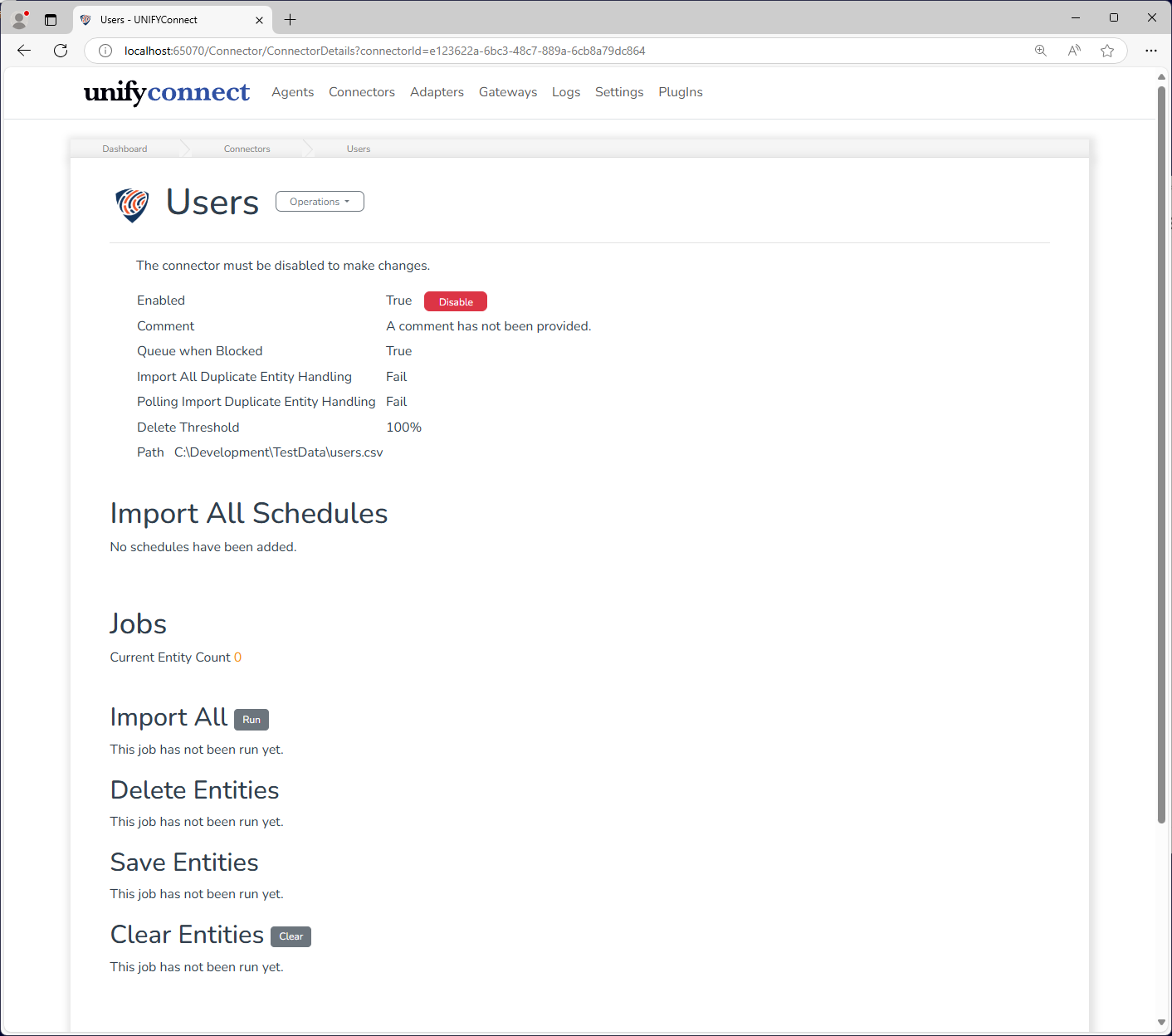
Both the connector's entities and target identity store can be simultaneously updated through the use of the available connector operations. For more information on the operations available to configured connectors, refer to the appropriate connector documentation.
While an operation is running, it is possible to end it prematurely by clicking the Cancel button which is viable during this time. For fast-completing operations, it may be the case that the operation finishes some time before this is reflected in the user interface. Clicking the Cancel button in these situations will have no effect.
Import All
An Import All operation will request the current state of all information available to the connector. This will completely refresh the connector entity repository, removing any entities that no longer exist in the target system. This operation may have a lengthy execution time depending on the size, type, and location of the connected system. Subsequent operations will be faster following the initial import, but it is recommended that expected import times be measured before regular scheduling and use.
Where supported, the Import Changes operation should be used instead to regularly maintain the state of the connector entity repository. However, it is recommended that Import All operations are still scheduled semi-regularly (eg. daily, weekly) to ensure the state of the connected system is kept completely up to date.
Once a connector is enabled, this operation can be manually triggered by clicking the Import All Run button or the Execute Import All option from the Connector Menu.
Import Changes
An Import Changes (polling) operation will request any changes from the target identity store. Changes include new entities, updated entities, and deleted entities. This is the preferred import operation where supported due to its lightweight footprint, and should be scheduled to run fairly regularly (eg. every few minutes).
Once a connector which supports polling is enabled, this operation can be manually triggered by clicking the Import Changes Poll button or the Execute Import Changes option from the Connector Menu.
Add Entities
An Add Entities operation will save new entities to the target identity store. This operation is triggered from a request by a foreign identity management platform. Some connectors may also write back certain information immediately to UNIFYConnect following an add, such as for systems where the key of the connector is generated by the system.
Update Entities
An Update Entities operation will update existing entities in the target identity store. This operation is triggered from a request by a foreign identity management platform, and will typically override all information about the object in the target system.
Delete Entities
This operation will delete any entities from the target identity store matching the provided keys. This operation is triggered by a request from a foreign identity management platform.
Clear Entities
This operation will clear the connector entity repository, as well as any connected adapter entity repositories. This will typically be followed by a subsequent Import All operation to refresh the connector's understanding of the store. Clearing connector entities will not be deleted from the target system - it will only clear UNIFYConnect's copy in the connector entity repository. Consequentially, any adapters that use the connector as a base connector will also be cleared. If the connector is used as a relational connector, all data sourced from the connector will be cleared.
Once a connector is enabled, this operation can be manually triggered by clicking the Clear Entities Clear button or Clear connector option from the Connector Menu.
WARNING
Clearing and reimporting entities will result in new entities being created with new entity identifiers. This may be of note if the entity identifier is used for join or relational criteria in an identity management system.
TIP
Operations that can be run manually can also be run against multiple connectors simultaneously from the Connectors tab.
Operation Frequency
Connectors can be configured to run import operations against the target system at regular intervals. This can be done through the use of the scheduling interface. A number of connectors also allow for polling of a target system, which retrieves the changes from the target system since the last import. See Connector Schedules for more information.
Connector Groups
A series of connectors can be grouped into individual connector groups which define the order of execution of connectors of the same group.
Each connector group, alongside a name and comment, can be configured with an Exclusion Group setting.
Exclusion groups will only allow one connector to run import operations at a time (sequentially). If two connectors in the same exclusion group run at the same time, the second is blocked.
Connectors can be configured with a Queue when Blocked setting, which describes the behaviour of a connector when it's blocked. Connectors that queue when blocked will fall into a queue of connectors waiting to run an operation, until the connector that blocked the operation finishes. Otherwise, the blocked connector will simply not run the operation.
Additional Configuration
Each connector contains specific configuration options dictating how it will interact with the target system. Refer to the product guide for each specific connector for more information.
Identifying the Connector Version
All connectors are registered as plug-ins in the UNIFYConnect About page.
Refer to the version for the respective connector plugin.