Multivalue Group Transformation
Overview
The multi-value group transformation is used to create a collection of values for entities that match the join criteria. In this regard, it is very similar to the group transformation. The difference is that the join occurs against each value in a multi-value field on the adapter, against a key on the join relational target.
Use Cases
This transformation can be used to accomplish the following:
- Generating a membership grouping for a relational target.
- Creating references to be resolved in a composite adapter
For example, imagine there are two connectors:
Person
| Field | Type |
|---|---|
| PersonID | Integer |
| Name | String |
| Groups | Multi-value Integer |
Group
| Field | Type |
|---|---|
| GroupID | Integer |
| Name | String |
A multi-value group transformation could be used to create a series of DNs for each group the person belongs to, by joining the Groups on the Person to the GroupID on the Group connector.
Prerequisites
This transformation requires a relational target.
Contribution
This transformation adds values from relational entities, either by selecting an attribute or by defining a Distinguished Name template in a group target field.
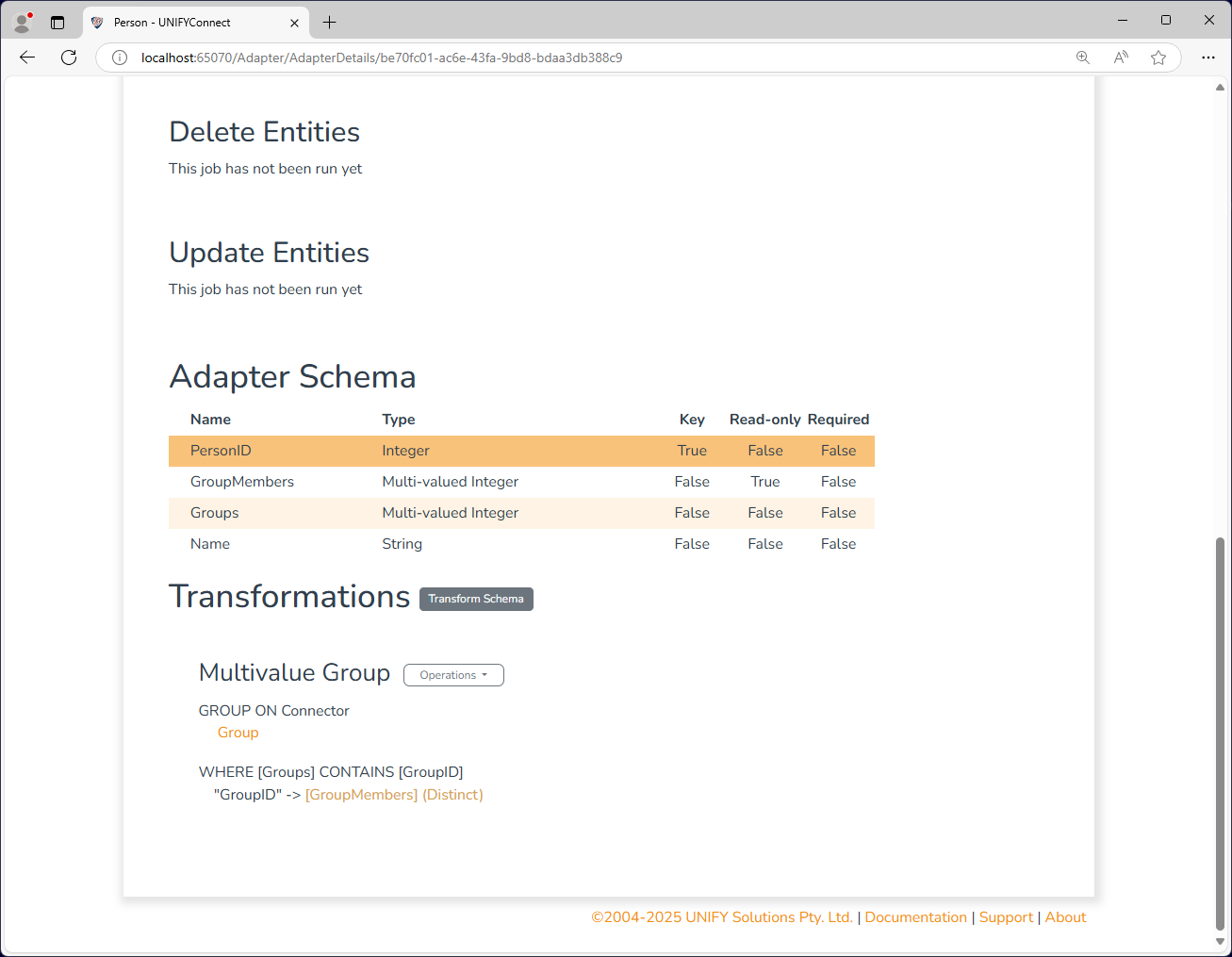
Configuration
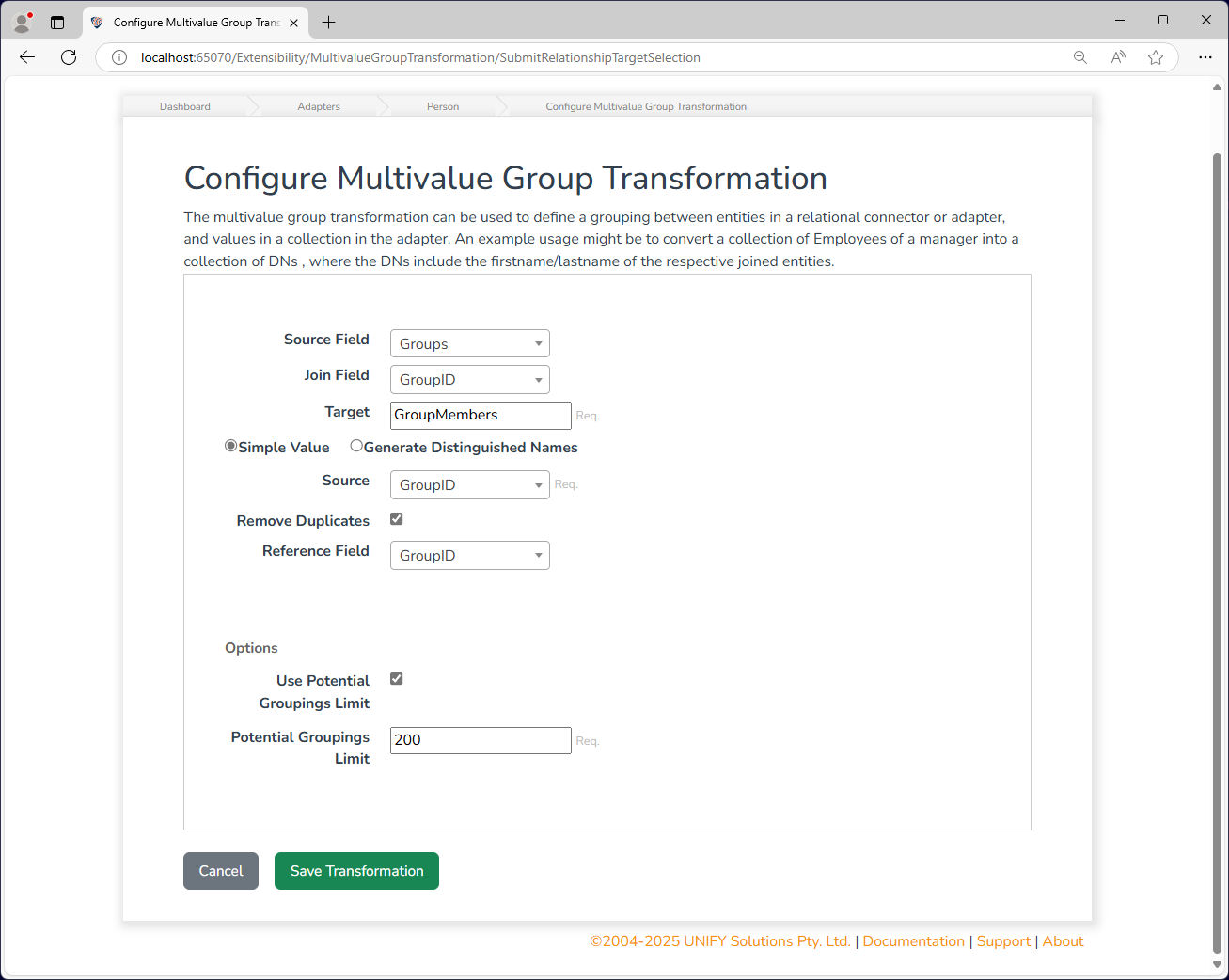
The Multivalue Group transformation requires the following by way of configuration:
| Attribute | Description |
|---|---|
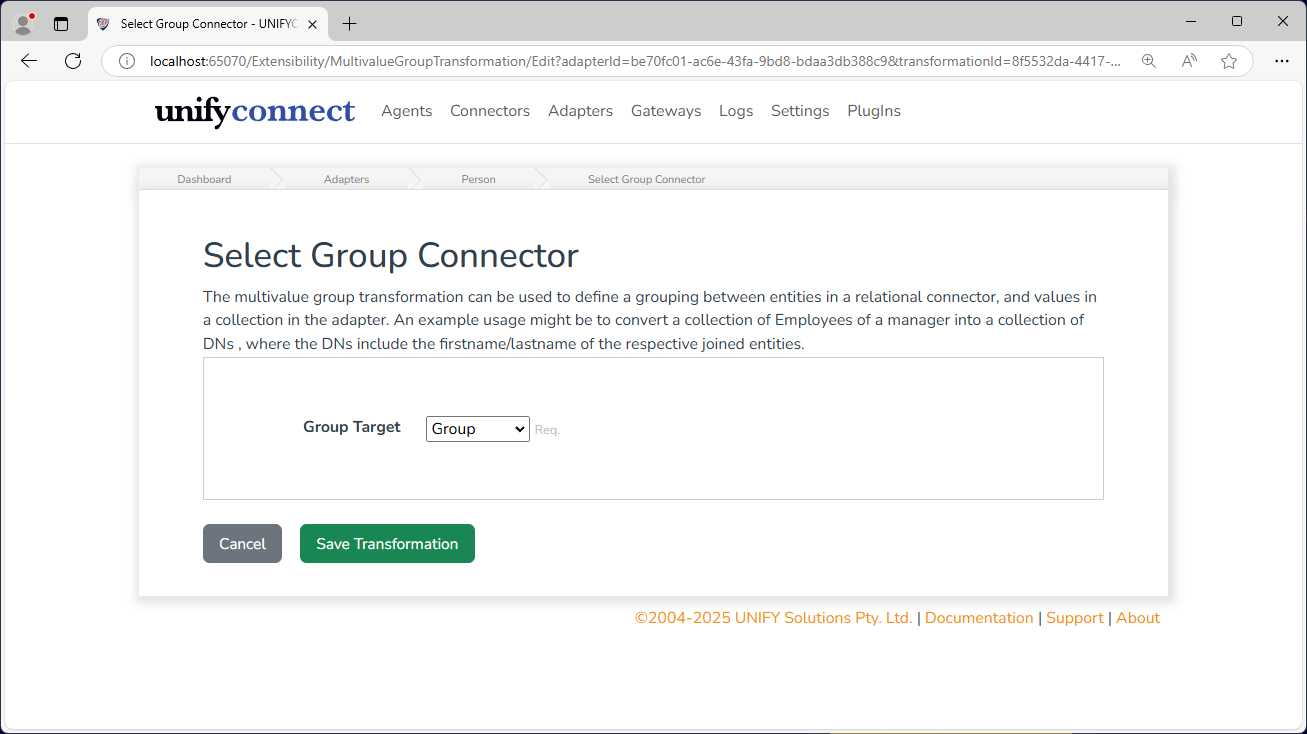
| Group Target | A relational target to be grouped on. This can either be a connector or an adapter, |
| Source Field | The field on the adapter side to join on (multi-valued). |
| Join Field | The field on the relational target to join on. |
| Target | This is the key column name which is the target output of the group membership list. The generated values for each matching item will be added as multi-values to this field. |
| Simple Value | Select this if you want the target field to consistent of simple values which are taken from an attribute of the matched items. |
| Generate Distinguished Names | Select this if you want the target field to be populated by generating Distinguished Names from the matched items. |
| Source | If Simple Values is selected, this determines which attribute of the matched items will be used to populate the target values. |
| Template | If Generate Distinguished Names is selected, this is the distinguished name template to be applied on the entities on the relational target side. The resulting values will be placed in the Target field. |
| Relationship Reference | Only entities that contain values in this field will be considered for grouping. |
| Potential Groupings Limit | If enabled, this configuration will limit the allowed number of potential relational entities that can be selected for grouping by the group criteria.This protects against misconfigured transformations or bad data producing an excesively large number of potential groupings, causing performance issues or the service locking up |
Change Processing
During the change detection process, a change will be flagged if any of the relationship fields are changed, or if any members are to be added, updated, or removed.