Time Offset Flag Transformation
Overview
This transformation adds a new field which contains a calculated offset flag based on a provided source field.
This offset flag describes whether the source time is greater than, less than or equal to the current executing service time (or null).
Use Cases
The time offset flag transformation can be used to accomplish the following:
- Setting a new field for use in processing where the time of day is significant, such as HR processing or advanced workflows
Prerequisites
This transformation requires a date or timestamp field in the adapter schema to offset.
Contribution
This transformation adds a new string field populated with the calculated flag value.
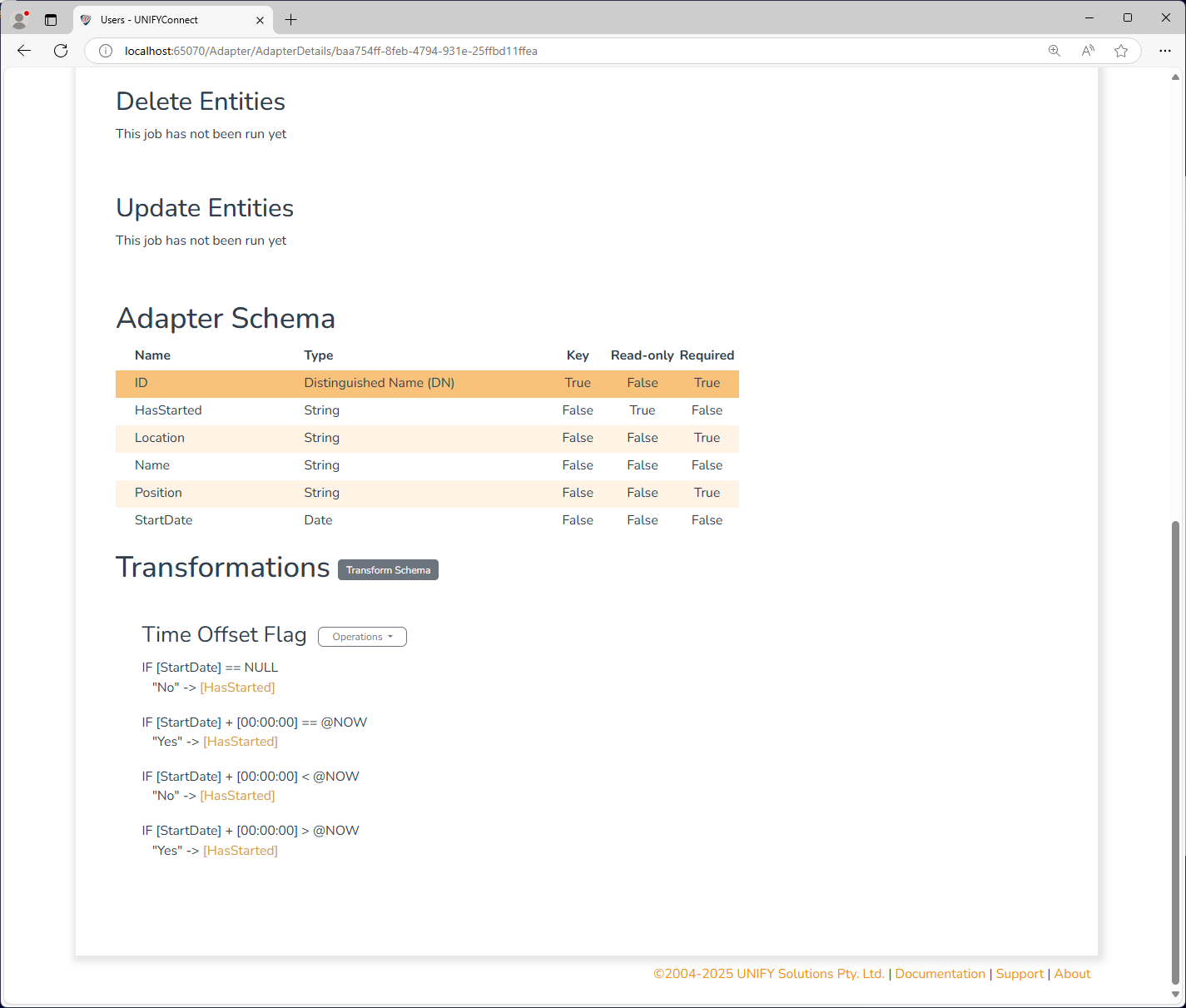
Configuration
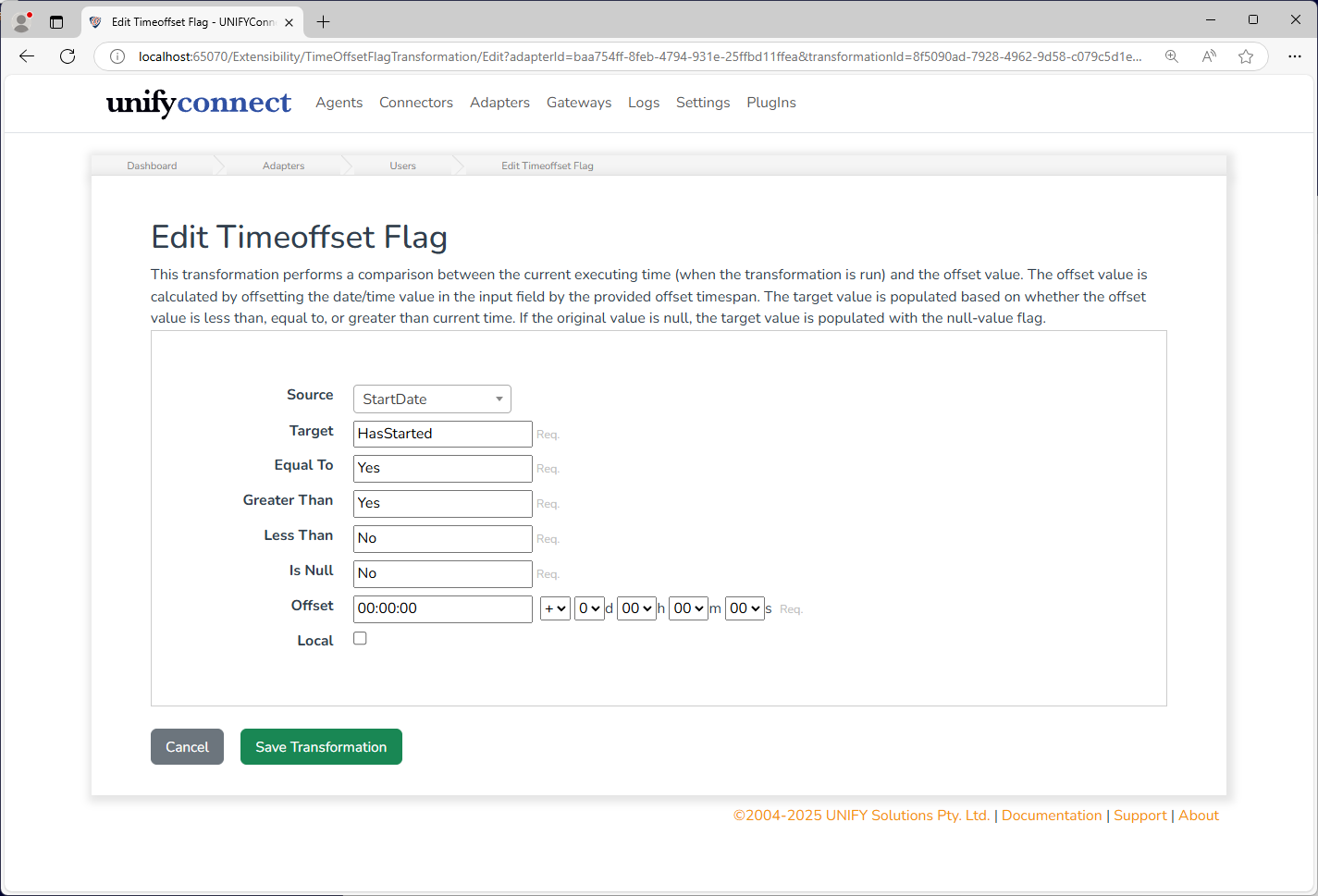
The time offset flag transformation requires the following by way of configuration:
| Attribute | Description |
|---|---|
| Source | The field containing the date or timestamp to offset. |
| Target | The field to put the flag after transformation. |
| Equal To | Flag value to set if the current process date is equal to the source column. Defaults to null. |
| Greater Than | Flag value to set if the current process date is greater than the source column. Defaults to null. |
| Less Than | Flag value to set if the current process date is lesser than the source column. Defaults to null. |
| Is Null | Flag value to set if the source column is null. Defaults to NULL. |
| Offset | The value to offset the source value from. If this is a date, it is offset from midnight of the start of that day. |
| Local | Whether to use Local time for the offset field value |
The above configuration takes a field TerminationDate and flags a new field Terminated with a True or False value if the time has been reached, signifying further processing may need to take place.
Change Processing
During the change detection process, a change will be flagged for an entity if the Offset Field has been updated. Changes will also occur for entities based on their Offset Field, such that their flag will update automatically.
TIP
When using the Time Offset Flag transformation with fields generated by PowerShell transformations, either directly or indirectly, ensure the field contributions have been correctly registered. Not doing so will prevent future-dated changes from being scheduled, removing the ability for automatic re-evaluation at the point in time when the flag field's value would be expected to change. See the PowerShell transformation for more information on registering field contributions.